
Psycrow

Psycrow
Have you solved this issue?
@RecklessGlue540 You can try this https://github.com/Parik27/DragonFF/pull/250 https://github.com/Psycrow101/DragonFF/tree/native-plg or https://github.com/Psycrow101/DragonFF/tree/multi-mesh
I think dff doesn't support constant interpolation, which is presented in Blender. You should set keyframes manually or use the bake action command.
This dff contains a Native Data PLG section, which, unfortunately, is not yet supported. Upd: you can try this branch https://github.com/Psycrow101/DragonFF/tree/multi-mesh
I think it solved by https://github.com/Parik27/DragonFF/pull/308
@EthanBoiLol Added support for this case for your game. Raw and poorly tested. https://github.com/Psycrow101/DragonFF/tree/multi-mesh 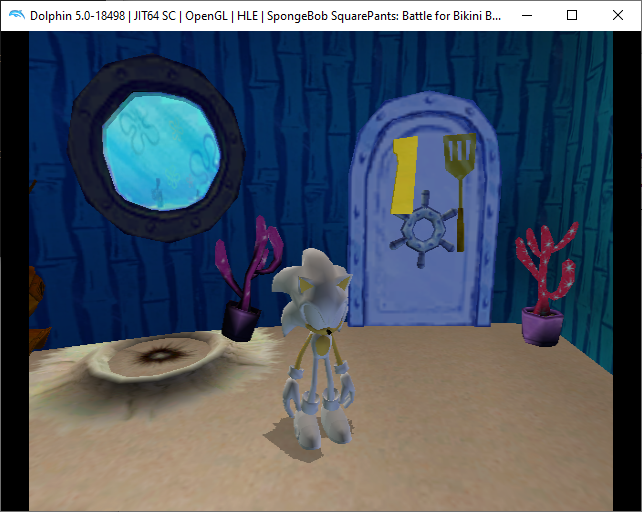
DragonFF is currently trying to merge meshes into one if Atomics have the same Frame index. 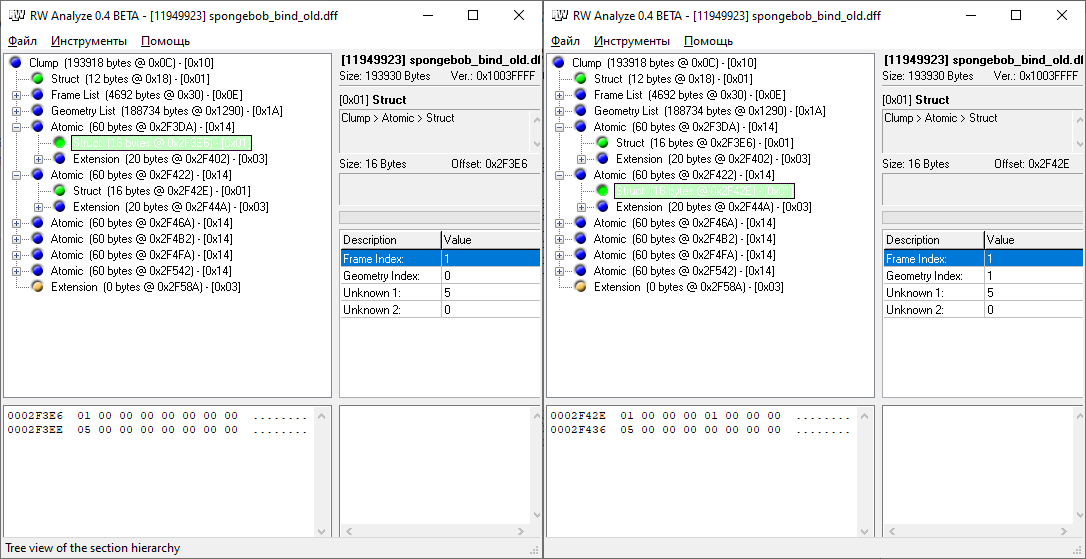 As a result, only one Atomic is exported after import. In my branch,...
@Parik27 Unfortunately, so far I'm not handling models with inheritance correctly. Didn't figure out how to group them for such cases. I'm thinking of tagging meshes with a common atomic...
You can import these models in the latest version
1) Import the .dff model using the DragonFF addon (File -> Import -> DragonFF DFF) 2) Import the .anm animation No further action is required. If several animations were loaded...