
Rafael Rivera




Rafael Rivera
All apps or just one?
Hi @Spirit-chan, can you open Event Viewer > Windows Logs > Application and see if there's an EarTrumpet related entry in there?
@Spirit-chan Hm. Looks like a third-party issue (display drivers? customization software?) but can you do the following so we can be sure? 1. Open Regedit, navigate to `HKEY_LOCAL_MACHINE\SOFTWARE\Microsoft\Windows\Windows Error Reporting\LocalDumps`...
Thanks @amseager, do you have an EarTrumpet related entry (.NET Error) in Event Viewer > Windows Logs > Application?
Great video, unfortunately it's proving difficult to reproduce. Does this behavior persist if you restart EarTrumpet? Does it persist if apps emitting audio are closed/stopped?
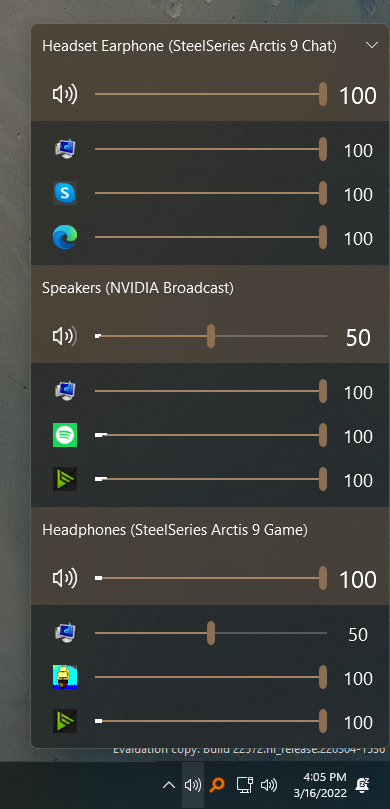 Hey @aglavic, cool app. Never heard of this until now. Not seeing the issue here though. I set my primary audio device to my headset, sent Spotify output through...
@Grenbur Dang. Can you rename it to .xml and attach that?
@Grenbur .txt then. Or zip it up. Try a few until it works. 😀
@CosimoMatassini I can't reproduce with `Chrome Version 85.0.4183.83 (Official Build) (64-bit)` and `Windows 10 19041.450`. What builds of Chrome/Windows are you using?