
Ahmad Kholid



Ahmad Kholid
And try to enable the `Debug mode` in the workflow settings 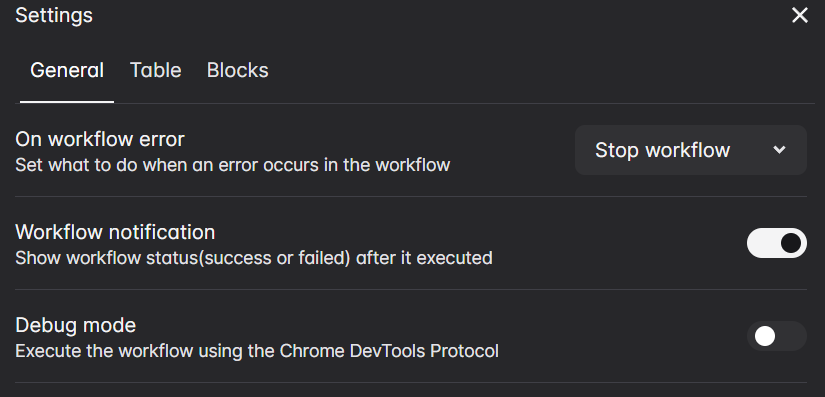
> no effect, even enable "Debug mode", and add "Handle Dialog" before "New Tab" and "Click Element" This might be a bug, I'll look into it > can we inject...
Try this code ```js window.alert = () => { window.alert = true; } ``` And in the javascript code block, enable the `Execute every new tab` 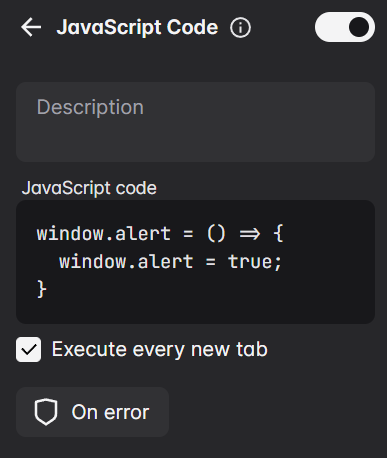
> no effect, it seems that the `alert()` run before the code above > > and i found these of `Chrome DevTools Protocol`, [Page.javascriptDialogClosed](https://chromedevtools.github.io/devtools-protocol/tot/Page/#event-javascriptDialogClosed) [Page.javascriptDialogOpening](https://chromedevtools.github.io/devtools-protocol/tot/Page/#event-javascriptDialogOpening) [Page.handleJavaScriptDialog](https://chromedevtools.github.io/devtools-protocol/tot/Page/#method-handleJavaScriptDialog) Automa is actually using...
It's currently not possible to do that. For now, you can add the google sheets block inside the workflow that the Execute Workflow block executes.
Can you show the file name in the take screenshot block?
> I write {{dataColumns@column}}.jpeg in the take screenshot block `{{dataColumns@column}}` is actually a "shortcut" for `{{[email protected]}}`, which means it refers to the `column` column on the first row. That's why...
I'll add this feature on the future update
It follows the time when you click the save button, but I'll fix this on the next update so it starts exactly at the time you inputted.
If you're using the `on a specific date` option, I don't think it's a bug because I don't set it to execute at the exact 00 seconds. https://github.com/Kholid060/automa/blob/697f5d25153884dcb99a9ba780679f301674ac56/src/utils/workflow-trigger.js#L90