
Young Altair



Young Altair
I'm facing exactly the same problem. For Service Provider I'm using [https://github.com/crewjam/saml](https://github.com/crewjam/saml) package; SSL Certificate on both side using Sectigo that support SSL SHA-256 ECDSA Algorithm. I'm sure this is...
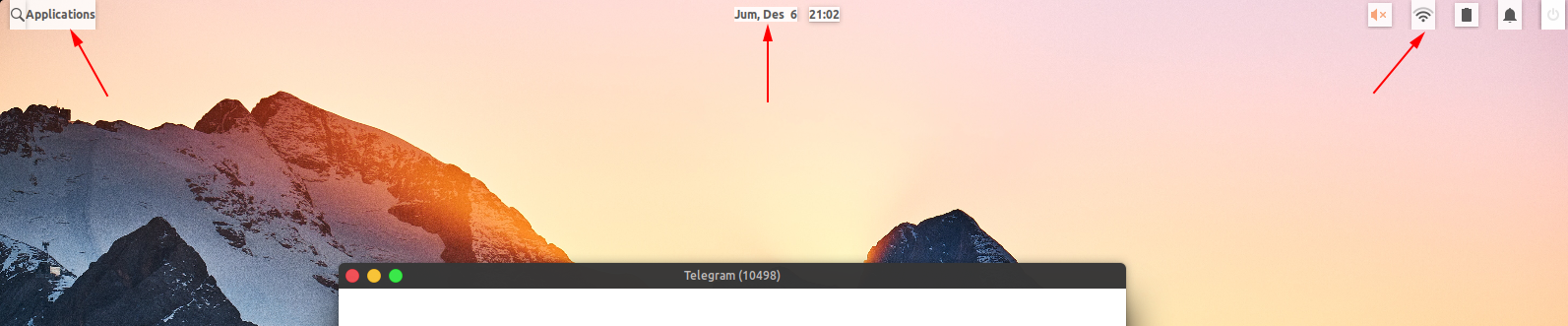 Like this. Note: on Hera 5.1 Version
The log points to this line in `vue-float-menu.es.js` 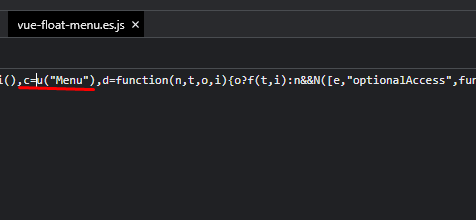 I managed to get rid of the warning message by adding this line to main.js. But I don't think this is...
Let me know if you can't access the following link: https://stackblitz.com/edit/vitejs-vite-mguyro?file=src%2Fcomponents%2FHelloWorld.vue&terminal=dev
This is my code, hope it helps ``` .... .... data() { const that = this; return { //......... apiToken: "API TOKEN", config: { imageUploadURL: "https://this-is-my-server.name/upload", imagePaste: true, imagePasteProcess: true,...
I tried version Bootstrap-Vue 2.7.0 and this problem appeared. I tried version 2.0.0-rc.1, it works well. I think the problem is with the Bootstrap-Vue version. The last safe version for...
> I overrided AuthServerDelegate to support Microsoft SQL Server databases. It is working pretty well! Would you like to share with us? I'm using MSSQL Server as well. Thanks
1st Problem Is Solved = Turns out the problem is the space (yellow box) lack of coffee makes this happen 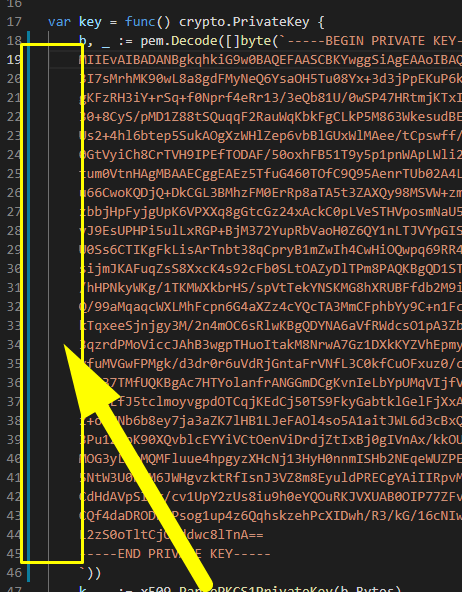 one more to go!
Edited: Turns Out in `GenerateImage function` line 68 `output, err := cmd.CombinedOutput()` return empty byte slice So `trimmed := cleanupOutput(output, options.Format)` will produce unhandled error I make a little modification...
```js created() { if (!this.$attrs.onChangePage) { throw 'Missing required event listener: "changePage"'; } //... } ``` working on me