
Steven Yau



Steven Yau
Looks like there is an issue where it's possible for the anim clip `this.eventCursor` to be out of sync with the anim layer `activeStateCurrentTime` causing this line to fail: https://github.com/playcanvas/engine/blob/main/src/anim/evaluator/anim-clip.js#L119...
Here is my questionable workaround for this that advances the eventCursor forward when the time is set: https://playcanvas.com/project/972398/overview/f-debug-seeking-animation ``` Anim.prototype.nextStep = function(time) { console.log(time); const floatTime = parseFloat(time); this.entity.anim.baseLayer.activeStateCurrentTime =...
I created a Editor version of compound physics demo if you want to see if there's a difference in set up: https://developer.playcanvas.com/en/tutorials/compound-physics-shapes/
Ah, I see. Looks like if the children are off centre to the parent, the issue is much more clear. 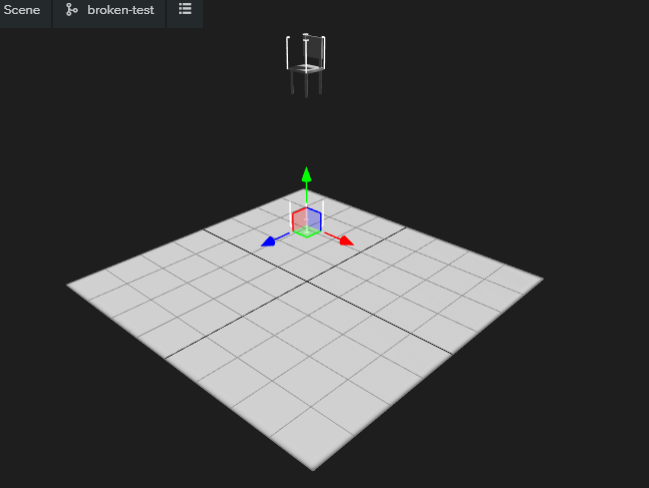
Sorry, fat fingered the scrolling on mobile :sweat_smile: That makes sense and explains the behaviour as when it collides, it's trying to pivot around its centre of gravity.
Looking back on the ticket, it looks like designed behaviour as the pivot/center of mass is where the parent/compound rigidbody is. What is the issue you are running into @albertvanveen...
Ah I see. It's unlikely that would change that as it was designed into the way that the parent would be the 'center' of mass where everything pivots around.
Can you link directly to the line you are referring to please and maybe a small code example?
I wonder if this is a Web vs non-Web viewpoint as engines like Unity, you have to this manually in the same method as Will's code above https://docs.unity3d.com/ScriptReference/Cursor.SetCursor.html
Is it related to this issue? https://github.com/playcanvas/engine/issues/4595