vaishali1397
vaishali1397
@anna-dingler Stylus is text spacing tool which is used to create spaces between the text and the characters.
@anna-dingler Below are the steps to install the stylus and configure it – 1. Go to - [https://chrome.google.com/webstore/detail/stylus/clngdbkpkpeebahjckkjfobafhncgmne?hl=en](https://nam06.safelinks.protection.outlook.com/?**url**=https%3A%2F%2Fchrome.google.com%2Fwebstore%2Fdetail%2Fstylus%2Fclngdbkpkpeebahjckkjfobafhncgmne%3Fhl%3Den&data=05%7C01%7Cv-vataneja%40microsoft.com%7C7165563464f34c7c2d9708daa1407493%7C72f988bf86f141af91ab2d7cd011db47%7C1%7C0%7C637999595452708607%7CUnknown%7CTWFpbGZsb3d8eyJWIjoiMC4wLjAwMDAiLCJQIjoiV2luMzIiLCJBTiI6Ik1haWwiLCJXVCI6Mn0%3D%7C3000%7C%7C%7C&sdata=CZADi6qEV1nWc8LIH3%2BgM44iT3r4tLBQxl4hkEPWVk4%3D&reserved=0). 2. Click on ‘Add to Chrome’ button. 3. After adding, you should...
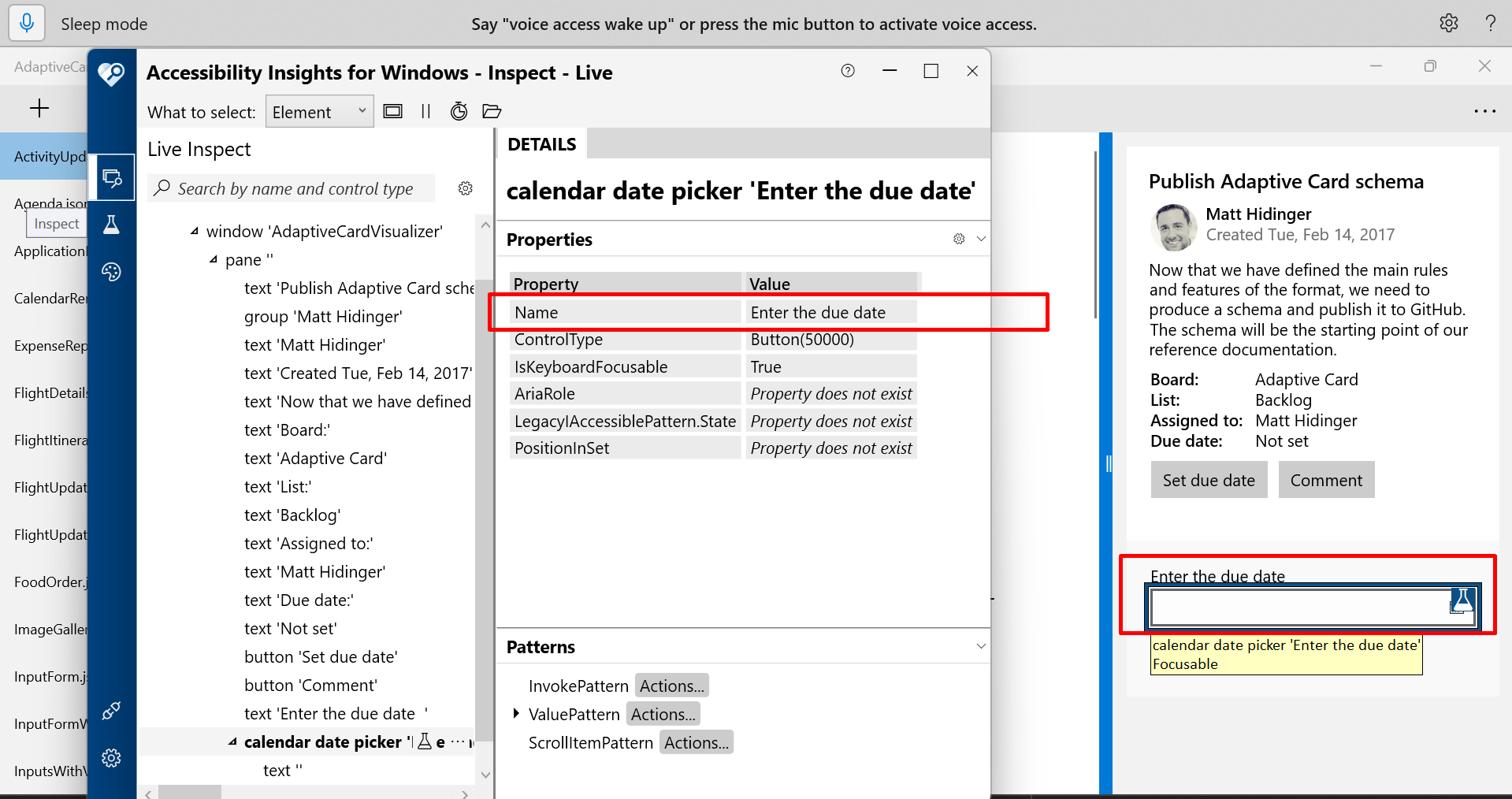
Issue has been fixed in below test environment, hence adding A11yTTValidated tag. **Test Environment:** OS Version: 22H2 (Build 25330.1000) Application: Adaptive Card Visualizer ** https://user-images.githubusercontent.com/104483005/235418224-4f3927ba-3216-4dff-b798-1908f8d323ee.mp4 **: Adaptive Cards~ Issue fixed...
Issue is repro'ing in below test Environment, hence reactivating the bug, **Test Environment:** OS Version: 22H2 (Build25272.1000) Application: Adaptive card Visualizer 
Issue has been fixed in below test Environment, hence Adding A11yTTValidated tag. Test Environment: OS Version: 22H2 (Build 25314. 1010) Application: Adaptive Card Visualizer (Version 3.2.2303.22003)