
stevangoldduck
stevangoldduck
I think we can add it by ourself following the Development documentation ??
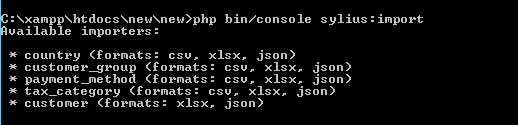 Available importers show that in my app may upload with Excel, but always show Skip 1.  and here is my Excel  any clue of this??
Okkay i'll try with the CSV
It still doesn't work in csv and excel,, any clue of this??
I just wanna close this. 1. Follow the Development guide for Importer 2. Just make sure your file as same as like this picture below for Excel 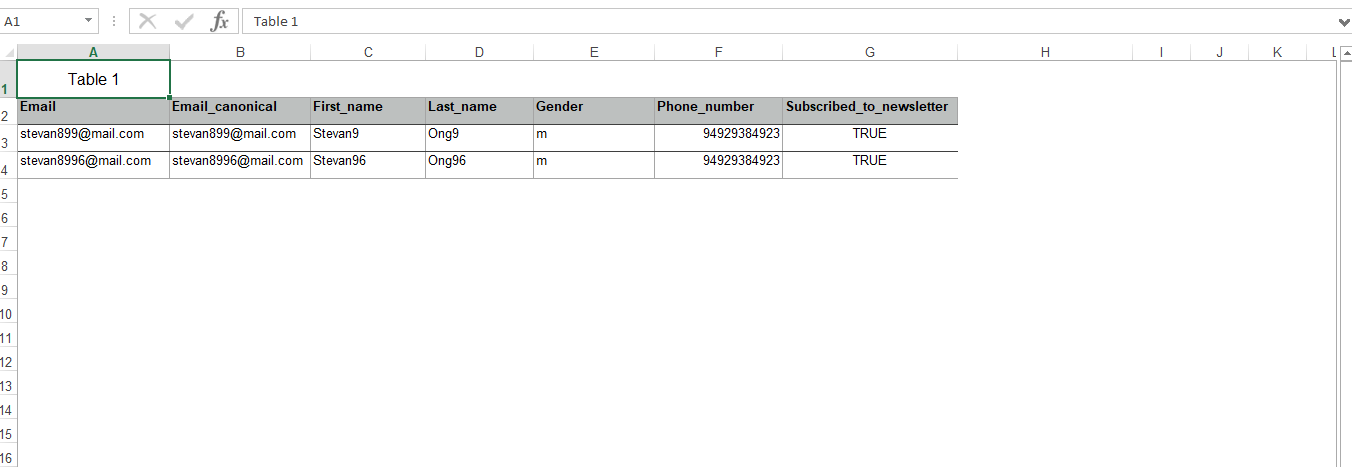 Match the...
@enesaktay
Yeah i've tried it and still skipped. With the example above, the data can be imported.
I don't know why it's happening, we can't exactly put the data from A-1 row.