
mohammadamer



mohammadamer
@KoenZomers I am using PnP Powershell and the site has been created with this title "ØkonomiOgFinansiering" and this name "ØkonomiOgFinansiering" :) Even different sites with special characters have been created...
@KoenZomers This is how we create site using PnP Powershell. The only difference is that I am using a JSON file which contains every site Title, URL etc. Urls in...
@KoenZomers, After you specify the type parameter, Url parameter will be present. PnPPowershell Version PnP.PowerShell 1.7.0
@gautamdsheth Well, I knew now that even SharePoint is not supporting it but I had tried before with PnPPowerShell and it worked that's why I thought it's supported. Now, I...
@gautamdsheth Power shell for site creation: 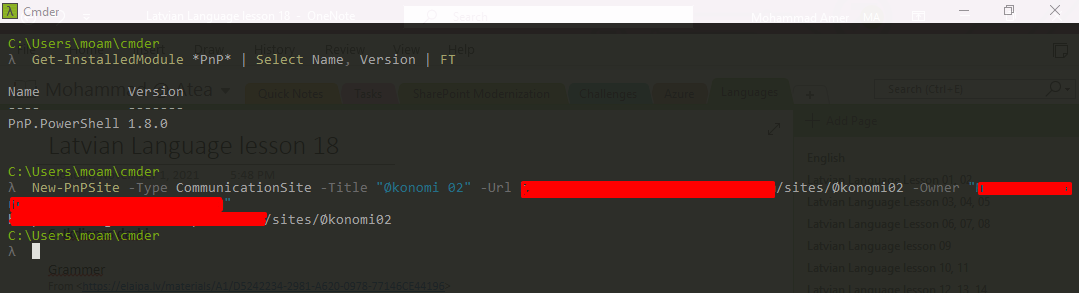 Sites have been created: 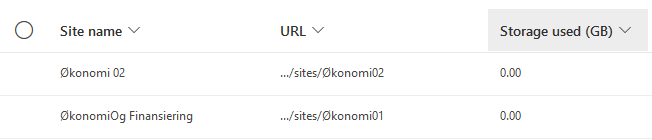
Sorry I am new how to open this project using visual studio...?
Hi @MoeIcI I tried to add the webpart in dev Tenant, but it worked fine. Could you please send a screenshot of the console of your browser after the webpart...
Hi @MoeIcI Thanks for the info. Ok, let me double check this part of the code.
@pallanagendra Which nodejs version are you using? For this WebPart you should use 10.24.0 because the SharePoint Framework version is 1.12.1 I used 10.24.0 version to install packages then build...
Hi @blogmom, I have tried to build and debug this webpart and it worked well with in my development environment What node JS version are you using? Are you trying...