
joriws
joriws
Run inside docker desktop windows? IMO you get better version by "docker pull tonimoreno/loudml" which has some of issues here at github resolved.
I really wonder why LoudML selected bucket option with the data, when database query would have been the KIS solution. Like timeseries databases are great for combining data and now...
If I run nightly without entrypoint I just get error: standard_init_linux.go:190: exec user process caused "no such file or directory"
` # docker image inspect loudml/chronograf:nightly [ { "Id": "sha256:c2a8915e99da2ce55d1791bf3b0cd35ab9908b7f4805018a2c04b3552de31ed7", "RepoTags": [ "loudml/chronograf:nightly", "localhost:5000/myloudml/chronograf:latest" ], "RepoDigests": [ "loudml/chronograf@sha256:0afb48794ed61ce193e94f77cf84d70630fabc9f0d459610557d98eeb0871bf2", "localhost:5000/myloudml/chronograf@sha256:6db34502cbd38030819a47256cc9461a6d661725cc49868c747802e312e0778b" ], "Parent": "", "Comment": "", "Created": "2020-01-22T20:45:44.6530896Z", "Container": "8bc540d34b9831a33fec0709d9d1cb32947ff20e9335ad38d9f6a9b4c9102d34", "ContainerConfig": {...
Example screenshot of Facebook AS63293 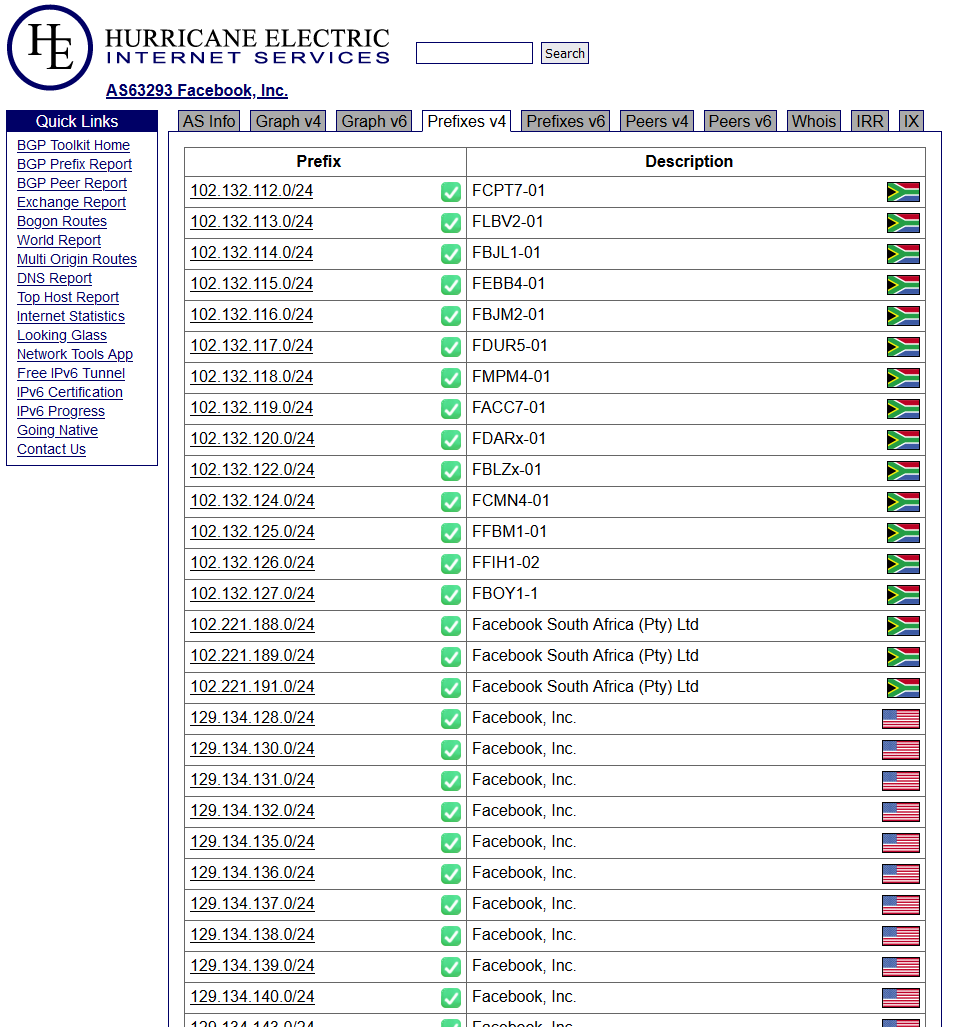
Thank you, did not know this option available via blawk.net.
I do not know which solutions you have already evaluated. Well for database access either CLI tool "whois" (on Linux side yum install whois) could be used, or RIPE-NCC REST...
The query returns all networks, so task for Opnsense would just be parsing the output.. ` # curl -s "http://rest.db.ripe.net/search?inverse-attribute=org&flags=no-referenced&type-filter=inetnum&source=ripe&query-string=ORG-RIEN1-RIPE" | xq '."whois-resources".objects.object[]."primary-key".attribute."@value"' "193.0.0.0 - 193.0.23.255" "193.0.0.0 - 193.0.7.255" "84.205.64.0...
My experimental solution would be.. To get xq => pip3 install yq, and convert curl to fetch for freebsd? ` curl -s https://rest.db.ripe.net/search?query-string=AS13335 | xq '."whois-resources".objects.object[]."primary-key"' { "attribute": { "@name":...
This is how Opnsense installed ntopng-plugin shows AS13335 