jackson2293917380

Results 1 comments of jackson2293917380

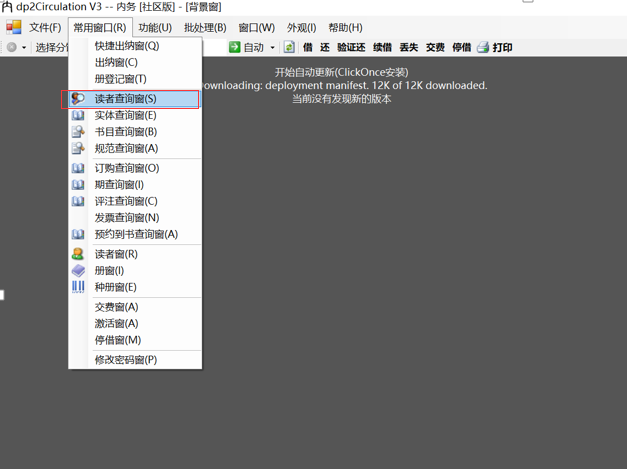
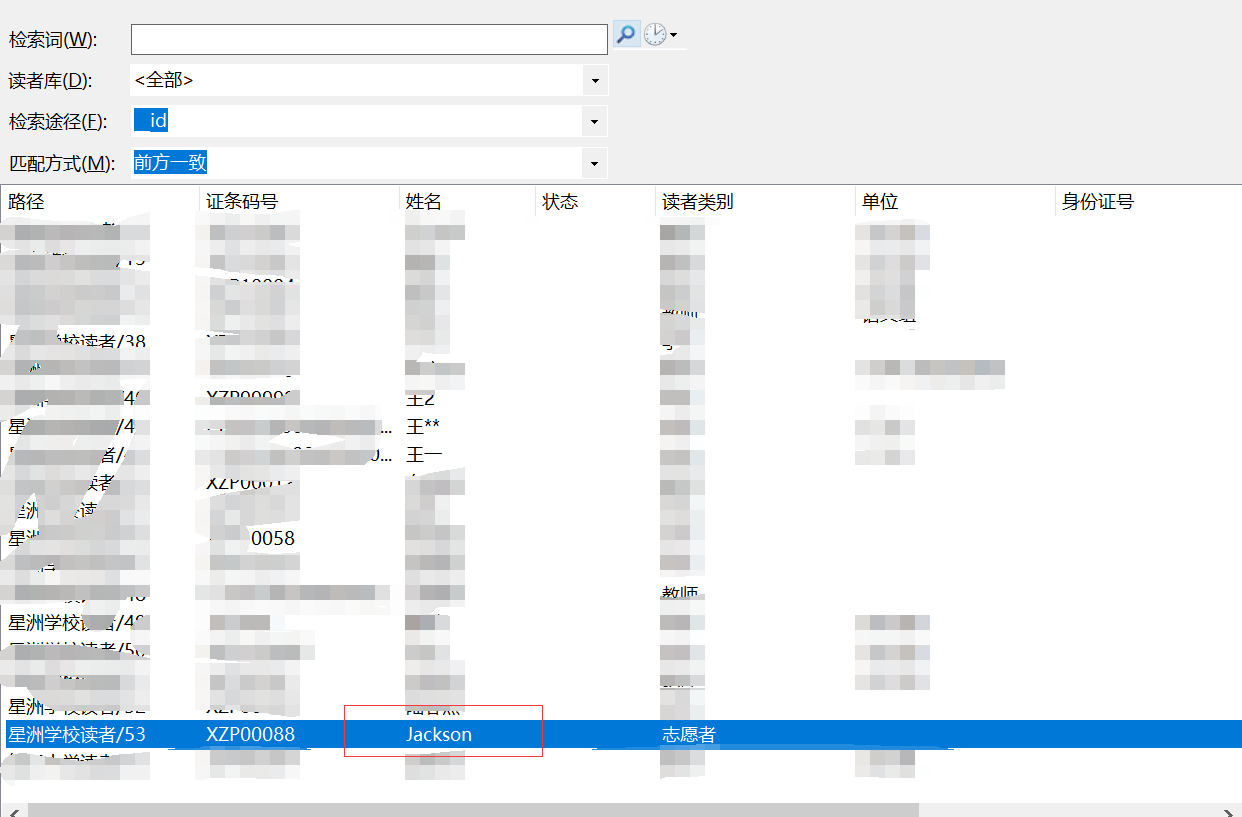
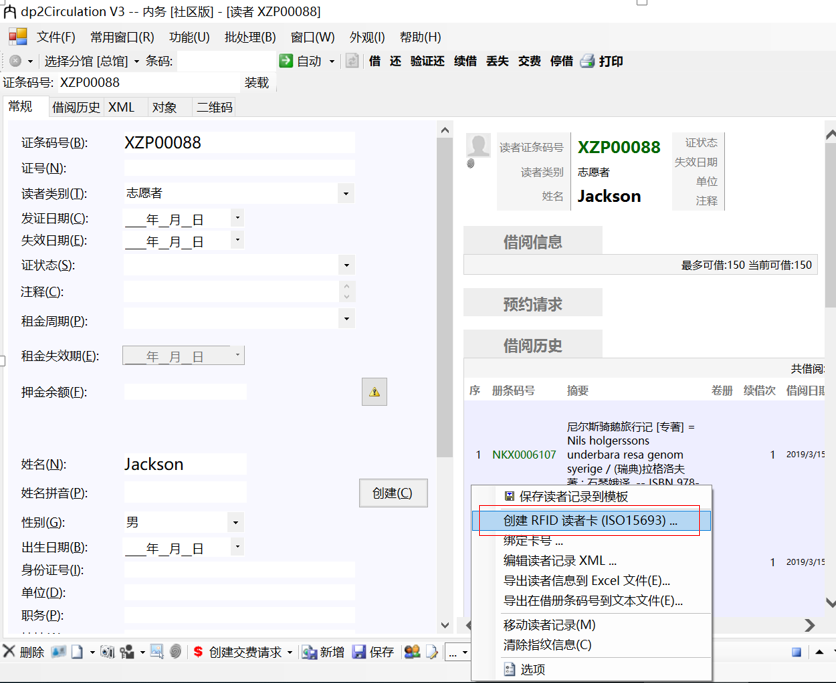
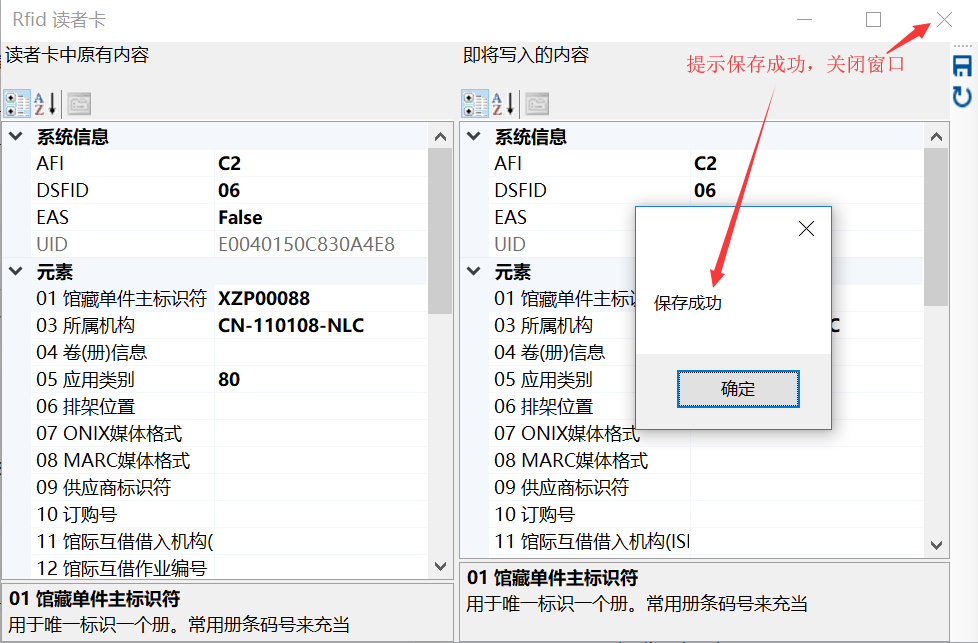
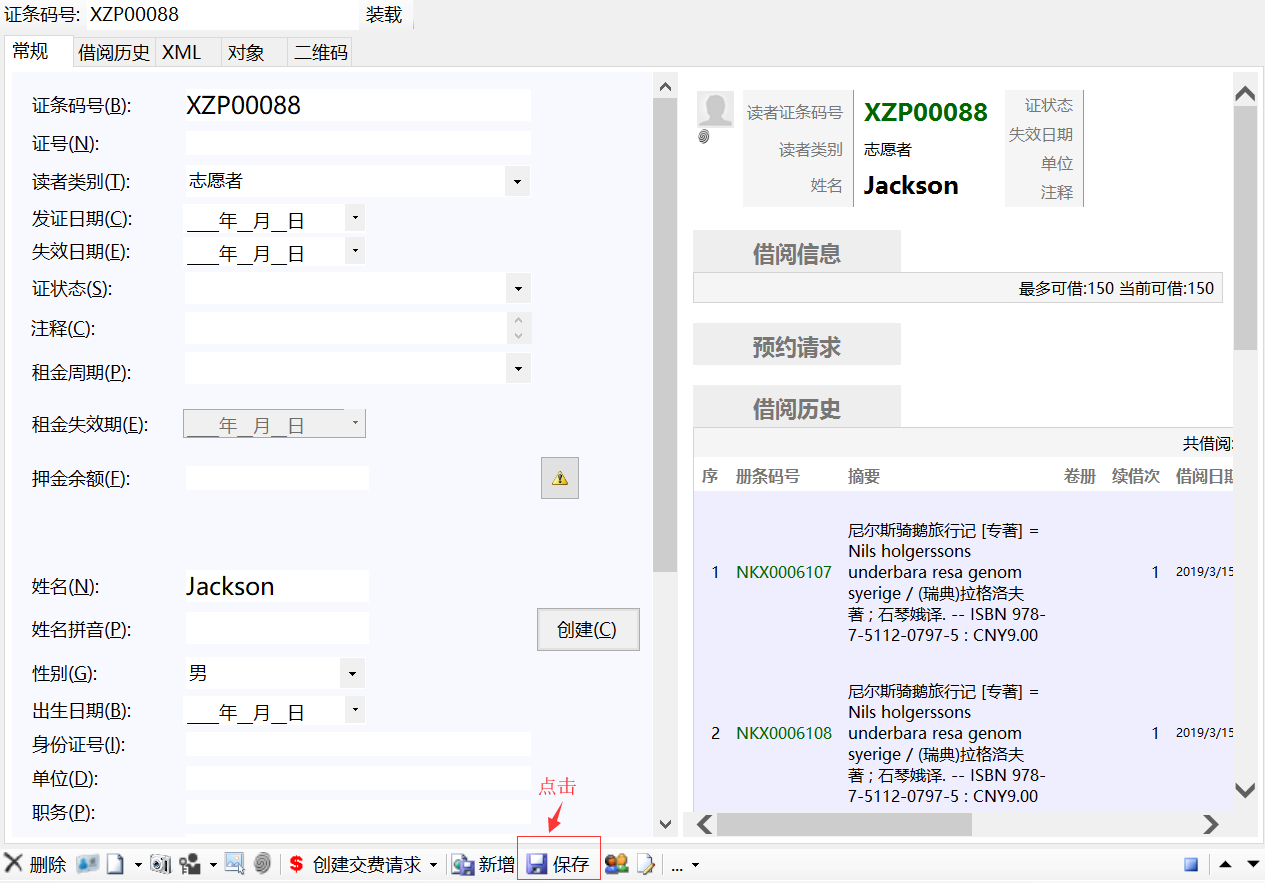
## 九、绑定读者卡(15693协议高频卡) 1.在菜单栏常用窗口选择“读者查询窗” ![图片](https://user-images.githubusercontent.com/35322799/54406369-d6318b80-4714-11e9-811c-545e140f1c8d.png) 2.检索读者,选择要绑定的,如“Jackson”,双击进入编辑页,在更多命令选择“RFID读者卡” ![图片](https://user-images.githubusercontent.com/35322799/54414229-67175f80-4733-11e9-95b2-696f8a4abb3f.png) ![图片](https://user-images.githubusercontent.com/35322799/54414343-c83f3300-4733-11e9-81f8-4c62a6c4ead7.png) 3.将高频卡放在rfid读卡区,点击保存按钮,在选择读者卡窗口选择,并确定,提示保存成功,关闭窗口 ![图片](https://user-images.githubusercontent.com/35322799/54414687-ea858080-4734-11e9-8a87-e857e2a875e6.png) ![图片](https://user-images.githubusercontent.com/35322799/54414799-4cde8100-4735-11e9-80ad-5945dc32b17d.png) 4.在读者信息页点击保存,完成绑定 ![图片](https://user-images.githubusercontent.com/35322799/54415029-0b9aa100-4736-11e9-9125-a52cdcef0768.png)