
Cesar Aybar




Cesar Aybar
According to me (please let me know if I'm wrong :pray: ), this problem should occur only for new users. @jimoreira are you trying to run rgee in a system...
Update: Sorry I didn't read the part of ubuntu-server. In this case @jimoreira I think the easiest solution is to directly copy the credentials to the .config/earthengine folder. See https://github.com/csaybar/rgee-docker/blob/2aaf780c51ceec70ec42cda936cc7b7cbadaa3d5/Dockerfile#L97
Enter your global .Renviron file and fixed manually: ``` nano .Renviron ```
other option is: ``` library(rgee) reticulate::use_python("/usr/bin/python3") ee_Initialize() ```
The .Renviron only has the Python path that will be used by rgee, 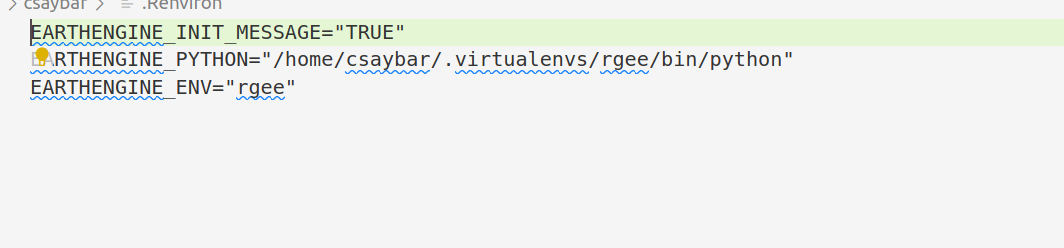 But if you don't want to set it up, you can use `use_python` always before calling...
Hi @ambarja I will take a look at it soon :) thank you
Hi @ambarja i will take a look about it soon :) thank you
Hi @ArapKorir sorry for my late reply, I notice that in some systems if there is NULL pointers related to the EARTH ENGINE PYTHON API in the global environment, rgee...
Set a Python ENV that has ee ('earthengine-api') "Python" package installed. ```r library(reticulate) use_python("/usr/bin/python3.8") library(rgee) ... ```
Hi @TianyaImpression, yes I highly recommend always using `lazy=TRUE` in case of poor internet connection. When 'lazy=TRUE', instead of getting a RasterStack object, it will retrieve a 'future::sequential' object. For...