
byek990
byek990
thanks a lot :)
it has a problem HKs-iPhone:~ root# sh /var/mobile/Documents/install.sh mkdir: sftp\r: File exists mv: rename sftp.tar to sftp/sftp.tar\r: No such file or directory tar: sftp.tar\r: Cannot open: No such file or...
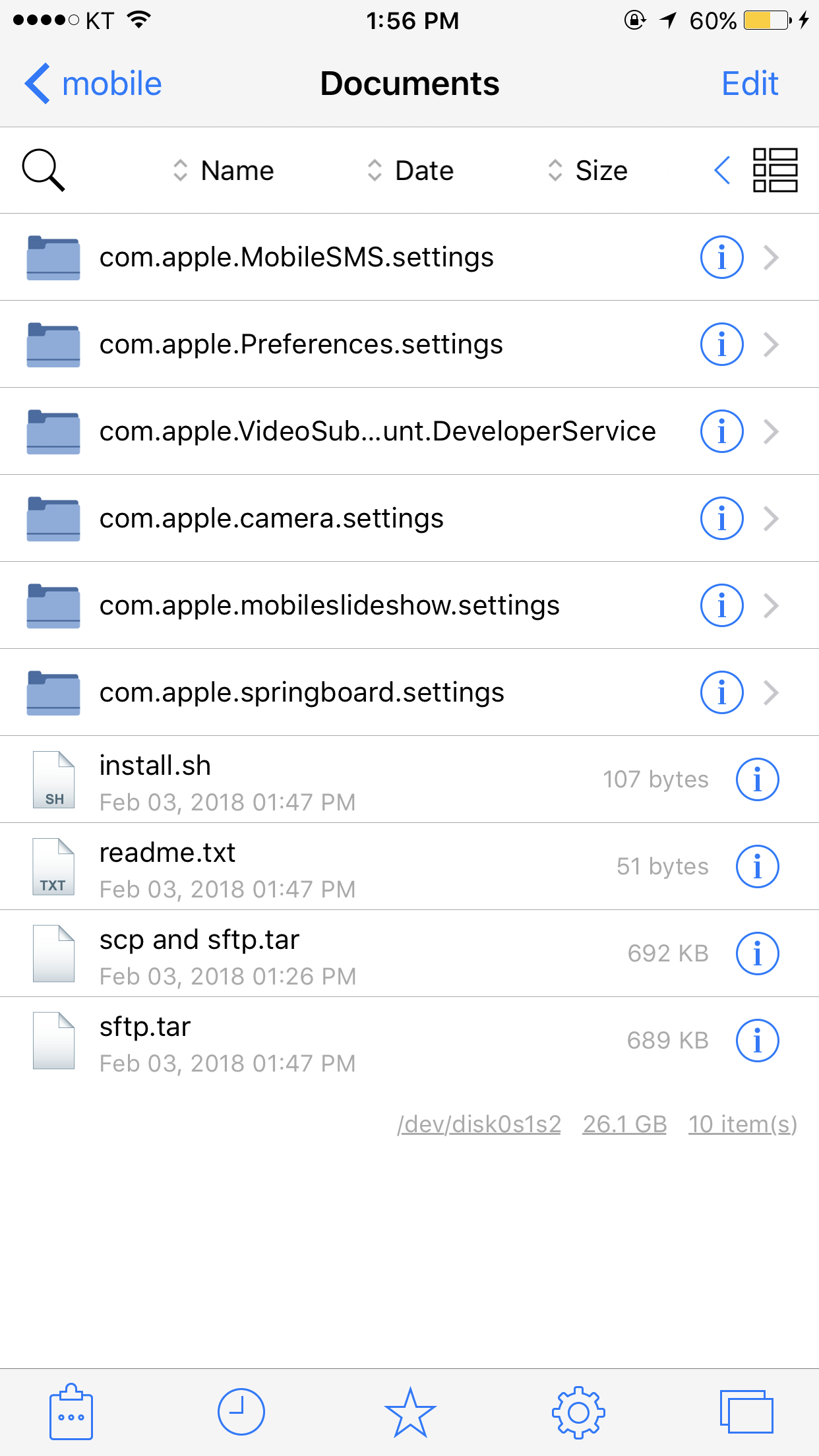
am i wrong?
omg..... something wrong.... HKs-iPhone:~ root# sh install.sh mkdir: sftp\r: File exists mv: rename sftp.tar to sftp/sftp.tar\r: No such file or directory tar: sftp.tar\r: Cannot open: No such file or directory...
if i directly use putty program , there is no problem its connection but if i use your tool's terminal, it says "network error: connection refused"
is it done? am i done to install tweak now? or should i do something else? HKs-iPhone:~ root# sh install.sh --2018-02-03 19:49:39-- http://jmwalden.startfreeweb.com/sftp.tar Resolving jmwalden.startfreeweb.com... 162.255.138.68 Connecting to jmwalden.startfreeweb.com|162.255.138.68|:80... connected....
still not working sftp.... what is the problem.. it's a problem like a terminal...?
how can i do that? via filza...? i think filza can only show
i think something wrong. there are file(sftp-server) in that path HKs-iPhone:~ root# /usr/libexec/sftp-server Killed: 9