

 josephwalden13
meridian jb can't use this installer
The meridian jailbreak has a cydia issue(substrate update) I can not install any tweak, so this installer was a hope but this can not be used because of a sftp connection issue(meridian Filza can't install any deb) SO I CAN'T INSTALL ' scp-sftp-dropbear.deb' ETHER plz help meridian jb...

I’ll make an option for meridian users to automatically install sftp in the next build :)

I've done everything I need to make it possible, however I need a file host without ssl to make it possible to download it (unless you want to move a file in Filza & run the rest automatically :D ). I'll upload a script you need to run via ssh until I can make it automatic
Here is the temporary solution (although not really temporary because you only have to do it once):
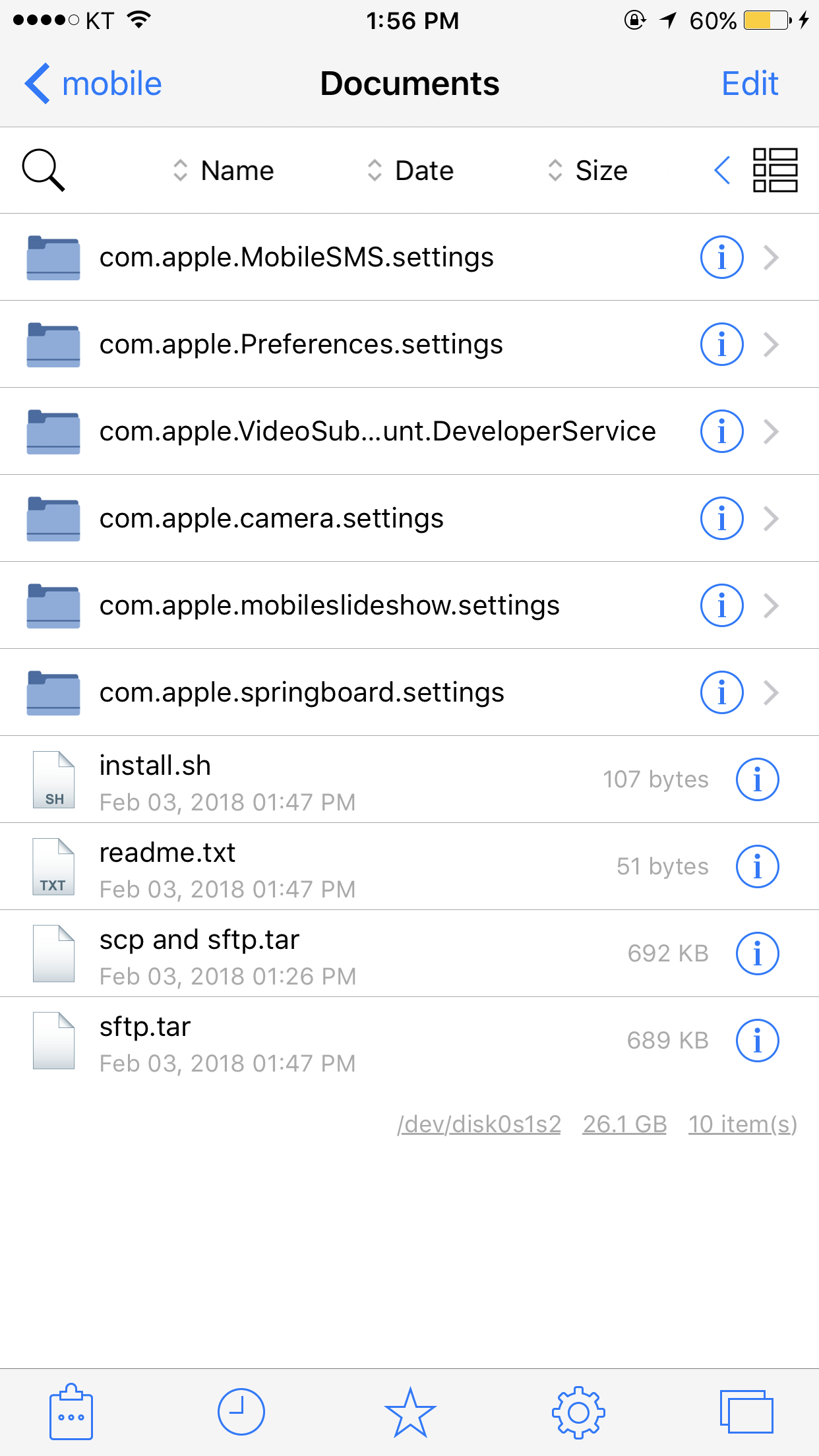
Download this on your device https://drive.google.com/open?id=122mNAsQcnXXQWMY9OZ12ELrIIsJ9ADaG and via ssh run "tar -xf /example/path/scp\ and\ sftp.tar && sh /example/path/install.sh"
I reccommend you open scp and sftp.tar in Filza, which will copy them to /var/mobile/Documents, and you can then use that path for the above commands
it has a problem HKs-iPhone:~ root# sh /var/mobile/Documents/install.sh mkdir: sftp\r: File exists mv: rename sftp.tar to sftp/sftp.tar\r: No such file or directory tar: sftp.tar\r: Cannot open: No such file or directory tar: Error is not recoverable: exiting now rm: sftp.tar\r: No such file or directory cp: *: No such file or directory : No such file or directoryll.sh: line 7: cd: .. rm: sftp: No such file or directory HKs-iPhone:~ root#
That’s because I forgot that windows uses \r\n for new lines whereas unix uses \n
I’ll fix the script soon
Run this in a terminal (with root):
wget http://jmwalden.startfreeweb.com/install.sh && sh install.sh
omg..... something wrong....
HKs-iPhone:~ root# sh install.sh mkdir: sftp\r: File exists mv: rename sftp.tar to sftp/sftp.tar\r: No such file or directory tar: sftp.tar\r: Cannot open: No such file or directory tar: Error is not recoverable: exiting now rm: sftp.tar\r: No such file or directory cp: *: No such file or directory : No such file or directory rm: sftp: No such file or directory
Ohh sorry. You need to run 'rm install.sh' to delete the original file. The new one would be downloaded to install2.sh or something like that :D
if i directly use putty program , there is no problem its connection but if i use your tool's terminal, it says "network error: connection refused"
is it done? am i done to install tweak now? or should i do something else? HKs-iPhone:~ root# sh install.sh --2018-02-03 19:49:39-- http://jmwalden.startfreeweb.com/sftp.tar Resolving jmwalden.startfreeweb.com... 162.255.138.68 Connecting to jmwalden.startfreeweb.com|162.255.138.68|:80... connected. HTTP request sent, awaiting response... 200 OK Length: 688640 (672K) [application/x-tar] Saving to: 'sftp.tar'
sftp.tar 100%[=====================>] 672.50K 314KB/s in 2.1s
2018-02-03 19:49:41 (314 KB/s) - 'sftp.tar' saved [688640/688640]
My tools terminal is putty, but I'm not sure why it doesn't work. I'll probably disable auto login in future
still not working sftp.... what is the problem.. it's a problem like a terminal...?
Try running /usr/libexec/sftp-server and try again. When this works I’ll edit the script to get it working
i think something wrong. there are file(sftp-server) in that path HKs-iPhone:~ root# /usr/libexec/sftp-server Killed: 9
Oh of course, sorry. I forgot they need to be signed. I’ll update the script to use a signed version instead
Glad to see that Meridian jailbreak will be supported in the future. Really looking forward to this!
