
ElatoAI
 ElatoAI copied to clipboard
 akdeb
akdeb
Realtime AI Voice Agents with SoTA AI models on Arduino ESP32 with Secure Websockets and Deno with >15 minutes uninterrupted conversations globally for AI toys, AI companions, AI devices and more


👾 ElatoAI: Run Realtime Voice AI Models on Arduino ESP32
Realtime AI Speech powered by SoTA AI voice models on ESP32, with Secure WebSockets, and Deno Edge Functions for >15-minute uninterrupted conversations globally. We currently support OpenAI Realtime API, Gemini Live API, xAI Grok Voice Agent API, Eleven Labs Conversational AI Agents, and Hume AI EVI-4.
📽️ Demo Video
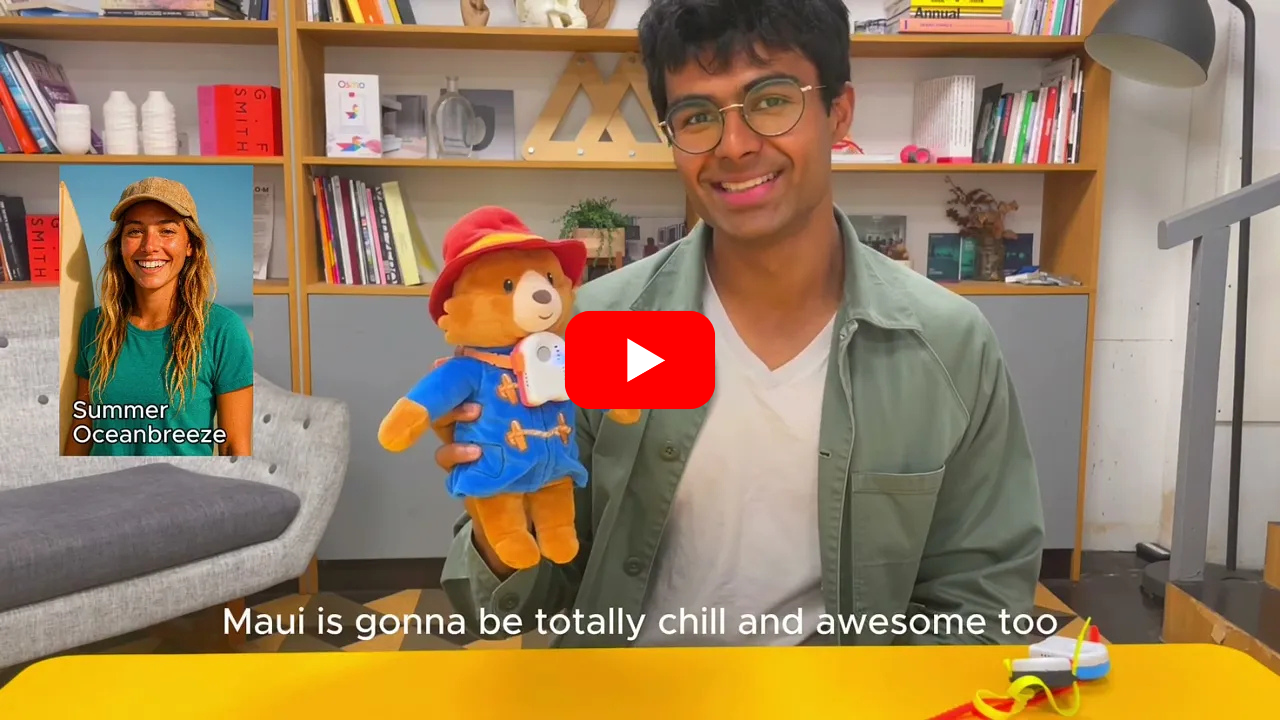
Video links: OpenAI Demo | Gemini Demo | Eleven Labs Demo | Hume AI EVI-4 Demo
👷♀️ DIY Hardware Design

📱 App Design
Control your ESP32 AI device from your phone with the ElatoAI webapp.

⭐️ Key Voice AI Features

🚀 Quick Start

- Clone the repository
git clone [email protected]:akdeb/ElatoAI.git
- Start Supabase
Install Supabase CLI and set up your Local Supabase Backend. Make sure you have Docker Desktop set up. Then from the root directory, run:
brew install supabase/tap/supabase
supabase start # This starts your local Supabase server with the default migrations and seed data.
- Set up your NextJS Frontend
(See the Frontend README)
From the frontend-nextjs directory, run the following commands. (Login creds: Email: [email protected], Password: admin)
cd frontend-nextjs
npm install
cp .env.example .env.local

# In .env.local, set your environment variables
# NEXT_PUBLIC_SUPABASE_ANON_KEY=<your-supabase-anon-key>
# OPENAI_API_KEY=<your-openai-api-key> (to test OpenAI on the browser)

# Run the development server
npm run dev
- Choose edge server option (FREE USAGE)
-
ELATO MODE: Got your own ESP32 DIY hardware device? We offer a fully hosted server for free for up to 30 minutes per month. Register your device on the settings page and it will automatically connect to our edge server. Check out our Pricing page for more details.
-
DEV MODE: Alternatively, you can run your own edge server locally by following the instructions below and in the Deno server README.
Pro Tip: You can adjust this server setting in the
firmware-arduino/Config.hfile.
- If you choose to run your own edge server locally:
# Navigate to the server directory
cd server-deno
cp .env.example .env

# In .env, set your environment variables
# SUPABASE_KEY=<your-supabase-anon-key>
# OPENAI_API_KEY=<your-openai-api-key>
# GEMINI_API_KEY=<your-gemini-api-key>
# XAI_API_KEY=<your-xai-api-key>
# ELEVENLABS_API_KEY=<your-elevenlabs-api-key>
# HUME_API_KEY=<your-hume-api-key>

# Run the server at port 8000
deno run -A --env-file=.env main.ts
- Setup the ESP32 Device firmware
(See the ESP32 Device README)
In Config.cpp set ws_server and backend_server to your local IP address. Run ifconfig in your console and find en0 -> inet -> 192.168.1.100 (it may be different for your Wifi network). This tells the ESP32 device to connect to your NextJS frontend and Deno server running on your local machine. All services should be on the same Wifi network.
- Setup the ESP32 Device Wifi
Build and upload the firmware to your ESP32 device. The ESP32 should open an ELATO-DEVICE captive portal to connect to Wifi. Connect to it and go to http://192.168.4.1 to configure the device wifi.
- Turn on your device
Once your Wifi credentials are configured, turn the device off and on again and it should connect to your Wifi and your server. Now you can talk to your AI Character!
🌟 Full feature list
- Realtime Speech-to-Speech: Instant speech conversion powered by OpenAI's Realtime API, Gemini's Live API, xAI's Grok Voice Agent API, Eleven Labs Conversational AI Agents and Hume AI EVI4.
- Create Custom AI Agents: Create custom agents with different personalities and voices.
- Customizable Voices: Choose from a variety of voices and personalities.
- Secure WebSockets: Reliable, encrypted WebSocket communication.
- Server VAD Turn Detection: Intelligent conversation flow handling for smooth interactions.
- Opus Audio Compression: High-quality audio streaming with minimal bandwidth.
- Global Edge Performance: Low latency Deno Edge Functions ensuring seamless global conversations.
- ESP32 Arduino Framework: Optimized and easy-to-use hardware integration.
- Conversation History: View your conversation history.
- Device Management and Authentication: Register and manage your devices.
- User Authentication: Secure user authentication and authorization.
- Conversations with WebRTC and Websockets: Talk to your AI with WebRTC on the NextJS webapp and with websockets on the ESP32.
- Volume Control: Control the volume of the ESP32 speaker from the NextJS webapp.
- Realtime Transcripts: The realtime transcripts of your conversations are stored in the Supabase DB.
- OTA Updates: Over the Air Updates for the ESP32 firmware.
- Wifi Management with captive portal: Connect to your Wifi network or Hotspot from the ESP32 device.
- Factory Reset: Factory reset the ESP32 device from the NextJS webapp.
- Button and Touch Support: Use the button OR touch sensor to control the ESP32 device.
- No PSRAM Required: The ESP32 device does not require PSRAM to run the speech to speech AI.
- OAuth for Web client: OAuth for your users to manage their AI characters and devices.
- Pitch Factor: Control the pitch of the AI's voice from the NextJS webapp to create cartoon-like voices.
- Tool calling: Call tools and functions from the ESP32 device to the Deno Edge Functions for a complete voice AI agent.
- Tap to turn on: Tap the touchpad to turn it on from sleep.
Project Architecture
ElatoAI consists of three main components:
- Frontend Client (
Next.jshosted on Vercel) - to create and talk to your AI agents and 'send' it to your ESP32 device - Edge Server Functions (
Denorunning on Deno/Supabase Edge) - to handle the websocket connections from the ESP32 device and the LLM Provider API calls - ESP32 IoT Client (
PlatformIO/Arduino) - to receive the websocket connections from the Edge Server Functions and send audio to the LLM Provider via the Deno edge server.
🛠 Tech Stack
| Component | Technology Used |
|---|---|
| Frontend | Next.js, Vercel |
| Backend | Supabase DB |
| Edge Functions | Deno Edge Functions on Deno/Supabase |
| IoT Client | PlatformIO, Arduino Framework, ESP32-S3 |
| Audio Codec | Opus |
| Communication | Secure WebSockets |
| Libraries | ArduinoJson, WebSockets, AsyncWebServer, ESP32_Button, Arduino Audio Tools, ArduinoLibOpus |
High-Level Flowchart
flowchart TD
  subgraph UserLayer
    UserInput[User Speech Input]
    UserOutput[AI Generated Speech Output]
  end

  UserInput --> ESP32
  ESP32[ESP32 Device] -->|WebSocket| Edge[Deno Edge Function]
  Edge -->|OpenAI API| OpenAI[OpenAI Realtime API]
  Edge -->|Gemini API| Gemini[Gemini Live API]
  Edge -->|xAI API| xAI[xAI Grok Voice Agent API]
  Edge -->|ElevenLabs API| ElevenLabs[ElevenLabs AI Agents]
  Edge -->|Hume API| Hume[Hume AI EVI4]
  OpenAI --> Edge
  Gemini --> Edge
  xAI --> Edge
  ElevenLabs --> Edge
  Hume --> Edge
  Edge -->|WebSocket| ESP32
  ESP32 --> UserOutput
Project Structure
graph TD
  repo[ElatoAI]
  repo --> frontend[Frontend Vercel NextJS]
  repo --> deno[Deno Edge Function]
  repo --> esp32[ESP32 Arduino Client]
  deno --> supabase[Supabase DB]

  frontend --> supabase
  esp32 --> websockets[Secure WebSockets]
  esp32 --> opus[Opus Codec]
  esp32 --> audio_tools[arduino-audio-tools]
  esp32 --> libopus[arduino-libopus]
  esp32 --> ESPAsyncWebServer[ESPAsyncWebServer]
⚙️ PlatformIO Config
[env:esp32-s3-devkitc-1]
platform = espressif32 @ 6.10.0
board = esp32-s3-devkitc-1
framework = arduino
monitor_speed = 115200

lib_deps =
    bblanchon/ArduinoJson@^7.1.0
    links2004/WebSockets@^2.4.1
    ESP32Async/ESPAsyncWebServer@^3.7.6
    https://github.com/esp-arduino-libs/ESP32_Button.git#v0.0.1
    https://github.com/pschatzmann/arduino-audio-tools.git#v1.0.1
    https://github.com/pschatzmann/arduino-libopus.git#a1.1.0
Additional Docs
- ⏸️ Using the Eleven Labs API
- 📈 Core Use Cases
- 🤖🤖🤖 Getting Started with multiple devices
- 🚀 Deploying your application
📊 Important Stats
- ⚡️ Latency: <2s round-trip globally
- 🎧 Audio Quality: Opus codec at 12kbps (high clarity) 24kHz sampling rate
- ⏳ Uninterrupted Conversations: Up to 15 minutes continuous conversations globally
- 🌎 Global Availability: Optimized with edge computing
🛡 Security
- Secure WebSockets (WSS) for encrypted data transfers
- Optional: API Key encryption with 256-bit AES
- Supabase DB for secure authentication
- Postgres RLS for all tables
🚫 Limitations
- 3-4s Cold start time while connecting to edge server
- Tested with up to 17 minutes of uninterrupted conversations
- Edge server stops when wall clock time is exceeded
- No speech interruption detection on ESP32
🤝 Contributing
- Speech Interruption on ESP32
- Adding Arduino IDE support
- ~~Add Hume API client for emotion detection~~
- Add MCP support on Deno Edge
- ~~Plug in Eleven Labs API for voice generation~~
- Add Azure OpenAI Support (easy pickens) - in review
- Add Cartesia Support
- Add Amazon Nova Support
- Add Deepgram
We welcome contributions
- Fork this repository.
- Create your feature branch (
git checkout -b feature/EpicFeature). - Commit your changes (
git commit -m 'Add EpicFeature'). - Push to the branch (
git push origin feature/EpicFeature). - Open a PR
License
This project is licensed under the MIT License - see the LICENSE file for details.
Star History

Check out our hardware offerings at ElatoAI Products. If you find this project interesting or useful, support us by starring this project on GitHub. ⭐
 akdeb
akdeb