
Scordo


Scordo
I would like to see that feature, too. My usecase is: I'm showing a "menu" usign the Single-Selection-Feature. When a user selects an entry some action is executed. After the...
This would be super useful for us. We worked around that currently but our workaround broke and we now have lots of work backporting script-changes :-(
I just want to show our usecase. We do have a msbuild file thats integrated in most of our projects. It contains version info which is used to set assembly...
Please dont discuss if the output should be json or stdout. Just let the user decide when invoking msbuild. Just provide parameters like --std-out or --json-out xxx.json or --xml-out. The...
Hi, we are facing the same problem with msbuild and property values containing a semicolon or comma. We have to support powershell 5.1 up to pwsh 7.3 and are using...
I think this is because you've used the automatic variable $args: https://learn.microsoft.com/en-us/powershell/module/microsoft.powershell.core/about/about_automatic_variables?view=powershell-7.3#args I would never name a parameter $args because of this. After renaming the parameter to 'arguments' or something...
> @Scordo: While it's a good point that using`$args` for custom purposes should be avoided, the problem at hand is unrelated to that; the root cause is what I've shown...
Sorry my fault :-( 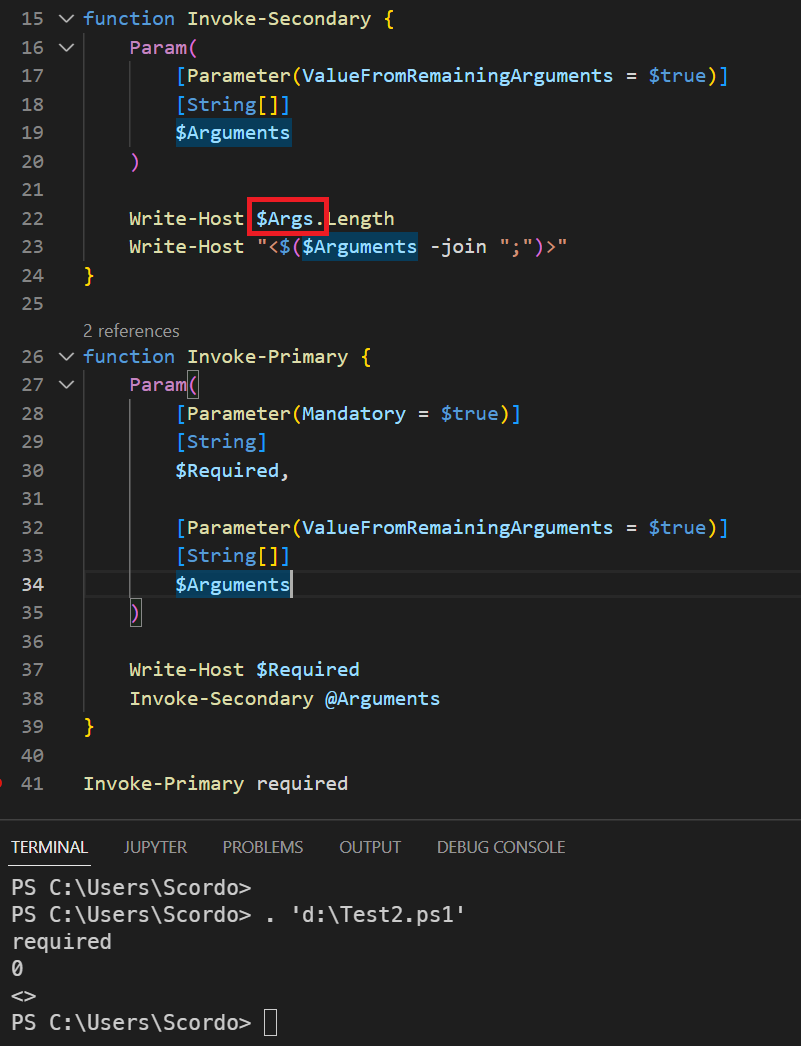
For those not understanding the problem in textual description, I advice you to download [Process Monitor](https://learn.microsoft.com/en-us/sysinternals/downloads/procmon). Monitor process starts of your target executable and start it with an old version...
If this is really fixed in 7.3.1 - Ths would be a very good solution to support backward compatibility scenarios: ```powershell $categories = "CI,Nightly" $parameters = @( '--%' "D:\test.xml", "/p:Category=`"$categories`""...