
Shi Chen



Shi Chen
Seems like the Gradle wrapper can't download the given Gradle distribution successfully, it might come from the corporate firewall. @gbritton1 Could you try to directly use Gradle via CLI? like...
@gbritton1 IMO you can just use local Gradle installation to configure this build. Since you can download and unzip that file, you can configure some VS Code [settings](https://github.com/microsoft/vscode-gradle#vs-code-settings-1) to specific...
@gbritton1 This certificate check might be related to the tooling API and Gradle itself (since you can't use Gradle CLI directly). We just offer the way (using wrapper, using version,...
@gbritton1 I find your previous comment here: https://github.com/microsoft/vscode-gradle/issues/1125#issuecomment-997050870 you just mentioned you'd like to remove the certificate check, so I provide a solution in the comment about the certificate check:...
It's a bug about redhat.java extension, since vscode-gradle does nothing about the classpath. Besides, I'm curious about this bug. @BenHunt-io did you simply fix it by upgrading the wrapper (by...
Did you try `ctrl + click`?
you can right click in the side bar (exactly your screenshot), find the Gradle container and enable it.
you can check the activate events here: https://github.com/microsoft/vscode-gradle/blob/859d5124a6bac57140d5ed06be4478605058a75a/extension/package.json#L36-L43 to see if your project meets the requirement. Besides, you can go to **Gradle for Java** extension page to check if it's...
your mentioned progress bar is like this? 
Get it. But I can see the progress bar in my PC. 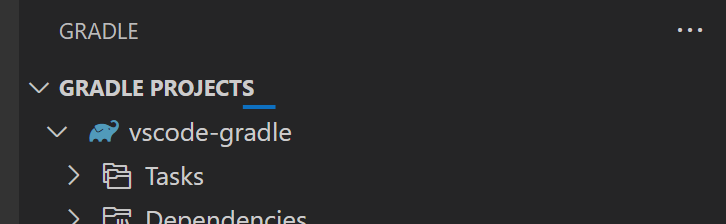 In your case, could you see the progress bar when refreshing?