
language-tools
 language-tools copied to clipboard
 prisma
🌐 Prisma Language Tools = Language Server and Prisma's VS Code extension.
When you already have entered a `select` or `include` statement in Prisma Client, you can't see the JSDoc anymore without scrolling, as it gets pushed down. 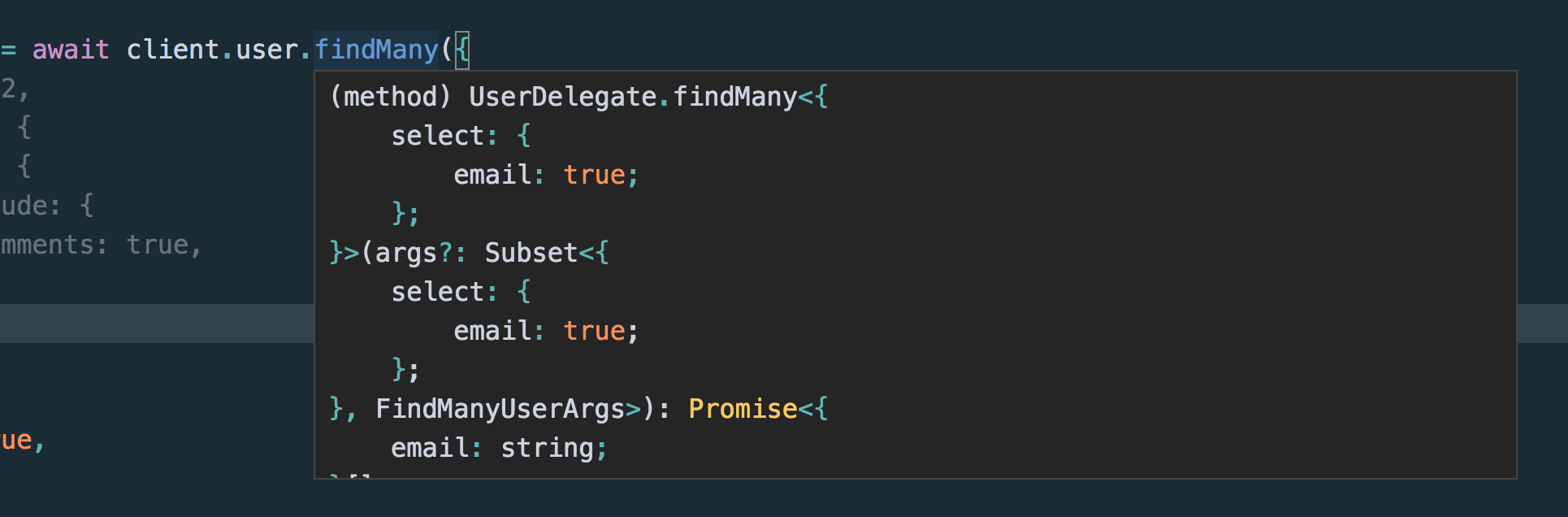 I created this...


You can hit `F2` everywhere in the schema and the currently selected string will be put into a rename box. If it is not after `model `, after applying you...

I ran into this feature of the following extension. ``` Name: Terraform Autocomplete Id: erd0s.terraform-autocomplete Description: Autocomplete for AWS resources with terraform. Version: 0.0.8 Publisher: erd0s VS Marketplace Link: https://marketplace.visualstudio.com/items?itemName=erd0s.terraform-autocomplete...

Right now the VSCode extension includes/downloads a recent version of the `prisma-fmt` binary (after https://github.com/prisma/vscode/issues/56 this will be a specific, hardcoded version). As people might be using an older version...
## Bug description Not sure if it's just me, but with the insiders edition, I consistently see: > You have both the Insider and stable Prisma VSCode extension installed. Please...

 Could probably make a smart suggestion or at least have a better error message.
We already detect when the Prisma type is incompatible with the specified native type. e.g. on Postgres `string_column String @db.BigInt` would show a validation error. A quick fix to convert...

Currently hardcoded to watch `.prisma/client`: https://github.com/prisma/language-tools/blob/fbc846efa2046f1ac6ffc4a2987056bf1631a23b/packages/vscode/src/plugins/prisma-language-server/index.ts#L76-L84
During the release process of the VSCode extension for Prisma CLI `3.0.1` workflow 3 unexpectedly crashed. Turned out there is an overlap in the versioning scheme now we start with...
Git overlaps, causing failures. Easy to fix by just hitting rerun fortunately.