
language-tools
 language-tools copied to clipboard
 prisma
Consistently seeing "You have both the Insider and stable Prisma VSCode extension installed..." on Insider installation
Bug description
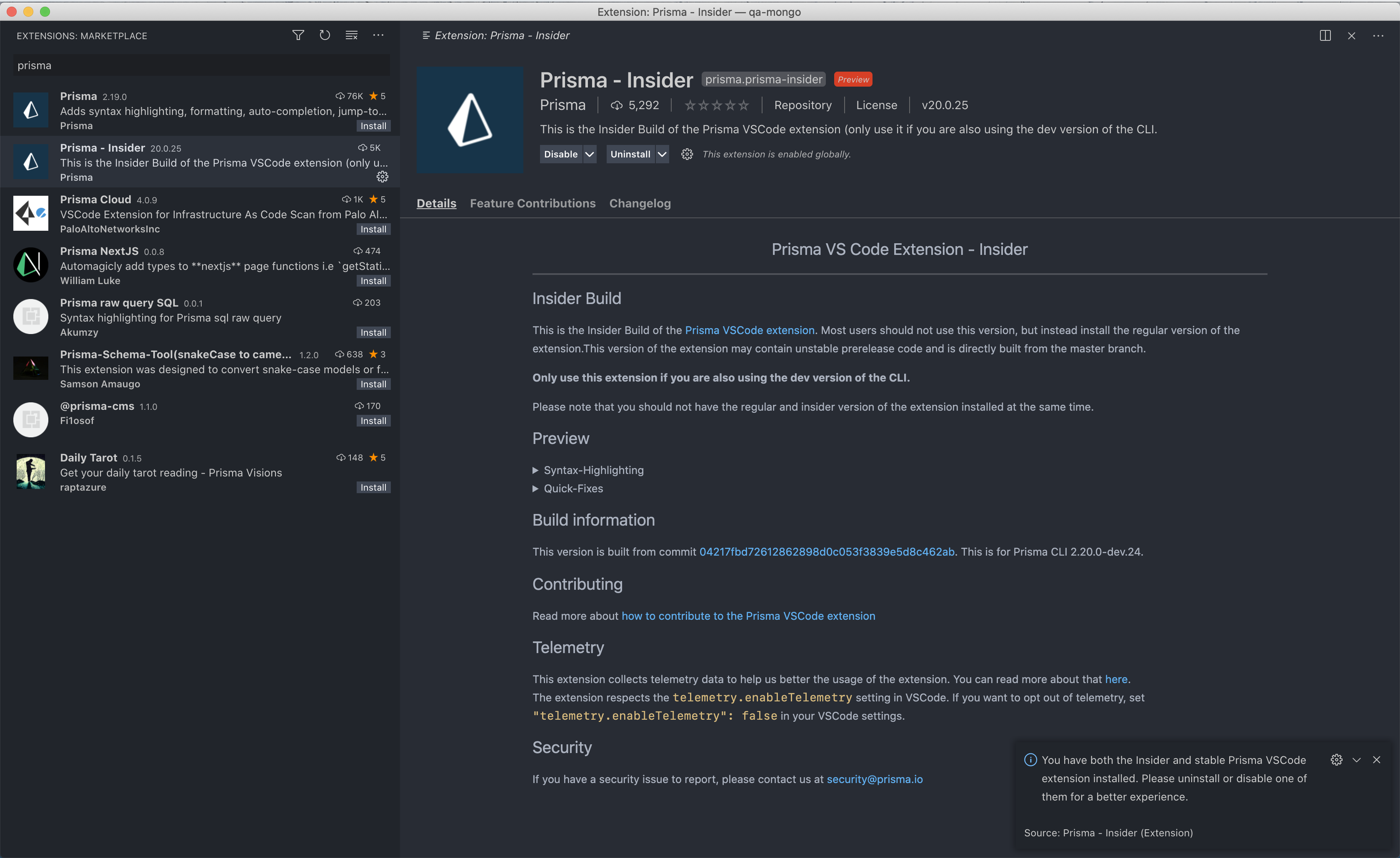
Not sure if it's just me, but with the insiders edition, I consistently see:
You have both the Insider and stable Prisma VSCode extension installed. Please uninstall or disable one of them for a better experience.
Here's a screenshot
How to reproduce
Not sure if it's just me, but this is how I reproduce it.
- Install Insider's edition, uninstall stable version
- Restart VSCode.
Expected behavior
I should only see that message if I have both installed.
Environment & setup
- OS: OSX
- Editor: VSCode
- Editor version: 1.54.3
- Extension version: v20.0.25

I can reproduce this. VSCode doesn't clean up because if you redownload, it will use the cache .vscode/extentions/{extension-id} and we depending on this to check for this case:
https://github.com/prisma/language-tools/blob/94df49c2c3ebfca3e6f5c532382ccd59020422da/packages/vscode/src/util.ts#L37
So you can fix this for now by removing the prisma.prisma-{version} from ~/.vscode/extension


We need to perform a different check here. Maybe need to research more on where vscode actually stores the extension state.