

 ucb-bar
Bootloader SPI frequency too low
Background Work
- [X] Yes, I searched the mailing list
- [X] Yes, I searched prior issues
- [X] Yes, I searched the documentation
Chipyard Version and Hash
Release: 1.5.0 Hash: a6a6a6
OS Setup
Don't care
Other Setup
Don't care
Current Behavior
Normally the sd card should be read at a frequency of 20-25MHz, but the current bootloader for the FPGAs reads at 5MHz, causing the boot time to be devastatingly long (10-15 minutes I can't keep track). Maybe 5MHz is there for debugging reasons, but when I tried 20MHz for vc707 there isn't any instabilities, and the boot time is reduced significantly. I'm not sure if using high frequency will cause any problem for vcu118, but if it does not, the frequency should really be increased. https://github.com/ucb-bar/chipyard/blob/e51c006077c5c06076f6d06e1ca4b7b5093afdd3/fpga/src/main/resources/vcu118/sdboot/sd.c#L177-L179
Expected Behavior
SPI frequency at 20-25MHz
Other Information
No response

Hello,
Excuse me @Lorilandly , did you manage to boot the vc707 with an sd card? I am just trying to do this but I don't get any output when I connect to the FPGA using screen.
Just to provide information, I have the mcs and prm default files for the vc707 and a custom bitstream generated with Chipyard. Then for the sd card I just followed this repo https://github.com/eugene-tarassov/vivado-risc-v to get a Linux Debian image.
Should I wait a long time to get the Linux booted or am I missing anything?
Thank you very much in advance.

Hi, @mbelda I did manage to boot vc707 with an sd card. The tools I used are all from and in Chipyard. For the os, I used firemarshal which is recommended by Chipyard. And you should follow the instructions here. Don't forget to change "VCU118" in the build commands to "VC707".
Even if the content of the sd card is faulty, the serial port of vc707 should have some output indicating the cause of the issue from the bootloader. This is because the bootloader is embedded in the bitstream and operate without the sd card. If there's no output from the serial, check if the port is connected correctly and check your screen configuration. If that doesn't work, you might want to check if there is unsupported hardware that is plugged in to the fpga.
Regarding the booting time, normally it boots in 10 minutes. The bootloader shows an animation so you can clearly tell that the os is being currently loaded.
Hi, @Lorilandly
I did the mentioned steps but I only get it to boot until this point.
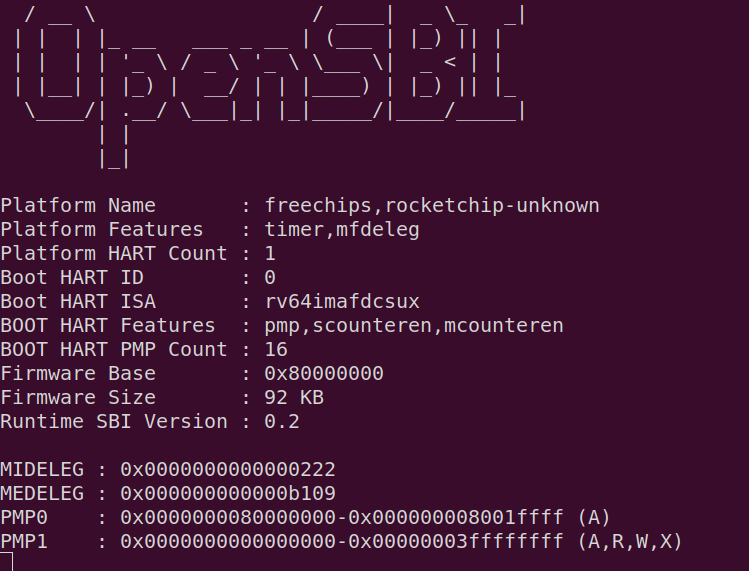
Where do you mean I have to change the board from vcu118 to vc707? I was following this docs https://chipyard.readthedocs.io/en/stable/Prototyping/VCU118.html#building-linux-with-firemarshal but the only change that is mentioned is changing the board from firechip to prototype, there is no reference to a particular board at all.
Thank you very much again.
hi, @mbelda
Sorry for the late reply
the build command for vcu118 is make SUB_PROJECT=vcu118 bitstream
change this to make SUB_PROJECT=vc707 bitstream and you should be good to go
the build command of firemarshal on the chipyard document is not particular to vcu118 and is also used for vc707.
If your bitstream build command is correct and you are encountering this issue, it is as issue with your firemarshal build. I've encountered this issue too and I end up discovering that i made a mistake building firemarshal. Sorry that I can't recall what the exact cause of the issue is and I will edit this once I remembered.
I think what I did is delete the firemarshal repo, re-pulled and started from scratch, and it booted. Not 100% sure tho
@mbelda Also our discussion is not related with this issue thread. If you have further questions please open a separate issue and @ me.
