

 toeverything
Esbuild Error: Expected "0.16.17" but got "0.17.10"
When I cloned the code and ran the pnpm install command according to the instructions, I encountered the following problem.
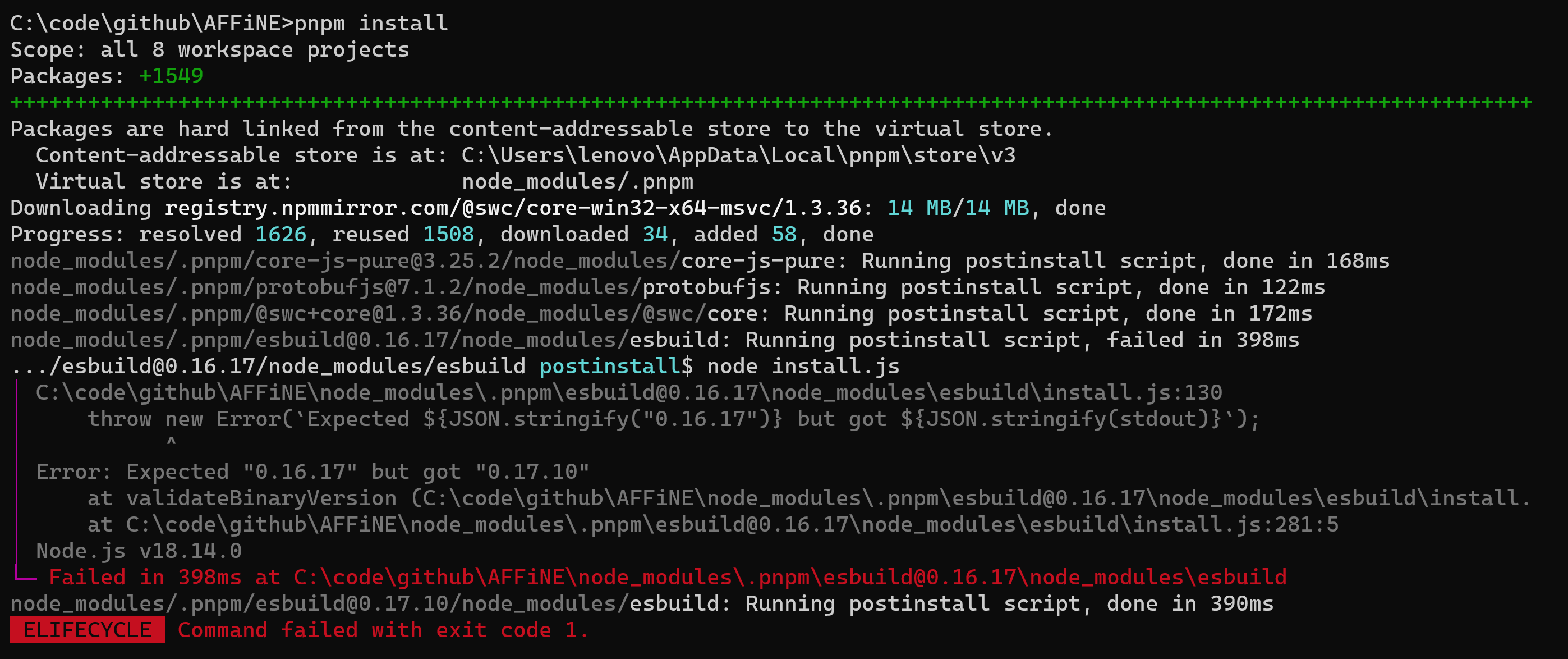
C:\code\github\AFFiNE>pnpm install
Scope: all 8 workspace projects
Packages: +1549
++++++++++++++++++++++++++++++++++++++++++++++++++++++++++++++++++++++++++++++++++++++++++++++++++++++++++++++++++++++
Packages are hard linked from the content-addressable store to the virtual store.
  Content-addressable store is at: C:\Users\lenovo\AppData\Local\pnpm\store\v3
  Virtual store is at:             node_modules/.pnpm
Downloading registry.npmmirror.com/@swc/core-win32-x64-msvc/1.3.36: 14 MB/14 MB, done
Progress: resolved 1626, reused 1508, downloaded 34, added 58, done
node_modules/.pnpm/[email protected]/node_modules/core-js-pure: Running postinstall script, done in 168ms
node_modules/.pnpm/[email protected]/node_modules/protobufjs: Running postinstall script, done in 122ms
node_modules/.pnpm/@[email protected]/node_modules/@swc/core: Running postinstall script, done in 172ms
node_modules/.pnpm/[email protected]/node_modules/esbuild: Running postinstall script, failed in 398ms
.../[email protected]/node_modules/esbuild postinstall$ node install.js
│ C:\code\github\AFFiNE\node_modules\.pnpm\[email protected]\node_modules\esbuild\install.js:130
│     throw new Error(`Expected ${JSON.stringify("0.16.17")} but got ${JSON.stringify(stdout)}`);
│           ^
│ Error: Expected "0.16.17" but got "0.17.10"
│     at validateBinaryVersion (C:\code\github\AFFiNE\node_modules\.pnpm\[email protected]\node_modules\esbuild\install.
│     at C:\code\github\AFFiNE\node_modules\.pnpm\[email protected]\node_modules\esbuild\install.js:281:5
│ Node.js v18.14.0
└─ Failed in 398ms at C:\code\github\AFFiNE\node_modules\.pnpm\[email protected]\node_modules\esbuild
node_modules/.pnpm/[email protected]/node_modules/esbuild: Running postinstall script, done in 390ms
 ELIFECYCLE  Command failed with exit code 1.
Version Information:
C:\code\github>node -v
v18.14.0

C:\code\github>pnpm -v
7.27.1

Hi! @Exclamation-mark can you try using 'npm install' on a clean build. It is possible that pnpm cached some modules which should have been updated.

After I delete the node_modules folder and do npm install it works fine.
But when I run the command cd .\apps\web\ and npm install still have problem:
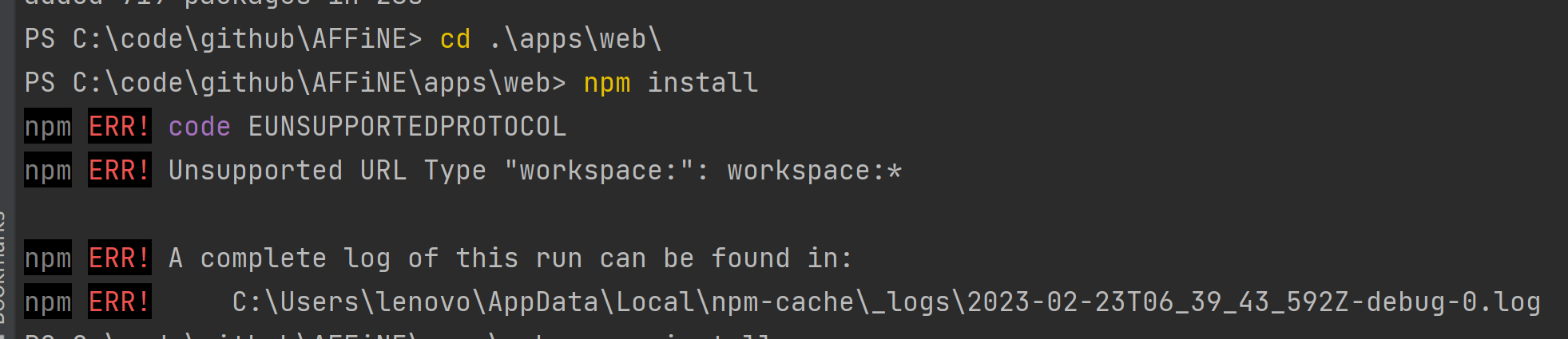
PS C:\code\github\AFFiNE> cd .\apps\web\
PS C:\code\github\AFFiNE\apps\web> npm install
npm ERR! code EUNSUPPORTEDPROTOCOL
npm ERR! Unsupported URL Type "workspace:": workspace:*

npm ERR! A complete log of this run can be found in:
npm ERR!     C:\Users\lenovo\AppData\Local\npm-cache\_logs\2023-02-23T06_39_43_592Z-debug-0.log
PS C:\code\github\AFFiNE\apps\web> pnpm install
If I execute the command of pnpm install the problem still occurs.
However, after running the pnpm install command, the dependency package under /apps/webs/ can be loaded, but after executing npm run dev, there will be errors as follows:

The code const nextConfig = getConfig(); get a undefined var.
I just tried again and still have this problem, is it because my environment configuration is wrong.
Hey! sorry for the late response but I tried it today and it works well. Maybe try clean install by remove the whole affine folder and proceed.
Also if you only wish to use it for personal stuff and not development I would recommend using docker image.