
thunder-client-support
 thunder-client-support copied to clipboard
 thunderclient
display linked env name beside collection name and add in context menu the options to chose linked env
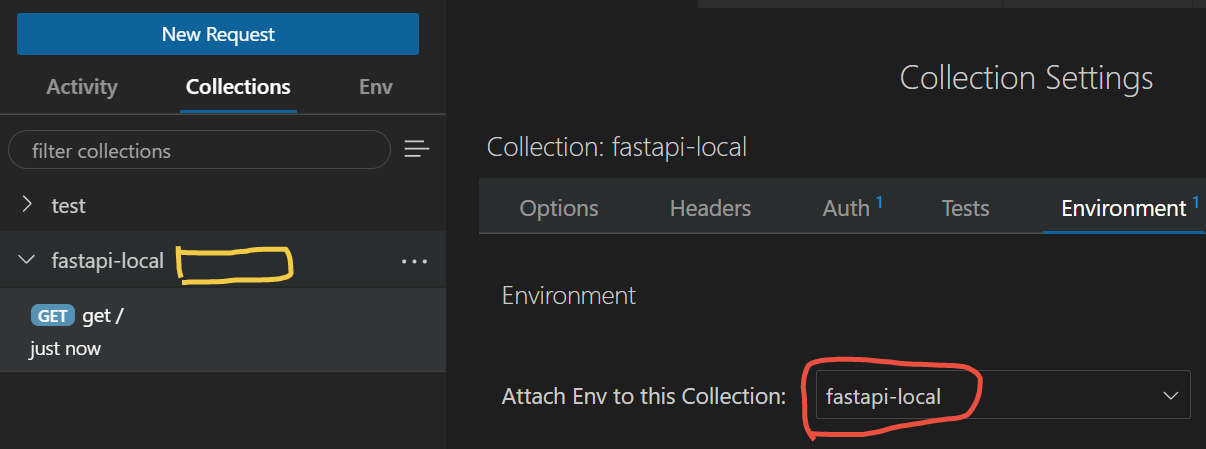
Please describe feature/problem details and solution you'd like. I have a local env and a prod env, one the few difference between is the base URL, so I should switch the env to test in both cases. currently, the env swithing must open the settings, go to env tab, and switch. I see two pain points:
- time consuming operation
- cannot visually figure out directly which env I'm in.
I suggest to:
- add in collection's context menu the option to switch env
- display linked env name besides the collection name (the yellow block) => this one is very important to prevent from doing some test operations in a prod env.
Describe alternatives you've considered
Your Team Size Using TC:

@copdips you can change env very easily see below screenshot for more options
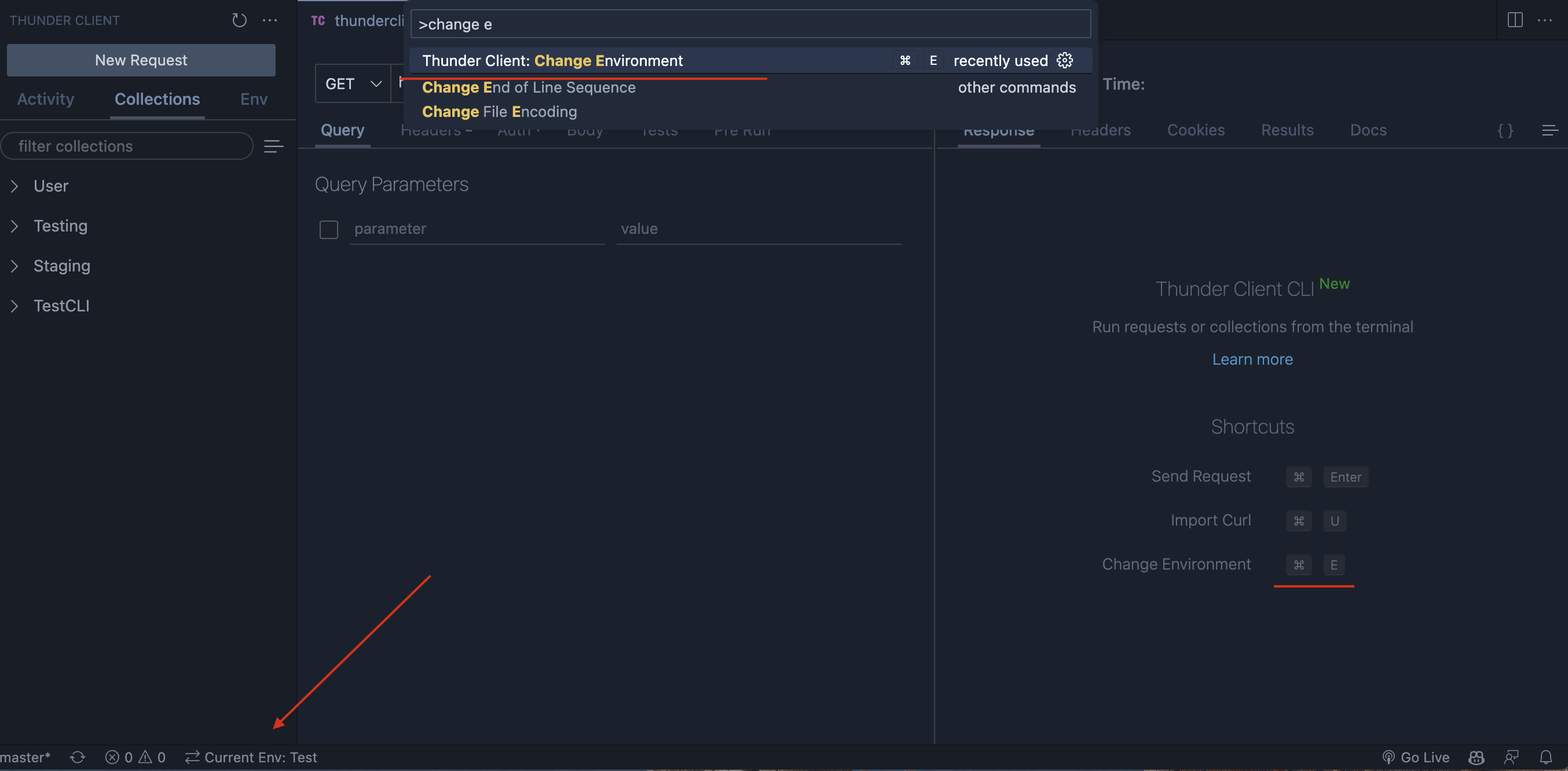

thx for the tips, I just tested it, but it seems that it doesn't work. already in the status bar, it says i'm in env B, but in fact, i'm still in env A, so as in the settings->environment tab.
the only working method is to change in the settings->environment.
I'm using the lastest version of VSCode on windows 10 by remote WSL
Wsl is different issue
Try the solution in the below comment https://github.com/rangav/thunder-client-support/issues/158#issuecomment-851058322
after setting the extension as ui in settings.json, I need to restart vscode and recreate a test collection. because all the config are lost, but the test still fails.