

 talmolab
Unintuitive output naming for sleap-convert
Bug description
When using sleap-convert, it doesn't correctly name the output files, and worse, it adds a period in the middle of the name, making it hard to call on later. It also copies on the input filename, which means if you are setting the output as the filename, it'll do it twice.
Expected behaviour
Expect output filename to be what I specified in sleap-convert Essentially that the --output flag works the same as this flag in sleap-track
Actual behaviour
When specifying [value] for sleap-track --output, the filename ends up being [value].000filename
This is causing major issues when trying to call the file due to the period in the middle. I'm sure there are workarounds for this but I can't help but see this as a bug.
Your personal set up
- OS: Google Colab
- Version(s):
SLEAP: 1.2.6 TensorFlow: 2.8.2 Numpy: 1.21.5 Python: 3.7.13
- SLEAP installation method (listed here):
- [ ] Conda from package
- [ ] Conda from source
- [x] pip package
- [ ] M1 Macs
Screenshots
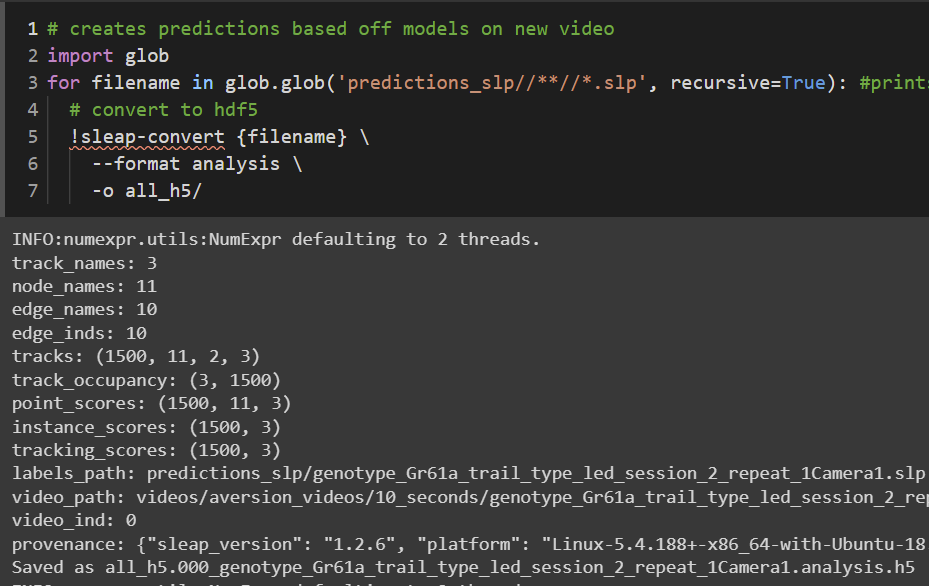
Notice: the expected filename should be all_h5/ or at the very least all_h5/filename, but its all_h5.000.h5
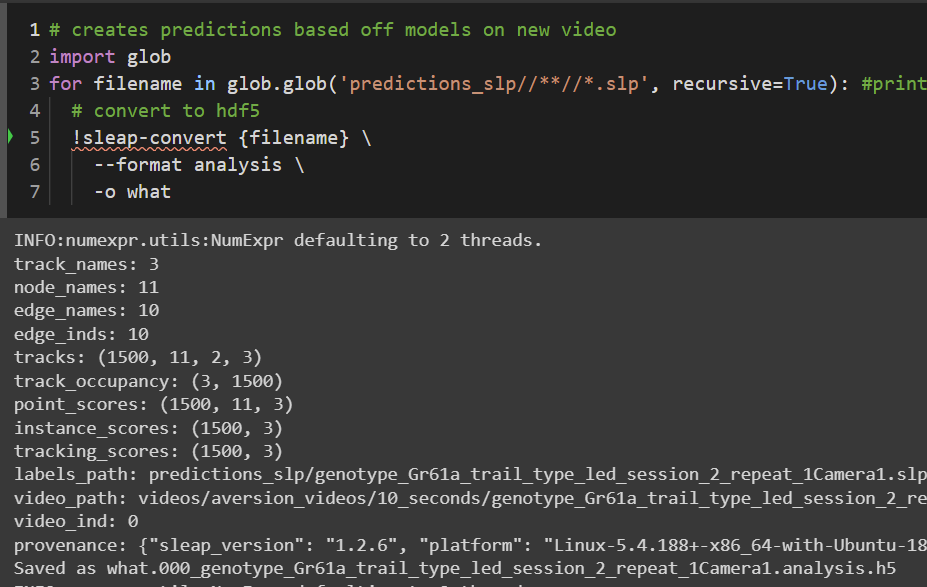
Notice: the expected filename should be "what" but it is what.000_[input filename].h5
How to reproduce
When using sleap-track, specify any value as the output. it will add ".000" between your value and the filename.

Hi @Monnesee,
Agreed, this is a very unpredictable feature especially when using SLEAP through the CLI. We originally introduced this bug in #768 when adding support to automatically generate analysis files for all videos in the .slp; hence the strange naming convention using the user input as an output prefix, the video index, and the video name to create a unique identifier:
https://github.com/talmolab/sleap/blob/ab63c9d3f2c4725c70a231c58656523c2d6313f2/sleap/io/convert.py#L80-L85
This works fine for the GUI to avoid pop-ups for naming each output file, but for the CLI we will change this to allow users full control as it should be!
Thanks for the feedback, Liezl
