
scubamuc



scubamuc
try the following: ### Nextcloud-snap, cron #### Get cron configuration: `sudo snap get nextcloud nextcloud.cron-interval` #### Set cron configuration: ` sudo snap set nextcloud nextcloud.cron-interval=5` #### Restart cron: `sudo snap...
@zhdhasn , please check your domain... 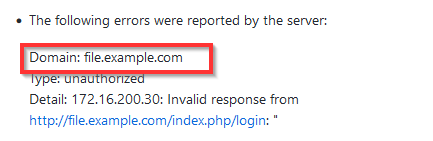
Thanks, will keep an eye on it and give you feedback...
Restarted nextcloud-snap `# snap restart nextcloud ` to see message disappear! Please close and forget
Thanks, I'll keep an eye on it nonetheless and give you feedback. Configurable is great!
you are right, the message reappears minutes after restart. I'll keep you updated in a clouple of days...
warning message continues. I have several (4) systems running the same snap with almost identical setups. Only one system displays the warning message;  Please make configurable. -- Info --...
@kyrofa , may i bump this... as a friendly reminder? :-)
See `sudo nextcloud.occ list` for command list try `sudo nextcloud.enable-https lets-encrypt` for encryption (typo `:`)
currently I'm using an alternative "snap-backup" skript for this: snap stop 'nextcloud' snap save 'nextcloud' snap start 'nextcloud' find snapshot in "/var/lib/snapd/snapshots" and move to external media `find /var/lib/snapd/snapshots/ -name...