

 scottleedavis
remindbot can be direct messaged
Summary
Typing non-commands into the DM chat of remindbot actually sends it a message.
Steps to reproduce
Steps to reproduce the behavior:
- Go to remindbot's DM chat
- Send anything that's not a command
- Message is posted like remindbot is a human
Expected behavior
Respond with an error and/or instructions.
Observed behavior (that appears unintentional)
A message is posted and an email notification is sent to remindbot@localhost, also causing a delivery error.
Server configuration
Operating system: Debian
Mattermost version: 5.14.1
Remind Bot version: 0.4.4
Updated from an older Remind bot version or fresh install: Updated
Additional context
The bot should have any and all notification preferences silenced, and the admin UI should expose the hidden remindbot user's email address as a setting so any mail it gets, even accidentally, doesn't go anywhere it shouldn't. I worked around this by manually updating the db record with a real address.
It would be good if DMs to remindbot behaved as if they were the text after the /remind command, as long as the bot could automatically delete such messages, consistent with normal commands not producing literal output.

Awesome find, thank you @Roy-Orbison .
Remindbot uses a bot account, and has no access to the server generated remindbot@localhost in which to set as a config option.
However, I like the idea of scheduling reminders via DM, while at the same time not sending any notifications. This appears already done by Slackbot.
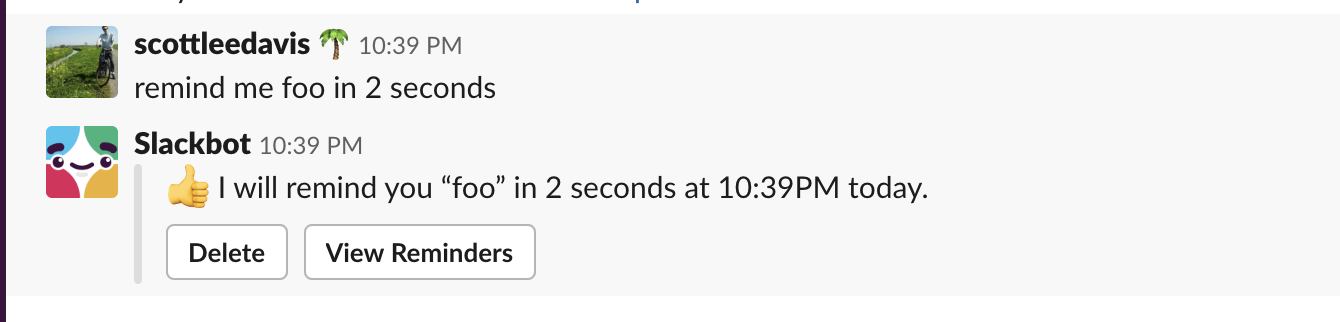
In order to not generate notifications, I believe the MessageWillBePosted hook can be used to capture the post, drop it, and schedule the reminder in the same DM via ephemeral post.

Updating the user's NotifyProps field to {"channel":"false","comments":"never","desktop":"none","desktop_sound":"true","email":"false","first_name":"false","mention_keys":"","push":"none","push_status":"away"} might help. I did.
@Roy-Orbison let me know if your update solution needs to be expanded upon.
I never made any further changes to the bot account after updating the email and the notification prefs, if that's what you meant.
The bot should have any and all notification preferences silenced, and the admin UI should expose the hidden remindbot user's email address as a setting so any mail it gets, even accidentally, doesn't go anywhere it shouldn't. I worked around this by manually updating the db record with a real address.
@hanzei would this best be achieved with a config page in the system console? How can notifications be silenced for a bot user?
It would be good if DMs to remindbot behaved as if they were the text after the /remind command, as long as the bot could automatically delete such messages, consistent with normal commands not producing literal output.
This is a great idea, and the solution is likely not difficult.