
RIDE
 RIDE copied to clipboard
 robotframework
Test data editor for Robot Framework

Hello, We currently have installed Python27 and wxPython 4.0.7.post2, using that and PIP we have robotframework running on v3.1.2 and robotframework-RIDE running on v1.7.4.2 Glitch we've noticed in the current...

Issue created for git integration with RIDE. If anyone wants to push any changes in the local branch or want to switch to different branch. So, instead of explicitly opening...

UI: Give clearer message for run when not test is selected Currently the message just says that no test was selected and asks to continue or not, But does not...

Improve UI: RED Library marking hidden in bottom of list when using many resources and libraries Consider adding some more obvious RED icon marking in resource list header (and maybe...
the fail/pass status message won't fit into the screen like it used to, so I have to scroll right to see it. https://slack-files.com/T07PJQ9S7-F019S1E10NR-f981f78485 https://slack-files.com/T07PJQ9S7-F019S1EK6PP-5454210818 RIDE v2.0b1 running on Python 3.7.4....

*** Settings *** Test Template my_template *** Test Cases *** **table header** In suite settings: - Support add table headers

I recorded the scenario, so it's easier to understand. 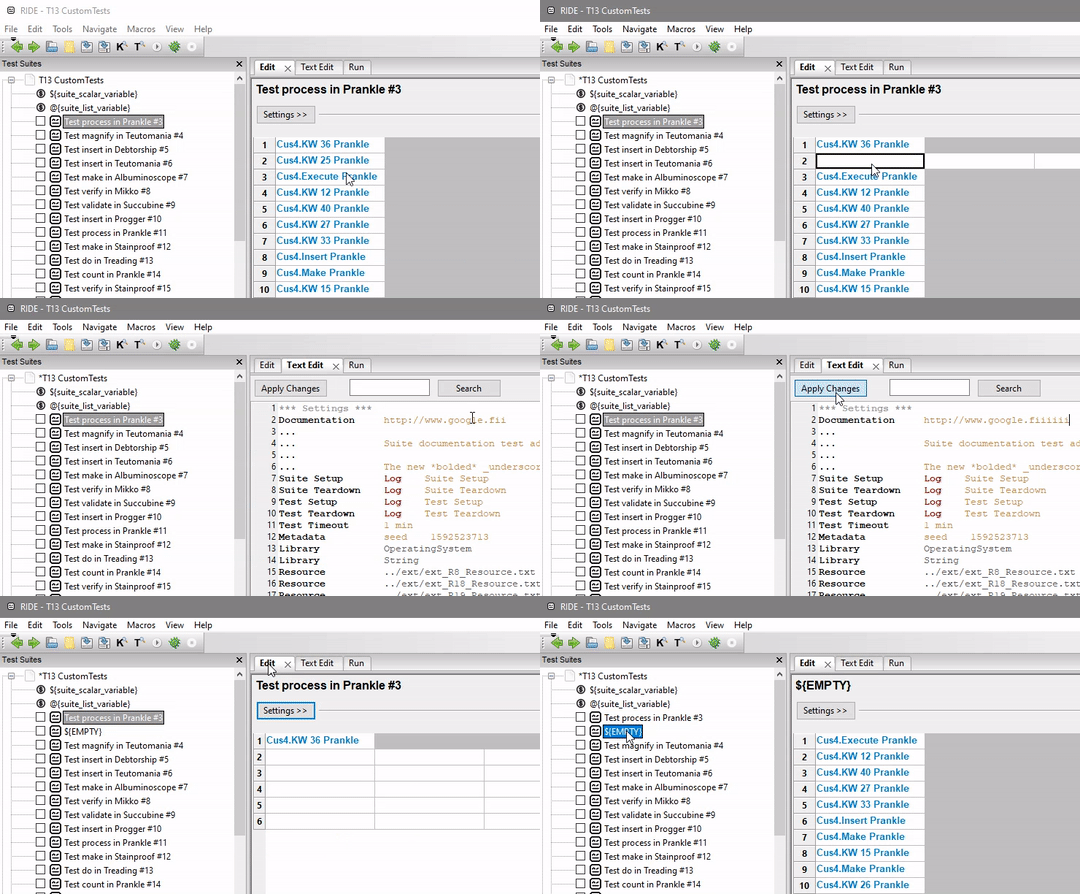 More details: - Go to a test case and ensure one line is empty (either by deleting its contents or...

> _Originally submitted to [Google Code](http://code.google.com/p/robotframework-ride/issues/detail?id=271) by radekz1979 on 7 Oct 2009_ It would be nice to get possibility to see variable's content by pressing Ctrl key. It should work...

1.Using shortcut keys 'Alt-Space' in Windows ride grid. 2. The systems window will be trigered. 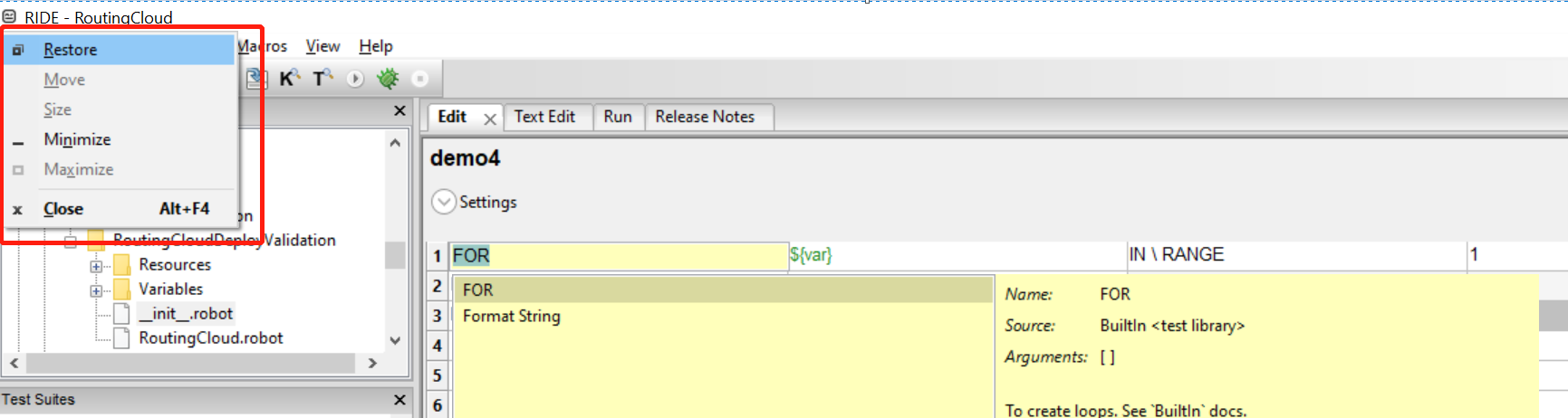

On Grid Editor, write some text in a cell (ignore the beeps ;) ) Then select text or move cursor to have text on right, and press Del. The whole...
