

 robotframework
Ride Shortcut keys 'Alt-Space' in Grid in conflict with Windows system Shortcut keys
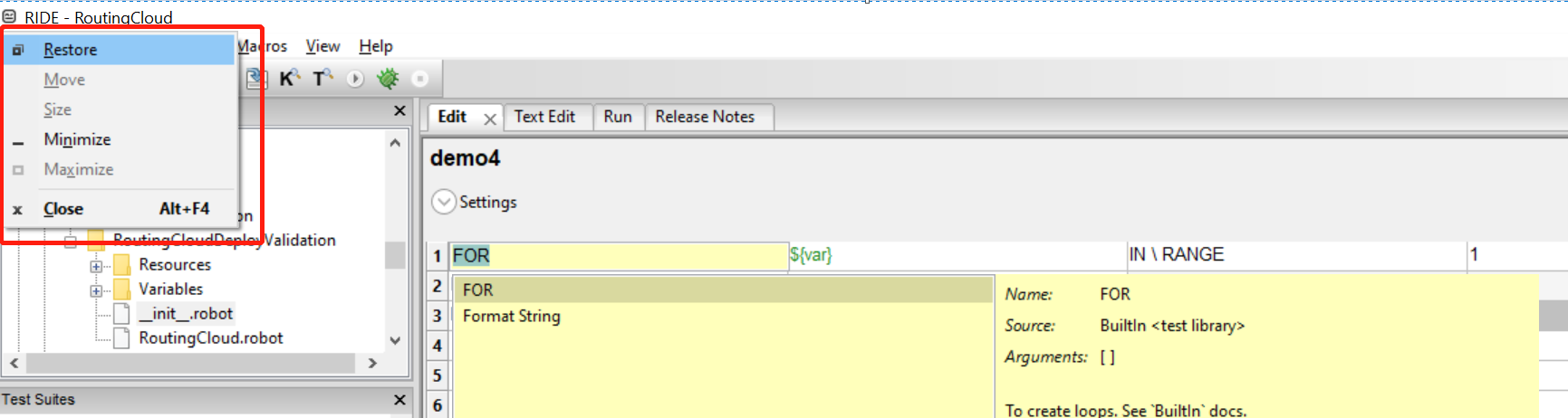
1.Using shortcut keys 'Alt-Space' in Windows ride grid.
2. The systems window will be trigered.


@HelioGuilherme66 some users have input method in their OS, the default input method language switch shortcut is Ctrl+Space, RIDE will not capture this shortcut at all in this case.

PR #2260 might have indirectly fixed this issue too. Please retest with latest master version.

@Nyral , I download the lastest master code, the issue still reproduced. My system is Windows10.
@Jessie-sunny It will be fixed only after Nyral PR being merged to master. Just wait some more time.
This cannot be handled by RIDE. Users should use Ctrl-Space in Windows, or Alt-Space in systems that allows it (maybe only in Linux). Mac users should use Command-Space. In some situations users, can try to use Ctrl-Alt-Space to have the action.