
webvirtcloud
 webvirtcloud copied to clipboard
 retspen
WebVirtCloud is virtualization web interface for admins and users

 I want to install webvirtcloud by quick installer, but failed, this is image of logs

Hi Then following installation, gstfsd is launch by supervisor and it is binding to 0.0.0.0:16510. Hence it seems to me that anyone on the internet can send a json and...

I created a webvirtcloud container using an Ubuntu 20.04 image. I use an nginx reverse proxy in front of webvirtcloud. I edited the file `/srv/webvirtcloud/webvirtcloud/settings.py`. I changed `WS_PUBLIC_PORT = 6080`...

in connection.py , Why not close the open connection????May cause "too many opne files" def close(self): """Close connection""" # to-do: do not close connection ;) # self.wvm.close() pass
i install webvirtcloud in ubuntu 18.04 success but when i want to connect a computer and enter sudo -u www-data ssh-copy-id root@compute1 show me /usr/bin/ssh-copy-id: 59: cd: can't cd to...

Hi, i'm using the latest version in a docker container and i'm connecting via ssh to the host. As long as i'm in the LAN environment everything is working including...

I am using docker deployment and found that when adding a computing node, if the IP address is invalid, the web console will be stuck, until an error will be...

Hi, I am testing your solution but i cannot manage to upload an ISO via the Web pages. I get this error message : 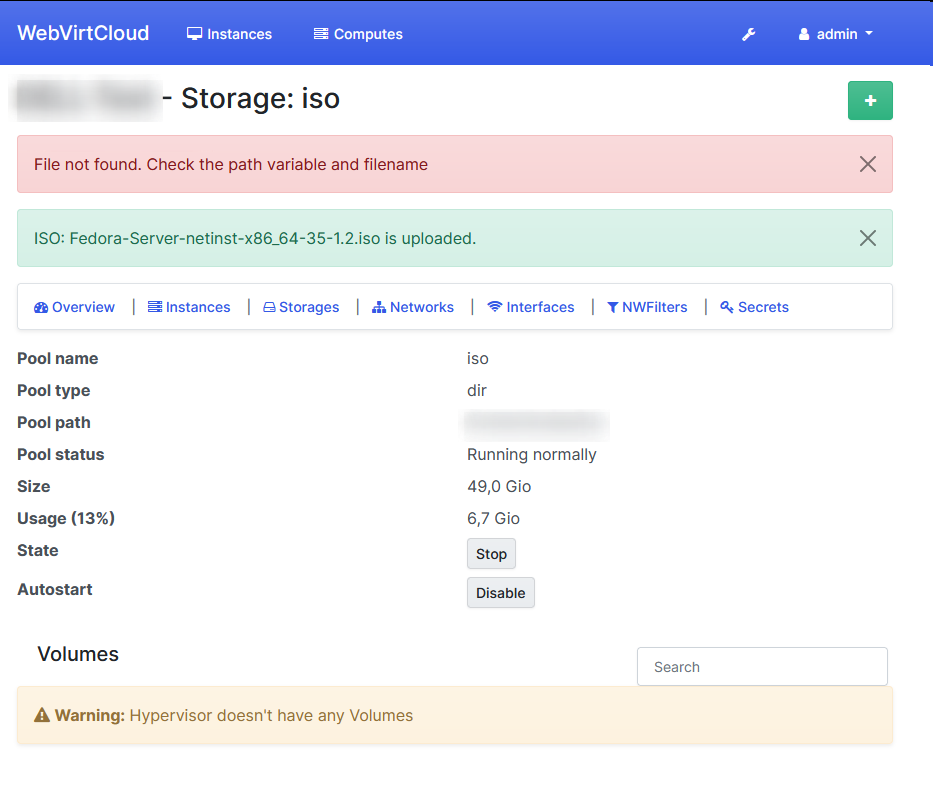 I'm using the master branch...

Fresh Centos 8 (KVM VPS). Used below method to install: ``` wget https://raw.githubusercontent.com/retspen/webvirtcloud/master/install.sh chmod 744 install.sh # run with sudo or root user ./install.sh ``` Results: ``` [root@server ~]# systemctl...

Hi host1: libvirtd -V libvirtd (libvirt) 4.0.0 host2: libvirtd -V libvirtd (libvirt) 4.0.0 host1: cat /etc/issue Ubuntu 18.04.6 LTS \n \l host2: cat /etc/issue Ubuntu 18.04.6 LTS \n \l I...
