

 opengisch
Some pictures are missing on QFieldCloud
Describe the issue
I have been using Qfield and QfieldCloud for a while now, but recently , I have some problems with pushing pictures on QField Cloud. the problem is that i see the picture path in QGIS but there is no corresponding picture in DCIM folder. I taught before that there was a problem with my configuration but now it think that it is not the reason why.
Reproduction steps
Steps to reproduce the behavior:
- I make the configuration for picture in QGIS
i have tried this configuration:
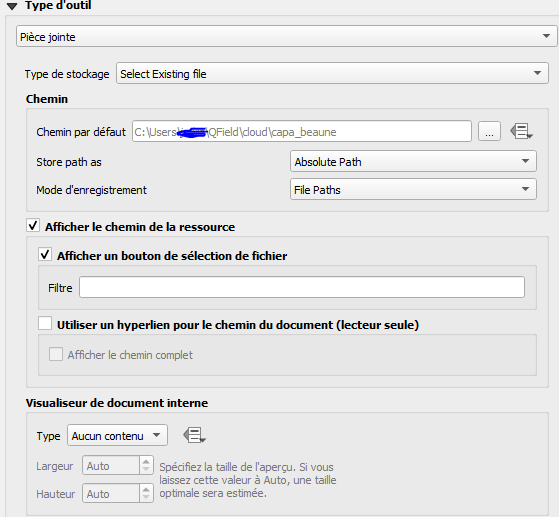 and this one:
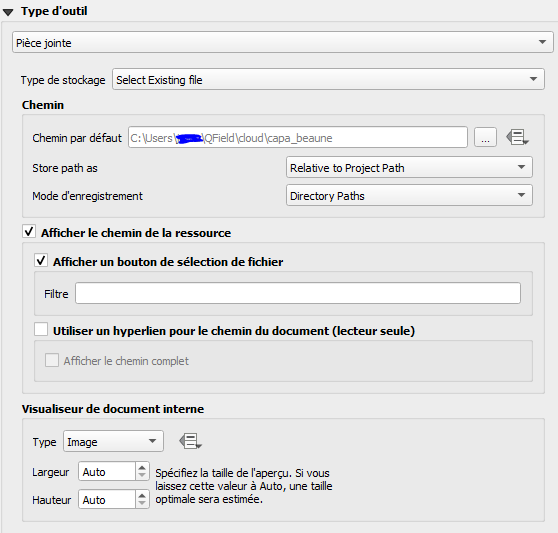 for both , some pictures are missing.
 - After i push the projet on Qfield via QFieldCloud, after I take pictures and then i push my changes on QfieldCloud.
Desktop
I am using :
- window 10
- QGIS 3.22.1
- QFieldSync 4.0.0
Mobile
- Xiaomi mi 9
- Android 11
- QField 2.2.3

Can confirm this behavior. Here happening with configured maximum image size.

I can also confirm that we're having the same issues as outlined here: [https://github.com/opengisch/QField/discussions/3328] The sync process to QField Cloud doesn't always send all the photos and we have to manually extract them from our device.
