

 opengisch
Different behavior of "Apply default value on update" between QField and QGIS
Using the checkbox "Apply default value on update" on a Attribute Form Fields defaults disables the possibility to edit in QField
Reproduction Steps:
- Create a easy project with a Attribute Form with two Fields (e.g.
parentandchild) - Add a default value for one field depending on another, e.G.
CASE
WHEN "parent" = 1 THEN 1
WHEN "parent" = 2 THEN 2
ELSE NULL
END
- Export the Project to QField
Here are two simple example projects to reproduce: QField.zip QGIS.zip
Expected behavior:
-
I would expect that QGIS and QField behave the same way.
-
Second, I would expect that a "default" value is only a "default" value and still editable.
-
(I'm unsure about the case, when editing the
childvalue and update theparentvalue later. The current QGIS behavior and what i expected behavior is that the child will be overwritten again. In some use cases, it could be more comfortable if the manually edited value ofchildwould remain. But this is another topic, what could be solved by 3 values for the attributeapplyOnUpdate)
Observed behavior:
QGIS
- When editing the parent value in a form, the child object is updated as expected.
- I'm able to edit the child field.
- The child field is updated the parent field is edited again

QField v2.0.9
- When editing the parent value in a form, the child object is updated as expected.
- I'm not able to edit the
childfield.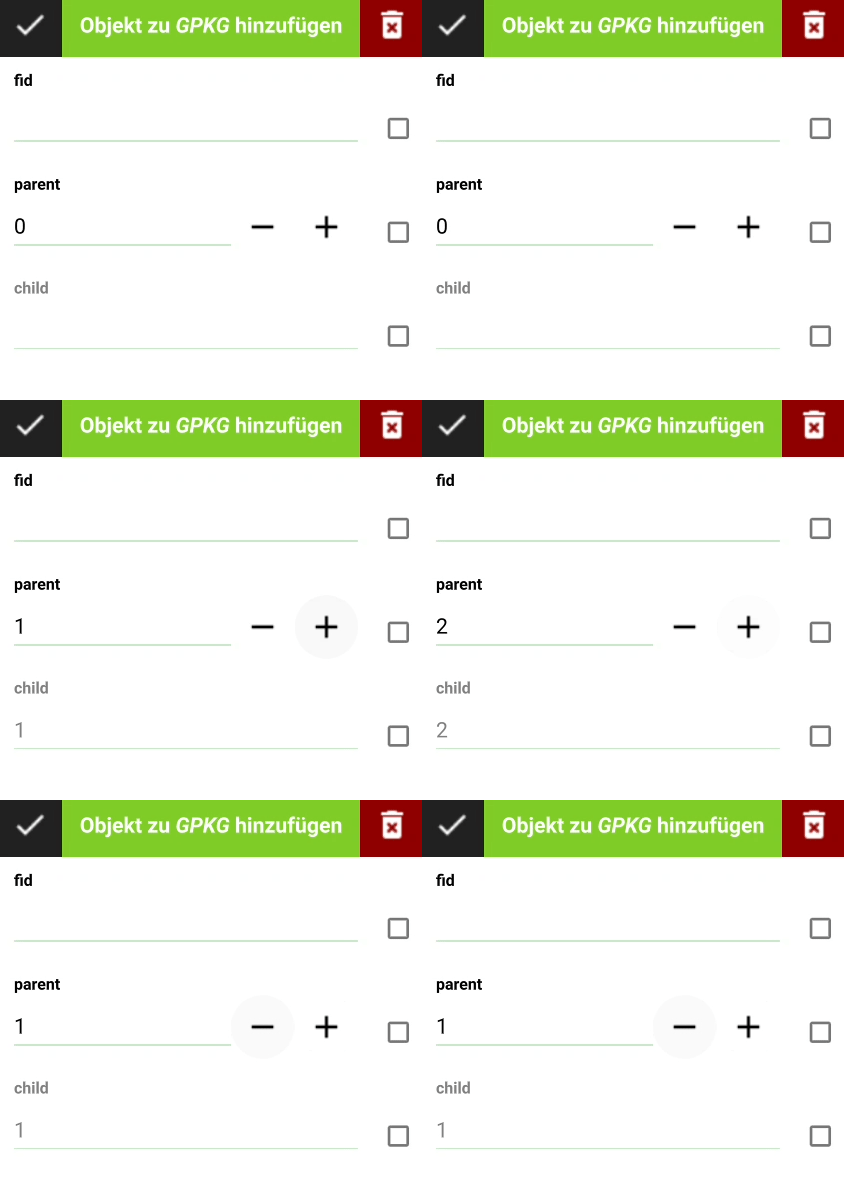
QField v2.0.14 (8f9aa8)
- When editing the parent value in a form, the child object is updated as expected.
- I'm able to edit the child field.
- The child field is updated when the parent field is edited again
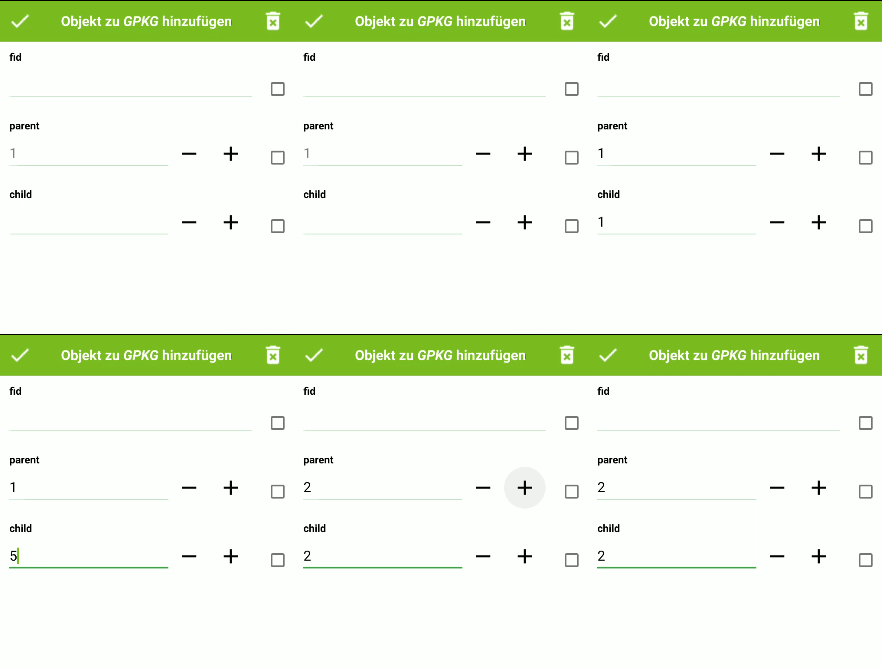
QField master-dev (d5ffbe)
- When editing the parent value in a form, the child object is updated as expected.
- I'm able to edit the child field.
- The child field is not updated when the parent field is edited again

Additional information:
QGIS version: 3.24.1-Tisler (5709b82461)
- Problem started happening recently, didn't happen in an older version of QField: [The Problem seems to be Version dependent]
- Problem can be reliably reproduced, doesn't happen randomly: [Yes]
- Problem happens with all files and projects, not only some files or projects: [Yes]
The corresponding attribute in the default element is called "applyOnUpdate".
Thanks for your great work on QGIS and QField

I tested it later with QField Version: master-dev (d5ffbe) on another and there it is working. I went into this because of #2483 :roll_eyes: So the issue is almost solved, because it is only affecting v2.0.9, and I need to hope for a solution for #2483.
I don't close the issue yet, because I also tested it with 2.0.14 and there it is as I would expect it, but master-dev differs from that. If this is intentional, I would prefer if there would be multiple values for the applyOnUpdate attribute of the default value, like:
- 0: No Update
- 1: Update like in v2.0.14
- 2: Update like in master-dev
I hope this is not confusing.
Thanks for your help.