
WinAppDriver
 WinAppDriver copied to clipboard
 microsoft
Windows Application Driver

I tried to use xpath that got from UIrecorder to get element by call FindElementByXpath ,but it's not work on Chromium framework Apps . WinAppDriver show element not found. Then...

Identifying the Elements in Webex Apllication is taking more time , for each element it is taking minimum of 15 seconds to 30 seconds. Can you guys please help me...

HI Guys, I have created a small automated script using winappdriver to run and test a desktop application. i have installed a copy of this framework on 2 different vm's....

I am trying to moveTo an element using the following code Actions action = new Actions(driver); action.moveToElement(driver.findElement(By.name("Troubleshooting"))); action.perform(); The test has passed but the element is not scrolled into view....

**I tried to get all the file names on this list.** 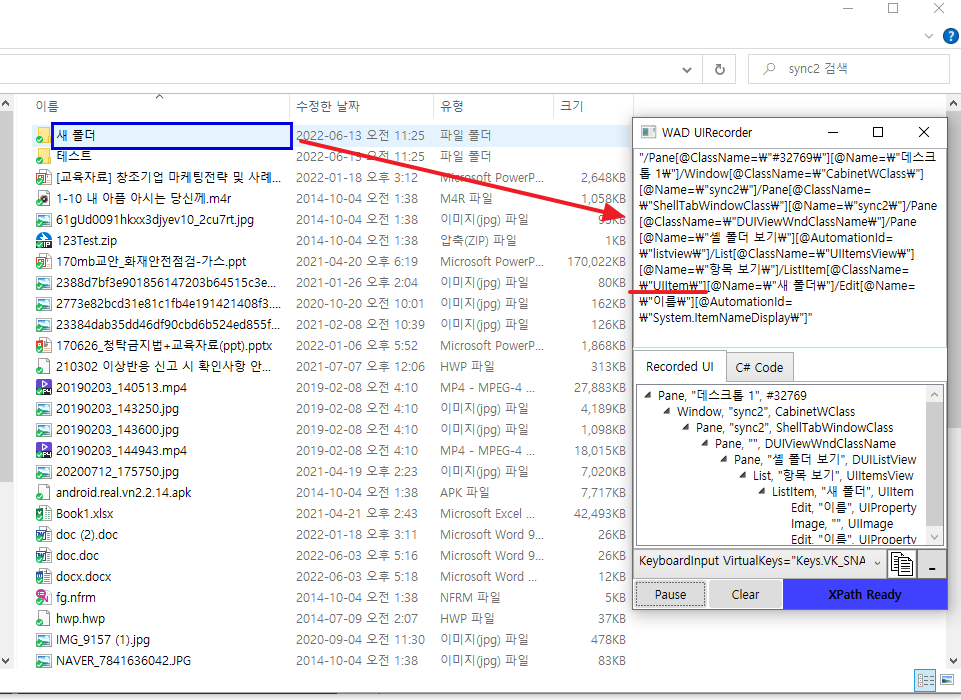 **xpath** String folder_listview = "/Pane[@ClassName=\"#32769\"][@Name=\"데스크톱 1\"]" + "/Window[@ClassName=\"CabinetWClass\"][@Name=\"snyc2\"]" + "/Pane[@ClassName=\"ShellTabWindowClass\"][@Name=\"sync2\"]" + "/Pane[@ClassName=\"DUIViewWndClassName\"]" + "/Pane[@Name=\"셸 폴더 보기\"][@AutomationId=\"listview\"]" + "/List[@ClassName=\"UIItemsView\"][@Name=\"항목...

Appium option should allow to attach the currently running process based on the Process ID

what is code for switching chrome browser? I want to switch between an application and an already running Chrome browser. Which code should I use? Use Java.
Tested with Win App Driver 1.2.99 and Appium-Python-Client 2.0.0. Code: driver.find_element(By.XPATH, ) Return: {'ELEMENT': '42.1312384.4.2'} 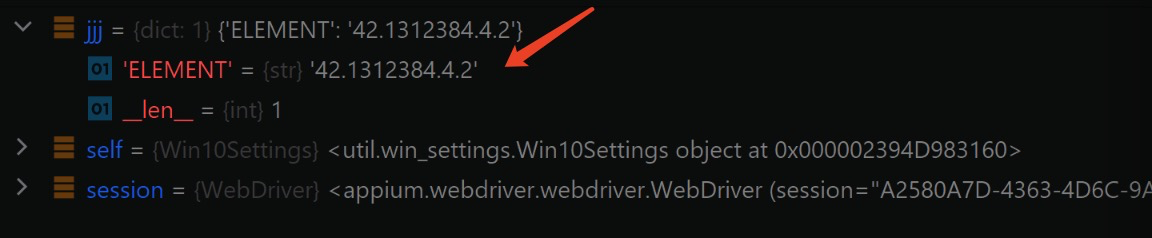 Logs: self = session = def go_to_display_settings_page(self, session): jjj = session.find_element(By.XPATH, "//Window[@Name='Settings'][@AutomationId='TitleBar']/Button[@Name='Maximize Settings'][@AutomationId='Maximize']") >...

Hi there, I am getting an error when using Winappdriver to test my windows app. I am using Javescript. I am using a .bat file to launch my app. Because...

the windows application that needed to be test is running, but goes to error "org.openqa.selenium.WebDriverException: Failed to locate opened application window with appId" the same DesiredCapabilities when I test other...
