

 mapbox
Lots of artifacts on the mapbox terrain dem v1 dataset
Hi,
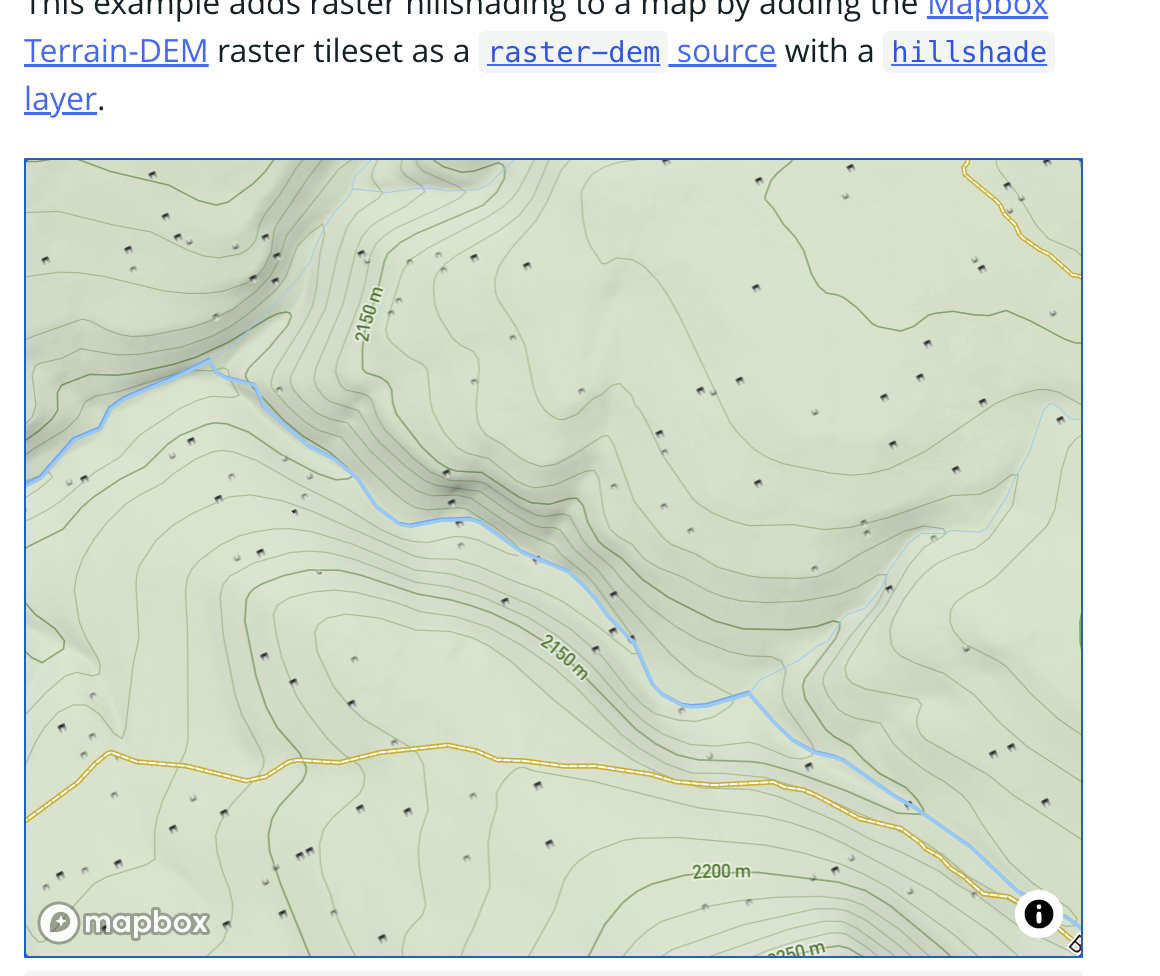
I've found that when using the terrain dem v1 dataset, there's a lot of elevation(?) artifacts scattered all throughout the map. I don't think this is an issue with my code as your own examples (see links down below) exhibit the same behavior, it's definitely something on the data source.
mapbox-gl-js version: latest
browser: any
Steps to Trigger Behavior
- Make use of the terrain dem dataset.
Link to Demonstration
https://docs.mapbox.com/mapbox-gl-js/example/add-terrain/

https://docs.mapbox.com/mapbox-gl-js/example/hillshade/
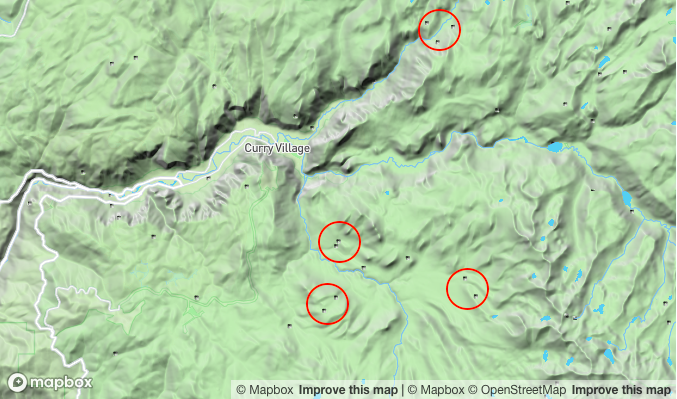
Expected Behavior
Continuous elevation map.
Actual Behavior
Lots of small-ish artifacts along the elevation data.

Hi @almosnow, thanks for reporting this bug to GL-JS!
I am unable to reproduce the same artifacts with the doc examples you linked. If you could provide more information, it would help with reproducing the issue. Are you seeing these artifacts while the map is rendering or continuously? What type of environment are you using? Thanks for using Mapbox!

Sure,
Are you seeing these artifacts while the map is rendering or continuously?
Continuously, after the map is loaded, the artifacts are there all the time, they seem to be different when I change/cross zoom levels.
Regarding my environment, I'm using the latest Brave browser (but it also happens on Chrome and Safari) and OS X Big Sur (v11.6). As you can see it happens everywhere the DEM terrain data is loaded, even in your own examples. I'm also, physically, in México, in case that matters.
I made this video so you can see what's going on:
https://user-images.githubusercontent.com/4924797/168173529-3f64285e-25fd-4561-83df-e8cac985cd75.mp4
I am able to reproduce this on my Brave browser only (all other browsers I tested render correctly):

Hi James!
I found it out, it was my ad blocker!
I only realized that because you said it only happened to you in Brave, so I thought "what does Brave does differently" and yup, when I disable that thing from my router (and then explicitly from Brave) I get no artifacts. If I enable it, they're back.
Weird stuff, now what could be causing this behavior? Does it load a different tileset, maybe?
Thanks for trying it out, and I'm happy that we are closing in on the real problem :)
Hi @almosnow, thanks for reporting this bug to GL-JS!
I am unable to reproduce the same artifacts with the doc examples you linked. If you could provide more information, it would help with reproducing the issue. Are you seeing these artifacts while the map is rendering or continuously? What type of environment are you using? Thanks for using Mapbox!
The same problem happened with my custom dem. this png is 6/53/27.png, Located in Taiwan, China


Same issue here,
- Brave browser [Version 1.75.181 Chromium: 133.0.6943.141 (Official Build) (arm64)]
- mac OS Sonoma (14.7):
Disabling Block Fingerprinting seems to make this much better. Although it doesn't remove the artifacts entirely, it makes them much fainter and without so much contrast.
Specifically, it seems that the "Canvas" fingerprinting block causes the issue.
