
magicalapp



magicalapp
比如box类里面有pay_status这个属性,我只想正常使用他(用于一些逻辑处理),而不想他出现在数据库中。 因为平时很多时候没有写封装beans,所以简单的数据库LitePalSupport类是直接拿出来做交互的,需要一些额外的属性。
缺少一个刷新按钮

郭神,您做的glance已经用上!真的太方便了,用database inspector经常打开数据库有延迟(就是经常无端端显示不了数据库),但是发现glance何时何地都能直接查看数据库的全部数据,真的超级方便!美中不足的就是,现在还差一个刷新按钮,就是当数据库数据改变时,手动点击刷新,虽然目前可以通过重新进入数据页面刷新,难免不及刷新按钮来得实在。不管说都是很实用的库!谢谢郭神,已提issue
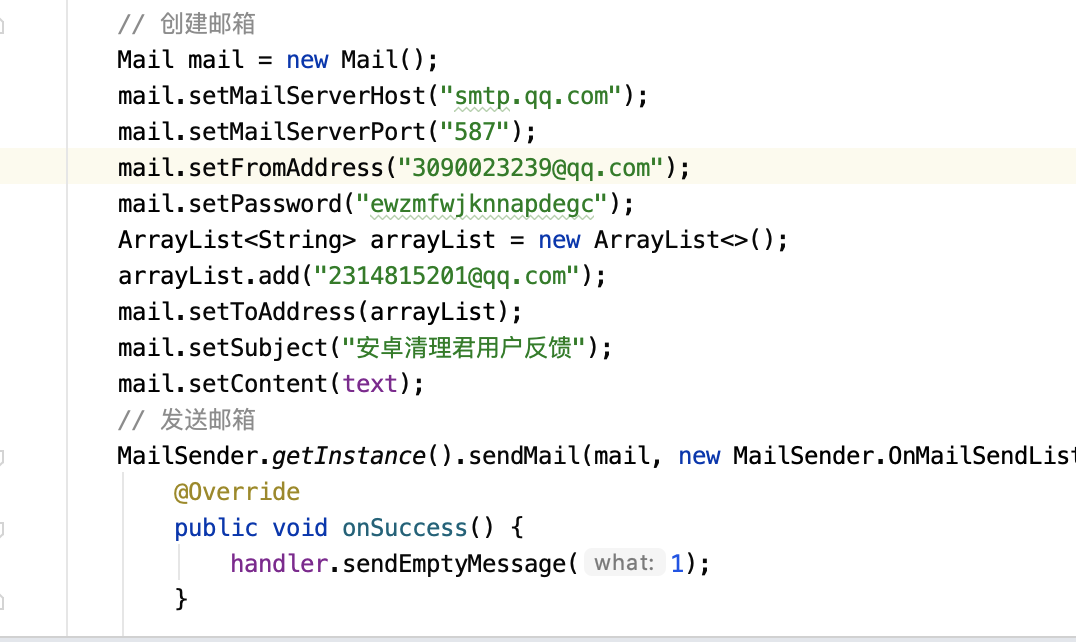 QQ邮箱那边全部设置都开启了,每次都返回 **E/MailSender: smtp** 错误
Hope to support adding events like this in the day, week, and three-day views like Google Calendar, thank you for your contribution
如题。 ①当刚好拖动到文本的末尾,是没有问题的。(图一) ②但是这个时候继续往右滑居然还可以继续滑动一个空格这个时候游标已经不正常显示了。(如图二) ③然后上下滑动文本,右侧游标就会出现选中异常了(图三) 这已是昨天应用了修复游标异常的代码后还发现的问题,亦可以看文末的GIF动画(有点模糊) 图一:  图二:  图三:  GIF展示: 
如题,就是类似QQ选择照片一样,gird列表里面滑动就可以多选或者取消选中,还是蛮方便的
**Please complete the following information:** - Library Version 1.1.3 - Affected Device(s) Xiaomi10 Android12 **Describe the Bug:** When activity is loaded, the veillayout visual state is gone, and then click...
Why is it that photos are loaded vertically with photoview? Is there a solution? I think both horizontal and vertical photos are displayed vertically This is a vertical screen photo:...