
ldbinac
ldbinac

默认的chrome=/Applications/Google\ Chrome.app/Contents/MacOS/Google\ Chrome参数配置,在批量发布文档的时候,会报错,类似于 ```2020/03/31 19:47:14.477 [util.go:176] fork/exec /Applications/Google\ Chrome.app/Contents/MacOS/Google\ Chrome: no such file or directory 2020/03/31 19:47:14.489 [util.go:168] render document by document_id: [/Applications/Google\ Chrome.app/Contents/MacOS/Google\ Chrome --headless --disable-gpu --screenshot --no-sandbox --window-size=320,480...
看到很多人说需要centos下的安装教程,把自己结合作者的Ubuntu下的安装过程,总结摸索出来的CentOS7下安装记录比较分享出来给大家,希望作者可以抽空补充到目前的安装文档当中: # 新建用户Wiki 1、建用户: `adduser wiki ` //新建用户 `passwd 123456wiki` //给wiki用户设置密码 2、将用户加入root组 命令格式gpasswd -a username groupname `gpasswd -a wiki root` 3、切换到wiki用户 `su wiki` # 安装Chrome ``` yum install chromium ```...
### Search before asking - [X] I had searched in the [issues](https://github.com/DataLinkDC/dlink/issues?q=is%3Aissue) and found no similar issues. ### What happened 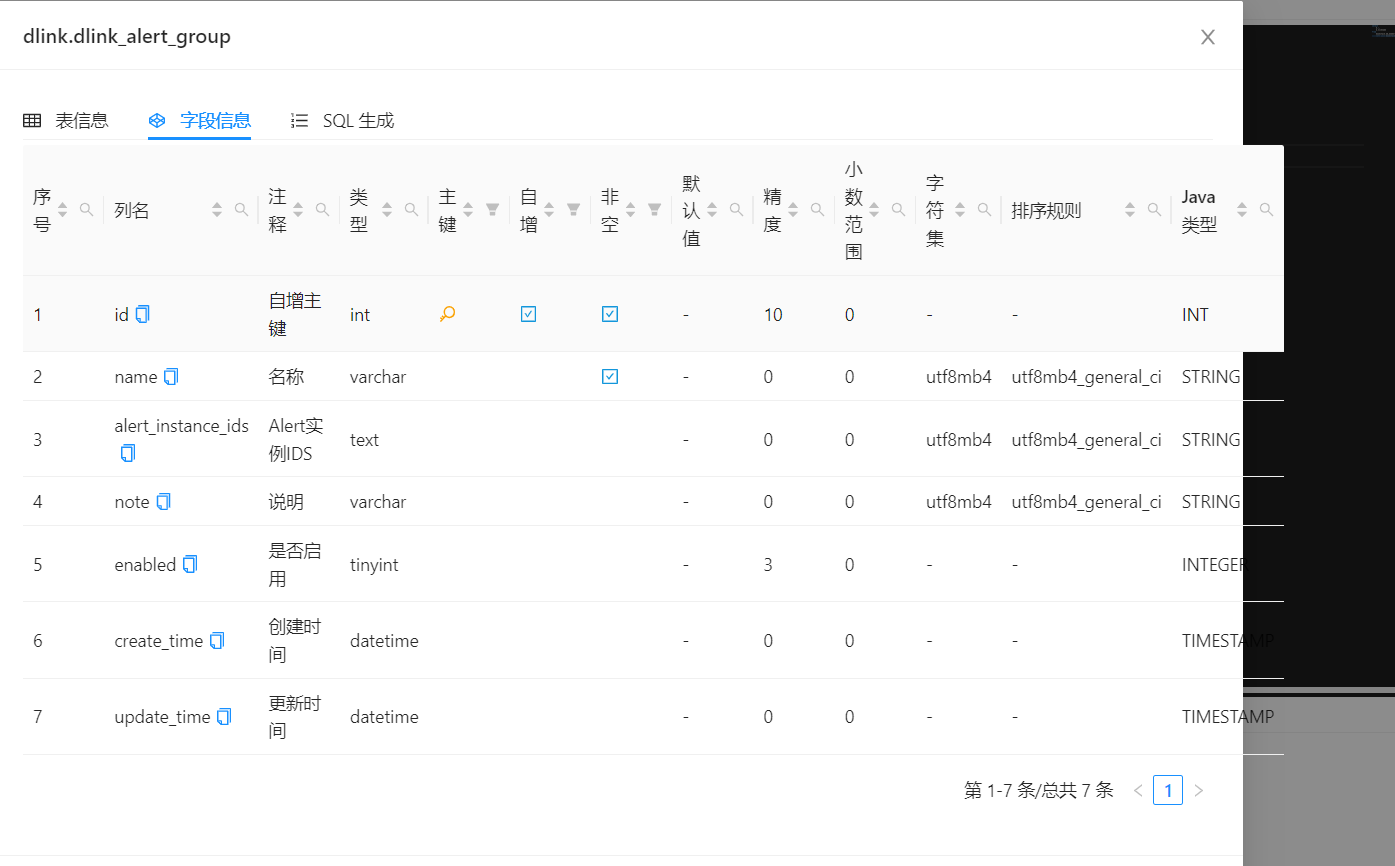 如果字段列名比较长的时候,数据开发-元数据-字段信息显示异常,具体如图 ### What you expected to happen 建议字段信息表格增加横向滚动条 ###...