

 julia-vscode
Vim instructions do not work
Hi,
I've followed the Vim instructions, namely I added:
call g:plug#begin()
  Plug 'JuliaEditorSupport/julia-vim'
  Plug 'autozimu/LanguageClient-neovim', {'branch': 'next', 'do': 'bash install.sh'}
  Plug 'roxma/nvim-completion-manager'  " optional
call g:plug#end()

" julia
let g:default_julia_version = '1.0'

" language server
let g:LanguageClient_autoStart = 1
let g:LanguageClient_serverCommands = {
\   'julia': ['julia', '--startup-file=no', '--history-file=no', '-e', '
\       using LanguageServer;
\       using Pkg;
\       import StaticLint;
\       import SymbolServer;
\       env_path = dirname(Pkg.Types.Context().env.project_file);
\
\       server = LanguageServer.LanguageServerInstance(stdin, stdout, env_path, "");
\       server.runlinter = true;
\       run(server);
\   ']
\ }

nnoremap <silent> K :call LanguageClient_textDocument_hover()<CR>
nnoremap <silent> gd :call LanguageClient_textDocument_definition()<CR>
nnoremap <silent> <F2> :call LanguageClient_textDocument_rename()<CR>
to my ~/.vimrc, then ran:
using Pkg;
Pkg.add("LanguageServer")
Pkg.add("SymbolServer")
Pkg.add("StaticLint")
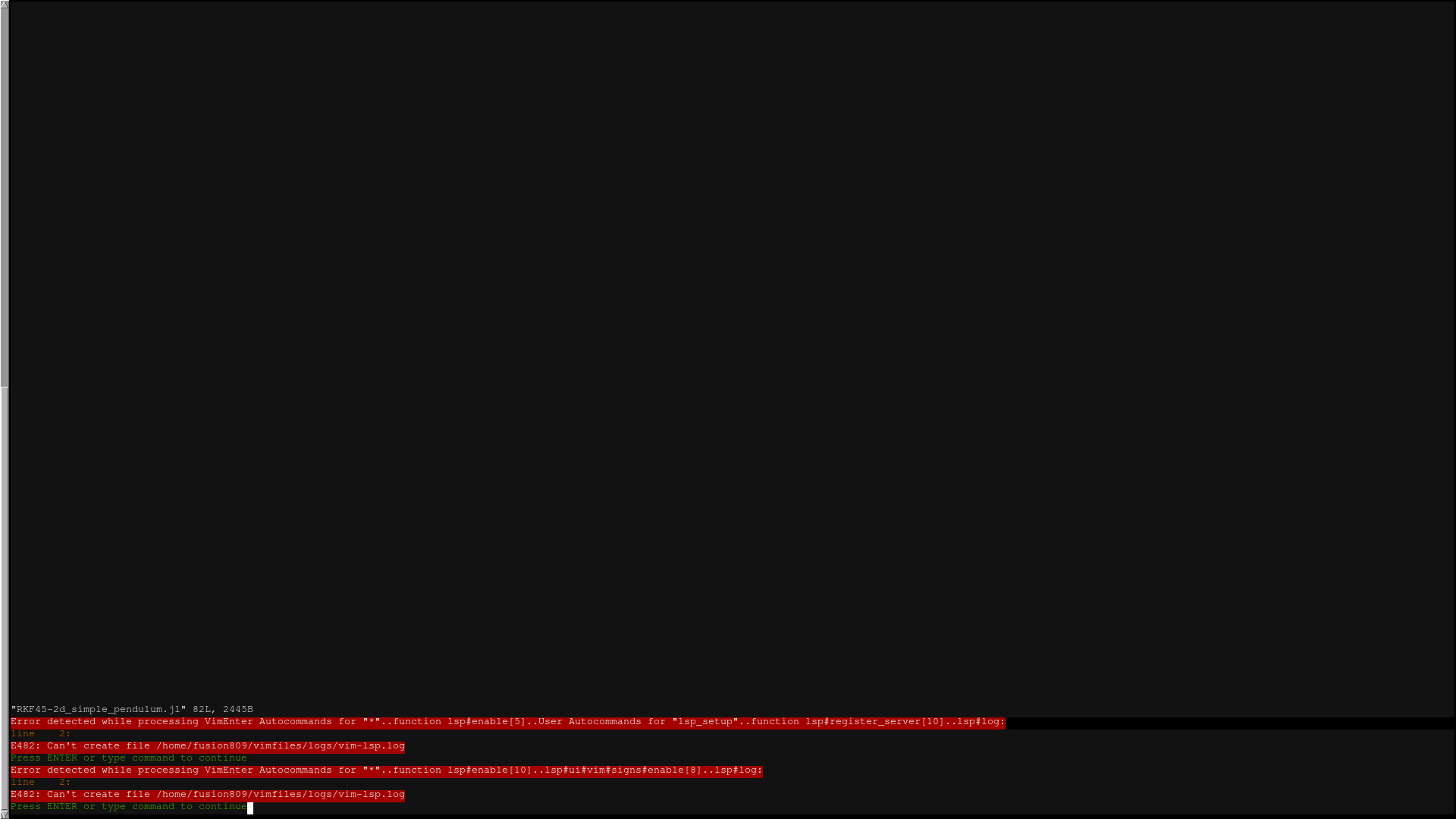
Then in Vim I ran :PlugInstall. No errors were returned, but when I open Vim to a Julia file I see the error messages:

Any ideas how to fix these errors? I know Nerdtree is mentioned, but Nerdtree has never given an error before this, so I'd imagine this is solely related to the autocompletions.
Thanks for your time.

Not sure what is the exact problem, but you can try using my config, which works for me in Neovim.
Specify plugins (and install them):
" Julia
Plug 'JuliaEditorSupport/julia-vim', {'for': 'julia'}
Plug 'prabirshrestha/async.vim', {'for': 'julia'}
Plug 'prabirshrestha/asyncomplete.vim', {'for': 'julia'}
Plug 'prabirshrestha/asyncomplete-lsp.vim', {'for': 'julia'}
Plug 'prabirshrestha/vim-lsp', {'for': 'julia'}
Configure LSP for Julia:
if executable('julia')
  let g:julia_lsp = 'using LanguageServer, LanguageServer.SymbolServer; runserver()'
  autocmd User lsp_setup call lsp#register_server({
  \ 'name': 'julia',
  \ 'cmd': { server_info -> ['julia', '--startup-file=no', '--history-file=no', '-e', g:julia_lsp] },
  \ 'whitelist': ['julia'],
  \ })
endif
Additionally you can customize it for your needs (e.g. disabling virtual text for warnings/errors):
let g:asyncomplete_auto_popup = 1
let g:lsp_virtual_text_enabled = 0
let g:lsp_diagnostics_echo_cursor = 1
let g:lsp_diagnostics_enabled = 1
let g:lsp_signs_enabled = 1
Also you need to install latest version of LanguageServer from master, since it contains several fixes for this configuration to work.
]add LanguageServer#master
Hope this helps.

With your code in my ~/.vimrc (after I deleted the stuff I added that was mentioned in my original post), if I run :PlugInstall I don't get any errors but I also do not see any autocompletion suggestions when I edited a Julia file.
You can enable verbose logging and specify in .vimrc path to log file to see what's going on under the hood:
let g:lsp_log_verbose = 1
let g:lsp_log_file = expand('~/vimfiles/logs/vim-lsp.log')
and use :LspStatus command to see if it is starting up in the first place.
Otherwise its hard to tell where to look for issues.
Also (just in case) this config expects LanguageServer to be installed under the main environment.
FWIW: You may want to try out the coc-julia plugin which works pretty well for me right out of the box (except from the issue discussed in #447)

I just installed coc-julia and yeah, it works well for me too, thanks. I'm not going to close this issue though, because the instructions on the wiki really ought to be corrected.