
Alexandr Evstigneev



Alexandr Evstigneev
It does, if plugin understands, how export been done. See `Carp` for example. If some tricky export been used, it requires additional efforts from my side to make it work
Two filters are used: https://github.com/Camelcade/Perl5-IDEA/blob/master/plugin/core/src/com/perl5/lang/perl/idea/execution/filters/PerlConsoleFilterProvider.java#L36 First catches `file:line` case: https://github.com/Camelcade/Perl5-IDEA/blob/master/plugin/core/src/com/perl5/lang/perl/idea/execution/filters/PerlConsoleFileLinkFilter.java#L33 Second catches different absolute paths case (without the line number): https://github.com/Camelcade/Perl5-IDEA/blob/master/plugin/core/src/com/perl5/lang/perl/idea/execution/filters/PerlAbsolutePathConsoleFilter.java#L36
Ok, looks like I need a simple script and steps to reproduce this. Because it works fine for me: 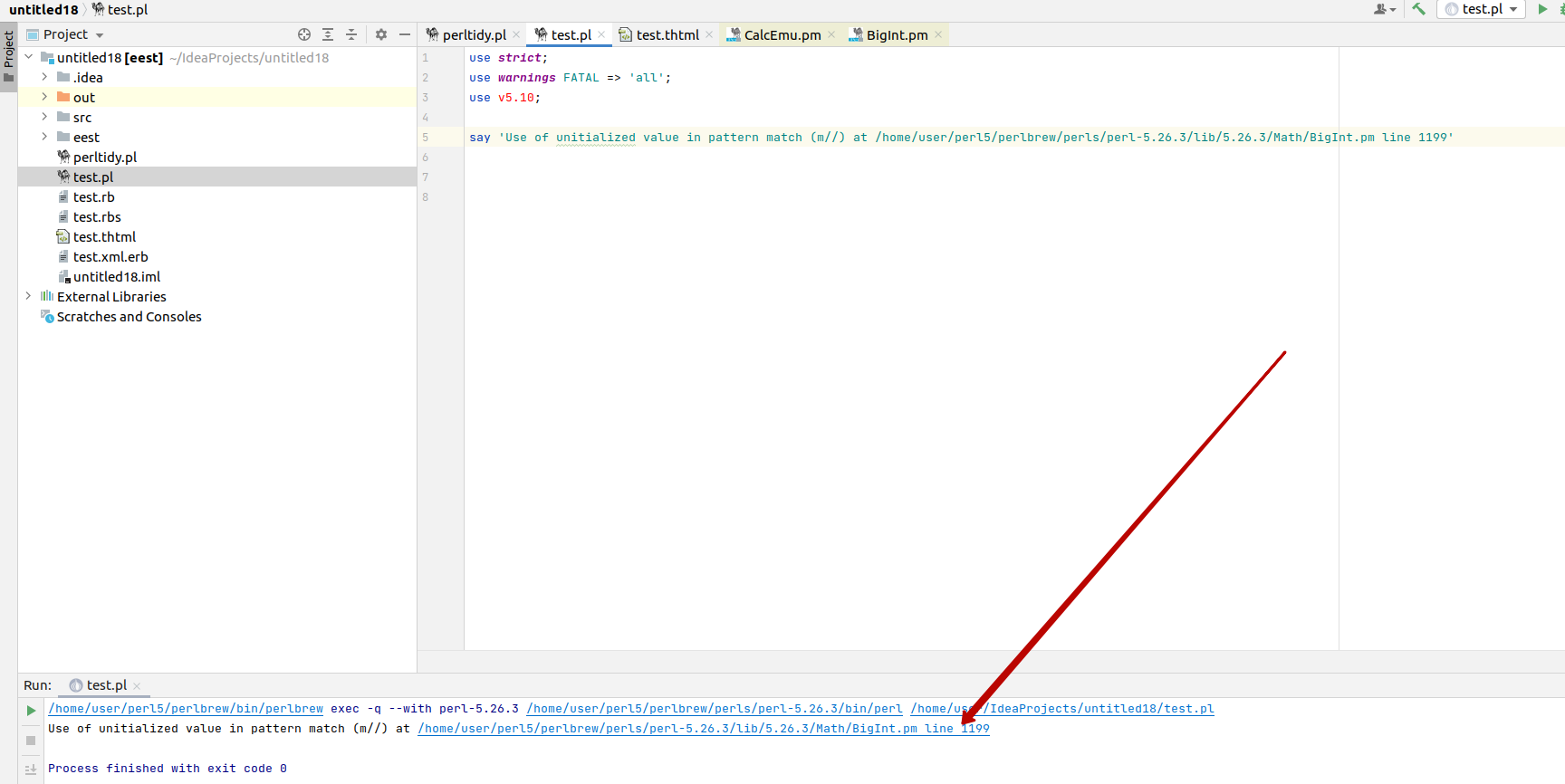
Does not on windows either. Probably for other reason
Doesn't work with Carp::Always ``` main::BEGIN() called at /home/hurricup/Videos/lib/VideoFile.pm line 0 eval {...} called at /home/hurricup/Videos/lib/VideoFile.pm line 0 ```
Nice case, thank you!
Looks like there is a bug in the formatting engine in IDEA. Investigating. As temporary workaround you may add a newline between label and block.
I did. But it's complicated.... Looks like perl formatter has some bug, which usually works as expected because of other bug in platform. But this case fails :)
yes. basically first perl formatter should be refactored to work properly
Yes and it's just for start. There is no need to debug actually, it requires a time to work I don't currently have.