
fakerrr

fakerrr

 我~int(time.time())取到的是-的时间戳,但是我现在看到我这边网页上提交的payload里是rr: 1731091250这个,请问这1731091250怎么来的?
1、Login the backstage http://127.0.0.1/admin/index.php 2、Go to System setting->site setting  3、add the following payload to the third textbox,and submit。 payload:site_logo=images/logo.gif" onmouseover="alert(1)  And move your mouse on the third textbook...
1、Login the backstage http://127.0.0.1/admin/index.php 2、Go to System setting->site setting  3、add the following payload to the second textbox,and submit。 payload:site_domain=http://www.dilicms.com/" onmouseover="alert(1) 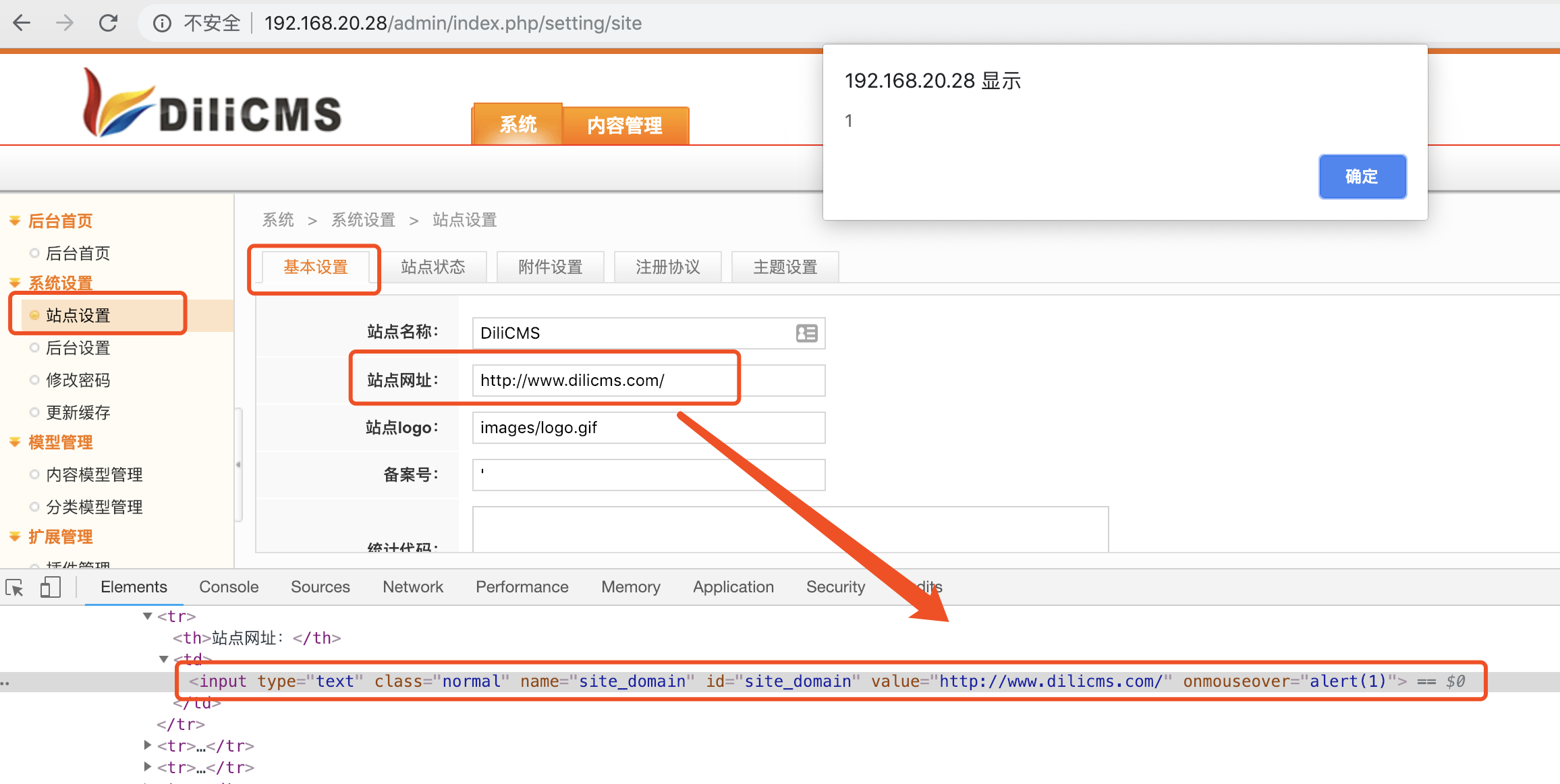 And move your mouse on the second textbook...
1、Login the backstage http://127.0.0.1/admin/index.php 2、Go to System setting->site setting  3、add the following payload to the first textbox,and submit。 payload:site_name=DiliCMS'"/>alert(1) 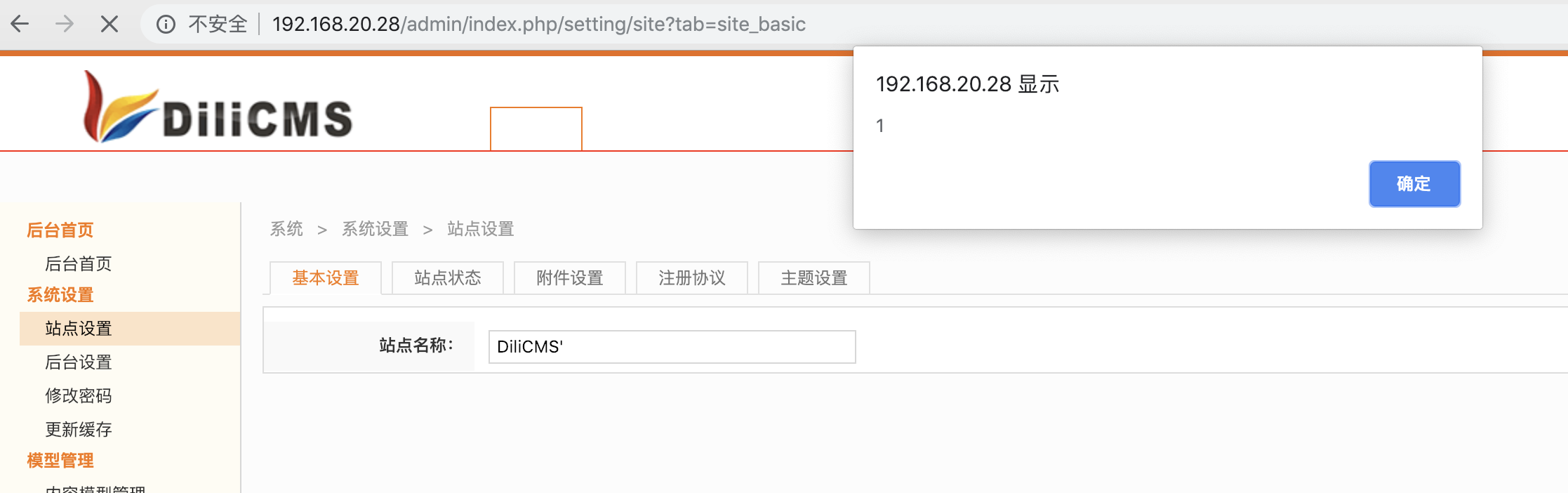 And then Stored-XSS triggered