directvt
Make DirectVT-apps configurable via settings
Description
Configuration File Location Precedence
- Command line options
vtm -s path/to/settings.xml - Envvar
VTM_CONFIG=path/to/settings.xml - Hardcoded location
~/.config/vtm/settings.xml - Predefined (hardcoded) configuration at app.hpp
Configuration File Format (settings.xml)
In our case, the configuration is a list of key=value elements. Where key is a string name without spaces, value is any string value.
Example:
...
name = value
config.menu[0].item[0].id = Term
config.menu[0].item[0].label = "Term"
config.menu[0].item[0].type = DirectVT
config.menu[0].item[0].param = "vtm -r term"
config.menu[0].item[0].param.scrollback.size = 20000
...
config.menu[0].item[1].id = Calc
config.menu[0].item[1].label = "Calc"
config.menu[0].item[1].type = DirectVT
config.menu[0].item[1].param = "vtm -r calc"
...
To access this dataset, it is useful to represent it as a prefix tree (aka Trie)
config
 └ menu
    ├ item
    │   ├ id = Term
    │   ├ label = "Term"
    │   ├ type = DirectVT
    │   └ param = "vtm -r term"
    │       └ scrollback
    │           └ size = 20000
    ├ item
    │   ├ id = Calc
    │   ├ label = "Calc"
    │   ├ type = DirectVT
    │   └ param = "vtm -r calc"
    ...
A slightly modified XML-format allows such data structures to be written compactly into a file
<config>
    <menu>
        <item id=Term label="Term" type=DirectVT title="Terminal Emulator" notes=" Run built-in terminal emulator ">
            <param="vtm -r term">
                <scrollback>
                    <size=20000 />
                    ...
                </scrollback>
                ...
            </param>
        </item>
        <item id=Calc label="Calc" type=DirectVT param="vtm -r calc"/>
        ...
    </menu>
    ...
</config>
Differences from standard XML
Key differences
- All values are UTF-8 strings.
- There is no distinction between attributes and sub-objects, i.e. any attributes are sub-objects.
- In addition to a set of sub-objects, each object can contain its own text value.
- Each object can be formatted in an XML-document in any way, either as an attribute or as a sub-object.
- An object name ending in an asterisk indicates that this object is not an object, but is a template for all subsequent objects with the same name in this scope.
Consider the following object hierarchy
- <document> - Top-level element
- <thing> - Second level element
- <name> - Third level element
- <thing> - Second level element
The following forms of element declaration are equivalent
<document>
    <thing name="a">text1</thing>
    <thing name="b">text2</thing>
</document>
<document>
    <thing="text1" name="a"/>
    <thing="text2" name="b"/>
</document>
<document>
    <thing name="a">
        "text1"
    </thing>
    <thing name="b">
        "text2"
    </thing>
</document>
<document>
    <thing>
        "text1"
        <name="a"/>
    </thing>
    <thing>
        <name="b"/>
        "text2"
    </thing>
</document>
<document>
    <thing="t">
        "ext"
        <name>
            "a"
        </name>
        "1"
    </thing>
    <thing>
        <name>
            "b"
        </name>
        "text"
        "2"
    </thing>
</document>
Template Example
Use asterisk at the end of the element name to set defaults.
The following declarations are the same
<document>
    <thing name="text">another_text</thing>
    <thing name="text">another_text</thing>
</document>
<document>
    <thing* name="text"/> <!-- skip this element and set name="text" as default for the following things -->
    <thing>another_text</thing>
    <thing>another_text</thing>
</document>
<document>
    <thing* name="text"/>
    <thing="another_text"/>
    <thing="another_text"/>
</document>
<document>
    <thing*="another_text" name="text"/>  <!-- skip this element and set thing="another_text" and name="text" as default for the following things -->
    <thing/>
    <thing/>
</document>
Configuration example
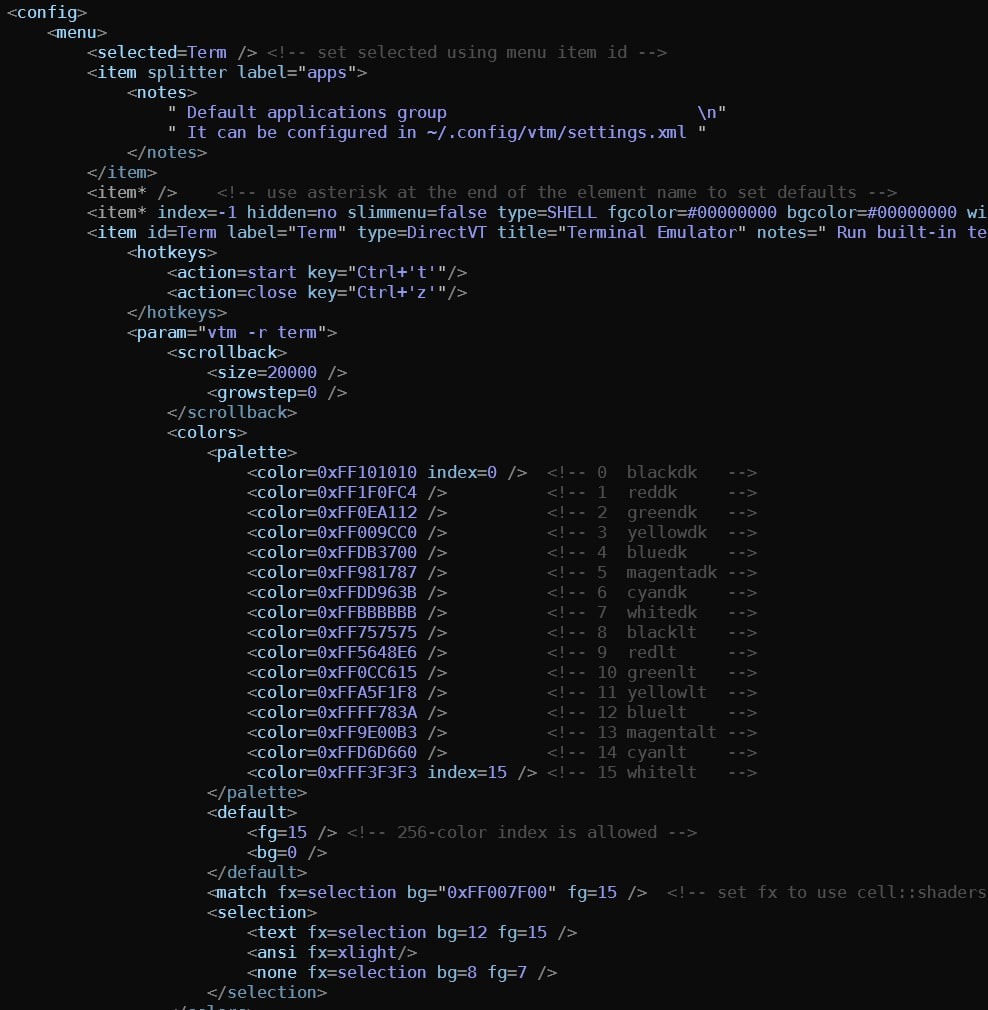
~/.config/vtm/settings.xml
<config>
    <menu>
        <selected=Term /> <!-- set selected using menu item id -->
        <item splitter label="apps">
            <notes>
                " Default applications group                         \n"
                " It can be configured in ~/.config/vtm/settings.xml "
            </notes>
        </item>
        <item* />    <!-- use asterisk at the end of the element name to set defaults -->
        <item* index=-1 hidden=no slimmenu=false type=SHELL fgcolor=#00000000 bgcolor=#00000000 winsize=0,0 wincoor=0,0 />
        <item id=Term label="Term" type=DirectVT title="Terminal Emulator" notes=" Run built-in terminal emulator ">
            <hotkeys>
                <action=start key="Ctrl+'t'"/>
                <action=close key="Ctrl+'z'"/>
            </hotkeys>
            <param="vtm -r term">
                <scrollback>
                    <size=20000 />
                    <growstep=0 />
                </scrollback>
                <colors>
                    <palette>
                        <color=0xFF101010 index=0 />  <!-- 0  blackdk   -->
                        <color=0xFF1F0FC4 />          <!-- 1  reddk     -->
                        <color=0xFF0EA112 />          <!-- 2  greendk   -->
                        <color=0xFF009CC0 />          <!-- 3  yellowdk  -->
                        <color=0xFFDB3700 />          <!-- 4  bluedk    -->
                        <color=0xFF981787 />          <!-- 5  magentadk -->
                        <color=0xFFDD963B />          <!-- 6  cyandk    -->
                        <color=0xFFBBBBBB />          <!-- 7  whitedk   -->
                        <color=0xFF757575 />          <!-- 8  blacklt   -->
                        <color=0xFF5648E6 />          <!-- 9  redlt     -->
                        <color=0xFF0CC615 />          <!-- 10 greenlt   -->
                        <color=0xFFA5F1F8 />          <!-- 11 yellowlt  -->
                        <color=0xFFFF783A />          <!-- 12 bluelt    -->
                        <color=0xFF9E00B3 />          <!-- 13 magentalt -->
                        <color=0xFFD6D660 />          <!-- 14 cyanlt    -->
                        <color=0xFFF3F3F3 index=15 /> <!-- 15 whitelt   -->
                    </palette>
                    <default>
                        <fg=15 /> <!-- 256-color index is allowed -->
                        <bg=0 />
                    </default>
                    <match fx=selection bg="0xFF007F00" fg=15 />  <!-- set fx to use cell::shaders: xlight | selection |contrast | invert | reverse -->
                    <selection>
                        <text fx=selection bg=12 fg=15 />
                        <ansi fx=xlight/>
                        <none fx=selection bg=8 fg=7 />
                    </selection>
                </colors>
                <tablen=8 />      <!-- Tab length. -->
                <maxline=65535 /> <!-- Max line length. Line splits if it exceeds the limit. -->
                <cursor>
                    <style="underline"/> <!-- block | underline  -->
                    <blink="400"/>       <!-- blink period in ms -->
                </cursor>
                <menu>
                    <enabled="on"/>
                    <slim="off"/>
                </menu>
                <wrap="on"/>
                <selection>
                    <mode="plain"/> <!-- plain | ansi | disabled -->
                </selection>
                <hotkeys>
                    <action=findNext key="Alt+RightArrow"/>
                    <action=findPrev key="Alt+LeftArrow"/>
                </hotkeys>
            </param>
        </item>
        <item id=mc        label="mc"        type=SHELL    title="Midnight Commander"    param="mc"               notes=" Run Midnight Commander in its own window (if it is installed) "/>
        <item id=Tile      label="Tile"      type=Group    title="Tiling Window Manager" param="h1:1(Term, Term)" notes=" Run Tiling Window Manager with two terminals attached "/>
        <item id=View      label=View        type=Region   title="\e[11:3pView: Region"                           notes=" Set desktop region "/>
        <item id=Settings  label=Settings    type=DirectVT title="Settings"              param="$0 -r settings"   notes=" Configure frame rate " winsize=50,15 />
        <item id=Logs      label=Logs        type=DirectVT title="Logs Title"            param="$0 -r logs"       notes=" Run Logs application "/>
        <item splitter label="demo" notes=" Demo apps                    \n Feel the Desktopio Framework "/>
        <item id=Gems      label="Gems"      type=DirectVT title="Gems Title"            param="$0 -r gems"       notes=" App Distribution Hub "/>
        <item id=Text      label="Text"      type=DirectVT title="Text Title"            param="$0 -r text"       notes=" Text Editor "/>
        <item id=Calc      label="Calc"      type=DirectVT title="Calc Title"            param="$0 -r calc"       notes=" Spreadsheet Calculator "/>
        <item id=Test      label="Test"      type=DirectVT title="Test Title"            param="$0 -r test"       notes=" Test Page "/>
        <item id=Truecolor label="Truecolor" type=DirectVT title="True Title"            param="$0 -r truecolor"  notes=" Truecolor Test "/>
        <autorun>
            <item*=Term winsize=48%,48% /> <!-- item*=_item_id_ - assign the same _item_id_ to each item by default -->
            <item wincoor=0,0 />
            <item wincoor=52%,0 />
            <item wincoor=0,52% />
            <item=mc wincoor=52%,52% />
        </autorun>
    </menu>
    <hotkeys>
        <action=prevWindow key="Ctrl+PgUp"/>
        <action=nextWindow key="Ctrl+PgDn"/>
    </hotkeys>
</config>

To simplify parsing and structure in general, I consider the following forms of element declaration to be equivalent
<document>
    <thing name="a">text1</thing>
    <thing name="b">text2</thing>
</document>
<document>
    <thing="text1" name="a"/>
    <thing="text2" name="b"/>
</document>
<document>
    <thing name="a">
        text1
    </thing>
    <thing name="b">
        text2
    </thing>
</document>
Here, the value of the thing element is trimmed from the beginning and from the end according to the following rule:
^\r?\n\s*removed from the beginning\s*\r?\n$removed from the end
^\r?\n\s*text1\r?\n\s*$ => text1
I just compiled vtm 0.8.0 (commit hash: 253d039eed8934f3192804f32464cc6914e7cddf). Trying the example config in settings, the Term app isn't launching.
FYI here's the menuitem for Term:
<menuitem id=Term index=1 label="Term" bgcolor=#0a0a0a fgcolor=15 slimmenu notes="$0 -r Term:\nTerminal emulator" type=DirectVT param="vtm -r term bash"/>
- When click on it, I do get the notes message appearing in the top left, but no app is created.
- when I run
vtm -r term bashfrom outside vtm, it works well. - when replacing the menuitem with a
type=SHELL, the Term application launches correctly<menuitem id=Term index=1 label="Term" bgcolor=#0a0a0a fgcolor=15 slimmenu notes="$0 -r Term:\nTerminal emulator" type=DirectVT param="vtm -r term bash"/>
I don't know if there are any logs I can look at for error messages, if there are, please let me know.

Everything looks right. To view the logs, you can run the server part and the client part in separate terminals
- server:
vtm -s - client:
vtm
The server will output something like
apps: app type: directvt, menu item id: Term
dtvt: new child process: 'vtm -r term bash' at the current working directory
dtvt: conpty created: { 65, 50 }
dtvt: id: 7236 reading thread started
dtvt: id: 9376 writing thread started
dtvt: id: 19532 logging thread for process:12308 started
    12308:   os: DirectVT detected
    12308: Desktopio Terminal v0.8.0
    12308: host: started at 60fps
    12308: diff: id: 20340 rendering thread started
    12308: xpty: new child process: 'bash' at the current working directory
    12308: xpty: conpty created: { 65, 48 }
    12308: xpty: id: 19312 reading thread started
    12308: xpty: id: 8196 writing thread started
Also vtm should be in PATH, because the absolute path is not specified in the parameters.
Good catch, it was a PATH issue. Even replacing vtm with ./vtm worked, so even relative paths are good if they resolve.
Do you think it's worth updating the README to mention something about this?
Thanks for the tip, I'll clarify this point in the readme when I finish config_v2, more settings will be possible there 🙂
The best solution is to replace param=“vtm -r term bash” with param=“$0 -r term bash”. $0 will be auto converted to the current module file name with full path.
New xml-parser can change the values of elements while maintaining the original formatting and comments
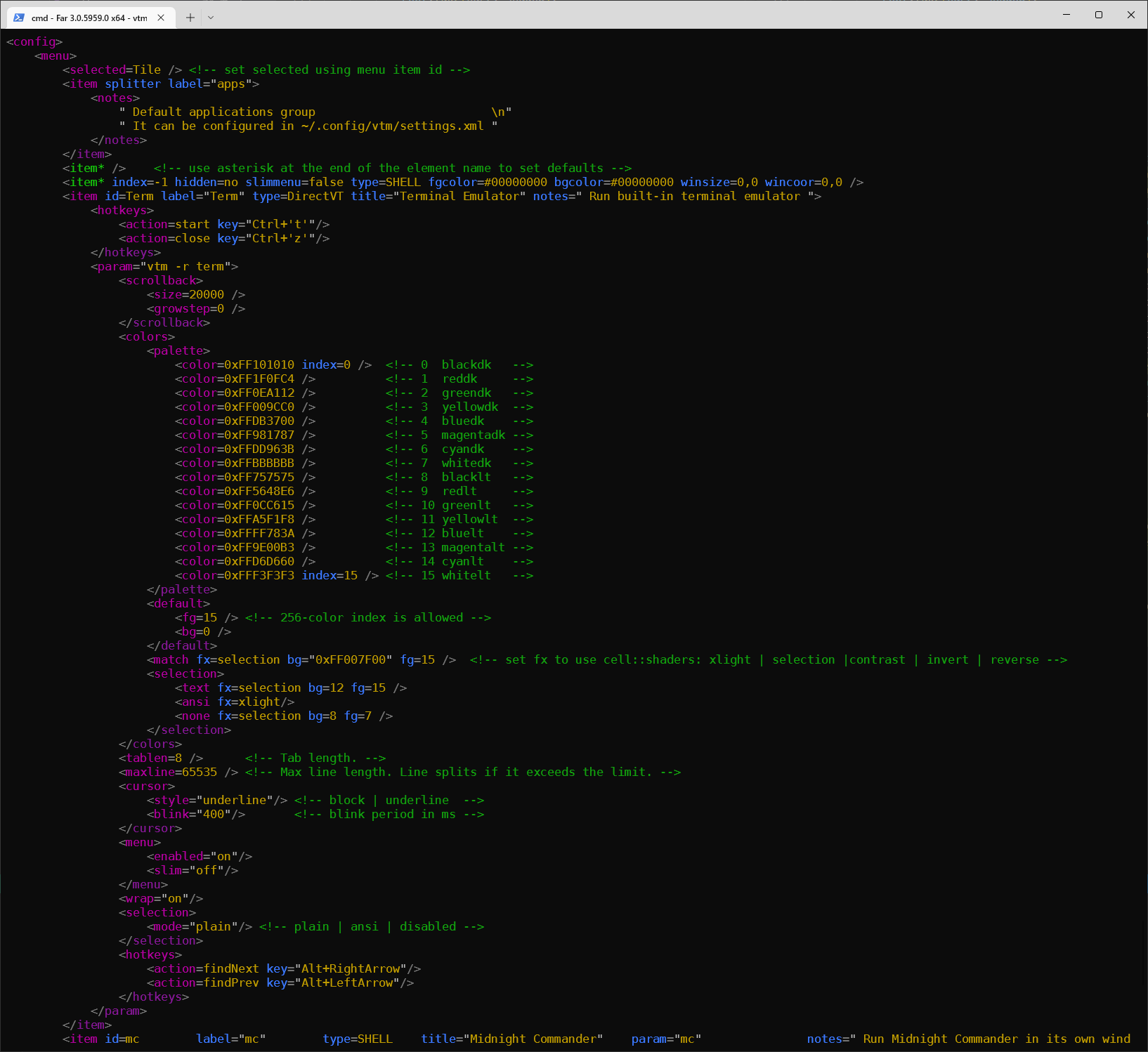
This is necessary to preserve the settings.xml original formatting (+comments) when changing settings using vtm.