
vtm
 vtm copied to clipboard
 directvt
Text-based desktop environment
vtm
Text-based desktop environment inside your terminal*

* Terminal Requirements
Tested Terminals
Demo
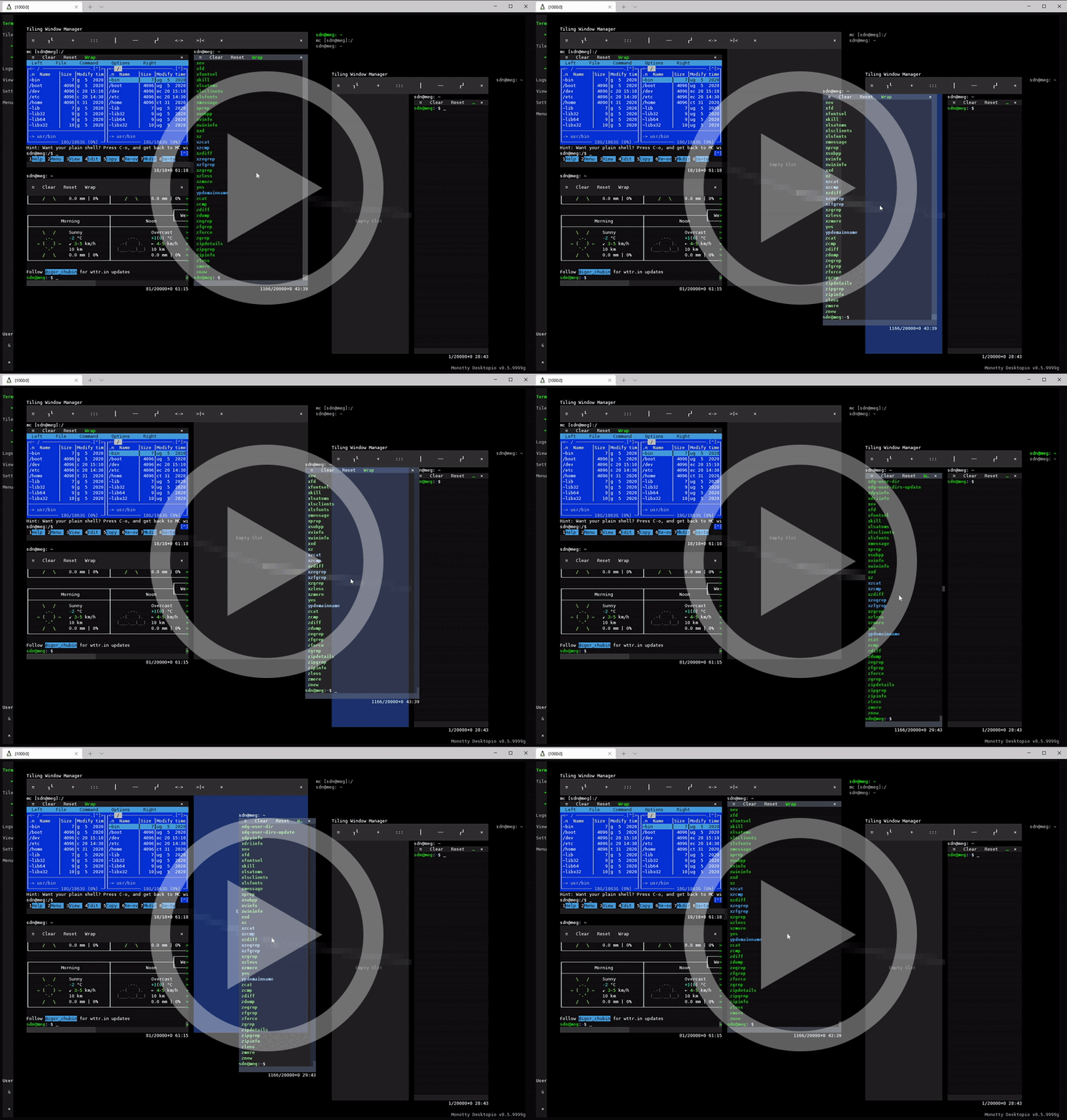
Video
Supported Platforms
- POSIX-oriented
- Linux
- macOS
- FreeBSD
- NetBSD
- OpenBSD
...
- Windows
- Windows 10 or later
- Windows Server 2019 or later
Building from Source
POSIX-oriented
Build-time dependencies
gitcmake- C++20 compiler
- Minimal requirements to compile
git clone https://github.com/netxs-group/vtm.git && cd ./vtm
cmake ./src -DCMAKE_BUILD_TYPE=Release
cmake --build .
cmake --install .
Windows
Build-time dependencies
gitcmakeVisual Studio 2019or laterUTF-8for worldwide language support, https://github.com/netxs-group/vtm/issues/175#issuecomment-1034734346
Use Developer Command Prompt as a build environment
git clone https://github.com/netxs-group/vtm.git && cd ./vtm
cmake ./src -DCMAKE_BUILD_TYPE=Release "-GVisual Studio 16 2019"
cmake --build . --config Release
cd ./Release
powershell ../src/install/install.ps1
Binaries


Command Line Options vtm(.exe)
| Option | Description |
|---|---|
| No arguments | Run client (auto start server) |
-d |
Run server in background |
-s |
Run server in interactive mode |
-r [<app>] |
Run the specified <app> in offline modeTerm Terminal emulator (default)Calc (Demo) Spreadsheet calculatorText (Demo) Text editorGems (Demo) Desktopio application manager |
User Interface
| Sidebar | App window | Desktop | |||||||
|---|---|---|---|---|---|---|---|---|---|
| App group | Running app | User list | ≡ Menu | Menu bar | Interior | Resize grips | Navigation strings | Free space | |
| Ctrl + PgUp/Dn | Switch between running apps and assign exclusive keyboard focus | ||||||||
| LeftClick | Run app | Go to app | Maximize/restore | Assign exclusive keyboard focus | Go to app | Clear keyboard focus | |||
| Ctrl + LeftClick | Assign/clear group keyboard focus | ||||||||
| double LeftClick | Maximize/restore app window | ||||||||
| triple Left+RightClick | Show/hide sysstat overlay | ||||||||
| RightClick | Set default app | Center app window | Toggle menu height | Center app window | |||||
| Left+RightClick | Clear clipboard | ||||||||
| LeftDrag | Adjust sidebar width | Move window or Select text | Panoramic workspace scrolling | ||||||
| RightDrag | Panoramic content scrolling | Run default app | |||||||
| MiddleDrag | Run default app | ||||||||
| Left+RightDrag | Move window / Restore maximized window | Panoramic workspace scrolling | |||||||
| Ctrl+LeftDrag | Modify selection | ||||||||
| Alt+LeftDrag | Switch boxed/linear selection mode | ||||||||
| Ctrl+RightDrag or Ctrl+MiddleDrag | Copy selected area to clipboard, OSC 52 | ||||||||
| Wheel | Vertical scrolling | ||||||||
| Shift+Wheel or Ctrl+Wheel | Horizontal scrolling | ||||||||
Main Menu Configuration
The main menu can be configured in the ~/.config/vtm/settings.xml file in xml format.
The top-level element <config selected=_selected_id_> contains a list of
- menu items
<menuitem ... /> - splitters
<splitter ... /> - default attribute definitions
<defaults ... />.
The value of the selected= attribute specifies which menu item will be selected by default at startup.
The list of main menu items can be extended using the VTM_CONFIG=... environment variable. This variable should contain a list of items as inside the <config selected=_selected_id_> ... </config> block.
Arguments can be specified without quotes if there are no spaces.
Character escapes
\eASCII 0x1B ESC\tASCII 0x09 TAB\aASCII 0x07 BEL\nASCII 0x0A LF\\ASCII 0x5C Backslash\"ASCII 0x22 Quotes\'ASCII 0x27 Single quote$0Current module full path
Menu item attributes
| Attribute | Description | Value type | Mandatory | Default value |
|---|---|---|---|---|
id |
Menu item textual identifier | string |
required | |
index |
Menu item zero-based index | index |
||
alias |
Use existing menu item specified by id as template |
string |
||
hidden |
Menu item visibility | boolean |
no |
|
label |
Menu item label text | string |
=id |
|
notes |
Menu item tooltip text | string |
empty | |
title |
App window title | string |
empty | |
footer |
App window footer | string |
empty | |
bgcolor |
App window background color | RGBA |
||
fgcolor |
App window foreground color | RGBA |
||
winsize |
App window 2D size | x;y |
||
slimmenu |
App window menu vertical size | boolean |
no |
|
cwd |
Current working directory | string |
||
type |
App type | string |
SHELL |
|
param |
App constructor arguments | string |
empty |
Value type
| Type | Format |
|---|---|
RGBA |
#rrggbbaa | 0xaabbggrr | rrr,ggg,bbb,aaa | 256-color index |
boolean |
true | false | yes | no | 1 | 0 |
index |
0 .. N |
string |
UTF-8 text string |
x;y |
integer <any_delimeter> integer |
App type
| Type | Parameter |
|---|---|
DirectVT |
_command line_ |
SHELL (default) |
_command line_ |
ANSIVT |
_command line_ |
Group |
[ v[n:m:w] | h[n:m:w] ] ( id_1 | nested_block , id_2 | nested_block )] |
Region |
param attribute is not used, use attribute title=_view_title_ to set region name |
Example of ~/.config/vtm/settings.xml
<config selected=Term>
    <splitter label="apps"/>
    <defaults index=-1 hidden=no slimmenu=false type=SHELL fgcolor=#00000000 bgcolor=#00000000 winsize=0x0 wincoor=0x0 />
    <menuitem id=Term index=1 label="Term" bgcolor=#0a0a0a fgcolor=15 slimmenu notes="$0 -r Term:\nTerminal emulator" type=DirectVT param="vtm -r term bash"/>
    <menuitem id=mc label="mc" title="mc" notes="Midnight Commander" type=SHELL param="mc"/>
    <menuitem id=Settings index=2 label="Settings \e[45mLink\e[m" title="Settings title" footer="\e[11:2psettings status" fgcolor=15 bgcolor=0xFF562401 notes="$0\n\tRun settings" type=DirectVT param="vtm -r settings"/>
    <menuitem id=View label=View notes="Set desktop region" type=Region title="\e[11:3pView: Region"/>"
    <splitter label="groups"/>
    <menuitem id=Tile1 label="Tile" notes="Tiling window manager" type=Group param="h(Term, v(mc, Term))"/>
    <menuitem id=Tile2 label="Second TWM"
                       notes="Tooltip for Tiling window manager"
                       type=Group
                       param="h(v(Term, Tile1), v(mc, Term))"/>
</config>
Example of VTM_CONFIG= envar
VTM_CONFIG='<splitter label="envars" notes=" Menu items configured using envar VTM_CONFIG=... "/>
            <menuitem id=Term2 notes="Run terminal" type=DirectVT label="Virtual \e[41mTerminal\e[m Emulator" param="$0 -r term"/>
            <menuitem id=View2 label=View notes="Desktop region" type=Region title="Region 1"/>
            <menuitem id=htop2 label=htop hidden=yes notes="htop app" type=ANSIVT param="htop"/>
            <menuitem id=mc2 label=mc hidden=1 notes="mc app" type=SHELL param="mc"/>
            <menuitem id=Tile2 label=Tile notes="Tiling Window Manager" type=Group title="Tiling Window Manager" param="h1:2( v1:1(htop2, mc2), Term2)"/>'
Built-in Applications
▀▄ TermTerminal emulator▀▄ LogsDebug output console▀▄ ViewWorkspace navigation helper▀▄ TileTiling window manager▀▄ GemsApplication manager (Demo)
show details...
-
▀▄ Term-
UTF-8 Everywhere
-
Unicode clustering
-
TrueColor/256-color support
-
Auto-wrap mode
DECAWM(with horizontal scrolling) -
Focus tracking
DECSET 1004 -
Bracketed paste mode
DECSET 2004 -
SGR attributes: overline, double underline, strikethrough, and others
-
Save/restore terminal window title
XTWINOPS 22/23 -
Mouse tracking
DECSET 1000/1002/1003/1006 SGRmode -
Mouse tracking
DECSET 10060 Extended SGRmode, mouse reporting outside of the terminal viewport (outside + negative arguments) #62 -
Text selection by mouse #149
-
Configurable using VT-sequences
Name Sequence Description CCC_SBSCSI24 : n : mpSet scrollback buffer size, int32_tnInitial buffer size in lines; 0 — grow step is used for initial size; default (if omitted) is 20.000mGrow step for unlimited buffer; default (if omitted) is 0 — for fixed size bufferCCC_SGRCSI28 : PmpSet terminal background using SGR parameters (one attribute at once) PmColon-separated list of attribute parameters, 0 — reset all attributes, default is 0CCC_SELCSI29 : npSet selection mode, default is 0 n = 0Selection is offn = 1Select and copy as plaintextn = 2Select and copy as ANSI-textCCC_PADCSI30 : npSet scrollbuffer side padding nWidth in cells, max = 255, default is 0CCC_RSTCSI1pReset all parameters to default CCC_TBSCSI5 : npSet tabulation length nLength in cells, max = 256, default is 8CCC_JETCSI11 : npSet text alignment, default is Left n = 0defaultn = 1Leftn = 2Rightn = 3CenterCCC_WRPCSI12 : npSet text autowrap mode, default is On n = 0defaultn = 1Onn = 2Off (enable horizontal scrolling)CCC_RTLCSI13 : npSet text right-to-left mode, default is Off n = 0defaultn = 1Onn = 2OffNote: It is possible to combine multiple command into a single sequence using a semicolon. For example, the following sequence disables wrapping, enables text selection, and sets the background to blue:
CSI 12 : 2 ; 29 : 1 ; 28 : 44 porCSI 12 : 2 ; 29 : 1 ; 28 : 48 : 2 : 0 : 0 : 255 p.
-
-
▀▄ Logs- Debug output console.
-
▀▄ View- Serves for quick navigation through the workspace using cyclic selection (left click on group title) in the
Viewgroup on the taskbar. Right click to set clipboard data as region title (swap clipboard text and title).
- Serves for quick navigation through the workspace using cyclic selection (left click on group title) in the
-
▀▄ Tile- Supports Drag and Drop for panes (like tabs in a browser).
- Use any modifier (
CtrlorAlt) while pane dragging to disable drag&drop mode. - List of panes (outside the right side of the window)
LeftClick-- Set exclusive focusCtrl+LeftClick/RightClick-- Set/Unset group focusdouble LeftClick-- Maxixmize/restore
- Configurable via environment variable
VTM_CONFIG*# Configuration example: VTM_CONFIG='<menuitem id=Term notes="Run terminal" type=DirectVT label="Virtual \e[41mTerminal\e[m] Emulator" param="$0 -r term"/> <menuitem id=View label=View notes="Desktop region" type=Region title="Region 1"/> <menuitem id=htop label=htop hidden=yes notes="htop app" type=ANSIVT param="htop"/> <menuitem id=mc label=mc hidden=1 notes="mc app" type=SHELL param="mc"/> <menuitem id=Tile label=Tile notes="Tiling Window Manager" type=Group title="Tiling Window Manager" param="h1:2( v1:1(htop, mc), Term)"/>'
Related Repositories
Desktopio Framework Documentation


 directvt