





王浩

``` alias showhiddenfile="defaults write com.apple.finder AppleShowAllFiles -bool true" alias notshowhiddenfile="defaults write com.apple.finder AppleShowAllFiles -bool false" ```

https://developers.google.com/ml-kit/vision/barcode-scanning/android
* 在你的项目中添加 BGAGlideImageLoader3.java 文件 ```Java public class BGAGlideImageLoader3 extends BGAImageLoader { @Override public void display(final ImageView imageView, String path, @DrawableRes int loadingResId, @DrawableRes int failResId, int width, int height, final...
http://www.bingoogolapple.cn
@lzan13 不想集成推送功能,但集成环信即时通讯 SDK 3.2.0 版本时报找不到华为和小米推送相关类,而且在聊天界面监听不到新消息,这个问题已经卡了两天了,麻烦看到后回复一下,谢谢。 [这是报错项目源码的仓库地址](https://github.com/bingoogolapple/BGAScaffolding-Android) ``` 11-11 01:12:52.049 4922-4988/cn.bingoogolapple.scaffolding.demo W/System.err: java.lang.ClassNotFoundException: com.xiaomi.mipush.sdk.MiPushClient 11-11 01:12:52.049 4922-4988/cn.bingoogolapple.scaffolding.demo W/System.err: at java.lang.Class.classForName(Native Method) 11-11 01:12:52.049 4922-4988/cn.bingoogolapple.scaffolding.demo W/System.err: at java.lang.Class.forName(Class.java:324) 11-11 01:12:52.050 4922-4988/cn.bingoogolapple.scaffolding.demo W/System.err:...
* 直接在 hml 中加小括号传递参数即可 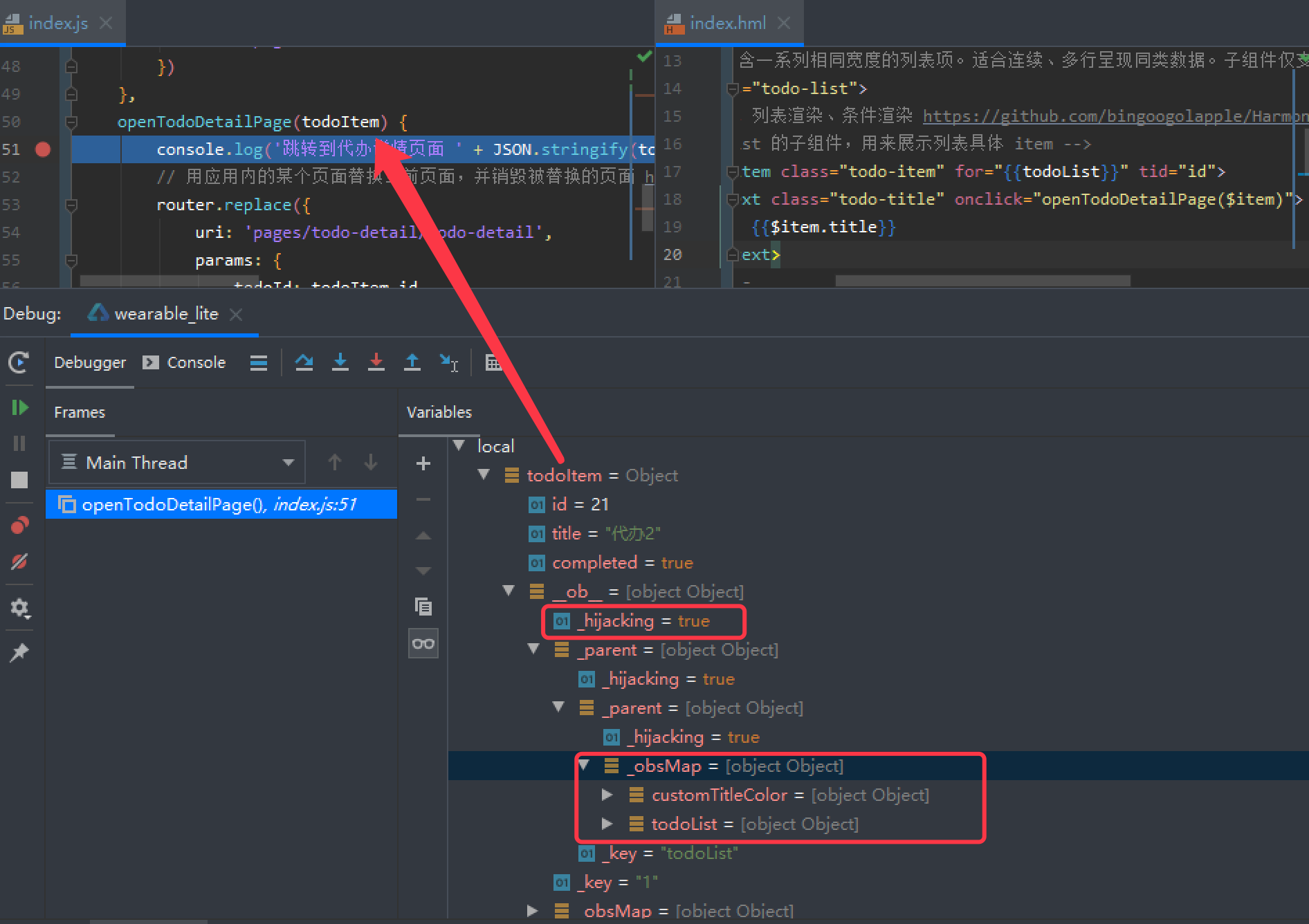 * 遍历 todoList 传递的 $item、todoItem 已经是可观察对象了,在 js 中修改 todoItem.title = '修改后',页面也会自动刷新
## [replace](https://developer.harmonyos.com/cn/docs/documentation/doc-references/lite-wearable-lifecycle-0000001054763898) * 当应用从「主页」跳转到「添加代办页」时,首先调用「主页」的 onDestroy 函数。「主页」销毁后,依次调用「添加代办页」的 onInit、onReady、onShow 函数来初始化和显示「添加代办页」 ``` [Debug] 主页 onInit [Debug] 主页 onReady [Debug] 主页 onShow [Debug] 跳转到添加代办页面 [Debug] 主页 onDestroy [Debug] 添加代办页 onInit [Debug] 添加代办页 onReady [Debug]...
* [列表渲染](https://developer.harmonyos.com/cn/docs/documentation/doc-references/lite-syntax-hml-0000001054045202#ZH-CN_TOPIC_0000001054045202__zh-cn_topic_0000000000616675_zh-cn_topic_0000000000611413_section19717658917) ```JavaScript export default { data: { todoList: [ { id: 11, title: '代办1', completed: false }, { id: 21, title: '代办2', completed: true }] } } ``` ```vue...
## 编译日志 * 点击运行按钮并选择模拟器后,先是在「Run/wearable_lite」里打印启动日志,项目后续的 js 日志也是在这里面打印  * 然后再执行 Gradle 任务「compileDebugJsWithNodeJs」,会自动指定参数 js_watch_mode 为 true,后续修改 js、hml、css 文件后会自动重启应用 ``` 13:16:42: Executing task 'compileDebugJsWithNodeJs -Pjs_watch_mode=true'... Executing tasks: [compileDebugJsWithNodeJs] > Configure project : Info:...