

 backstage
fix: (plugin-tech-radar): Move CSS overflow property to quadrant block element
Signed-off-by: Vincent Lam [email protected]
Hey, I just made a Pull Request!
Issue link: https://github.com/backstage/backstage/issues/7664
As described in the issue above: when there are too many entries in the tech radar quadrants, some of the sections disappears/renders weirdly. Over time this issue has been somewhat "solved", i.e. the tech radar works great with Google Chrome and Microsoft Edge. However, in the case of other browsers such as Firefox and Safari, the issue still persist:
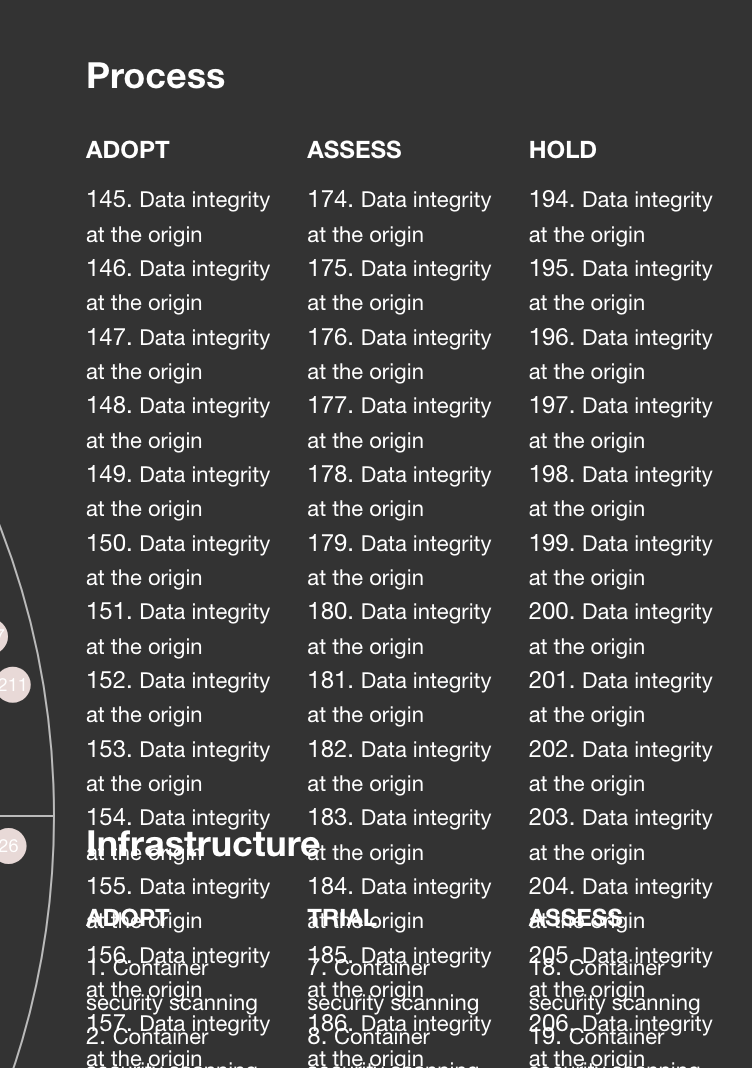 Image captured in Firefox.
 In the quadrant "Process" above, I have added 50+ entries. As we all can see the entries and sections are overflowing into one another.
While debugging this issue I noticed that the tech radar quadrants, i.e. the

while in Chrome and Edge the foreignObject is being rendered as a block-element:
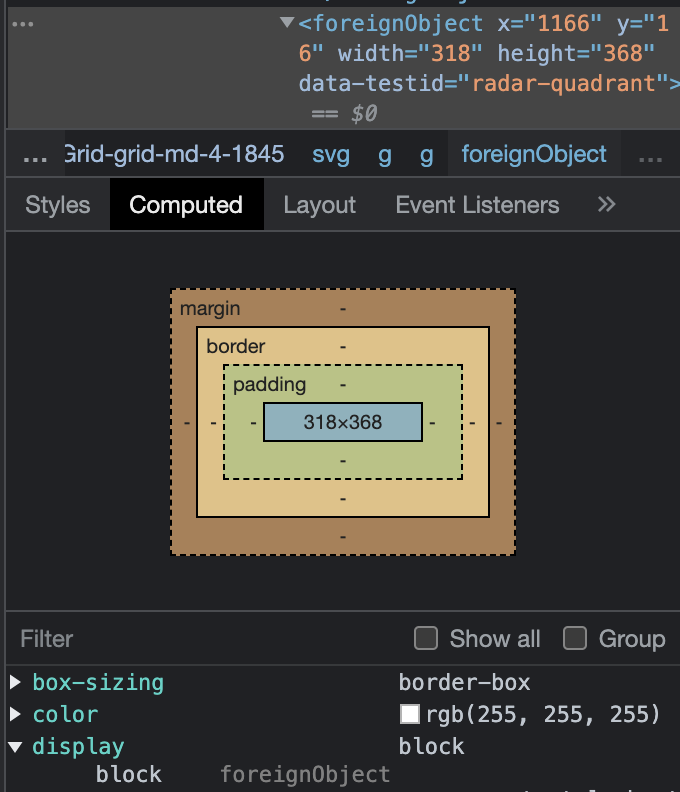
I strongly suspect that this is the reason why the tech radar quadrants is rendered correctly in some browsers and for some other browsers the entries overflows. As the CSS overflow property requires/only works with block elements and that the block element has a defined height.
Hence, this pull request will move the CSS overflow property (in this case: "overflow-y") to a quadrant block element, i.e. in this case to a div element (also known as block-level elements) which is a child element of the <foreignObject> SVG element in the RadarLegend component. By doing so the CSS overflow property will make it possible to render and scroll each tech radar quadrants properly in every browser.
 Image captured in Firefox.
My browser version list:
- Google Chrome Version 104.0.5112.79
- Microsoft Edge Version 104.0.1293.47
- Firefox Version 103.0.2
- Safari Version 14.1.2
:heavy_check_mark: Checklist

Changed Packages
| Package Name | Package Path | Changeset Bump | Current Version |
|---|---|---|---|
| @backstage/plugin-tech-radar | plugins/tech-radar | patch | v0.5.15-next.1 |
![github-actions[bot] avatar](https://avatars.githubusercontent.com/in/15368?v=4 "Published by a pub.dev verified publisher")
@Apaachai oh dang, I just realized too late after merging - does it work as well for you in all of those browsers if the overflow is set on rings instead of quadrant? Perhaps along with a max-height thrown in for good measure?
The reason I'm asking is, that would potentially be nicer since it'd scroll just all of the entries but leave the heading stationary. Perhaps a bit easier to read if the heading doesn't disappear.

@Apaachai oh dang, I just realized too late after merging - does it work as well for you in all of those browsers if the overflow is set on
ringsinstead ofquadrant? Perhaps along with amax-heightthrown in for good measure?The reason I'm asking is, that would potentially be nicer since it'd scroll just all of the entries but leave the heading stationary. Perhaps a bit easier to read if the heading doesn't disappear.
@freben I have tried out your suggestion above like this:
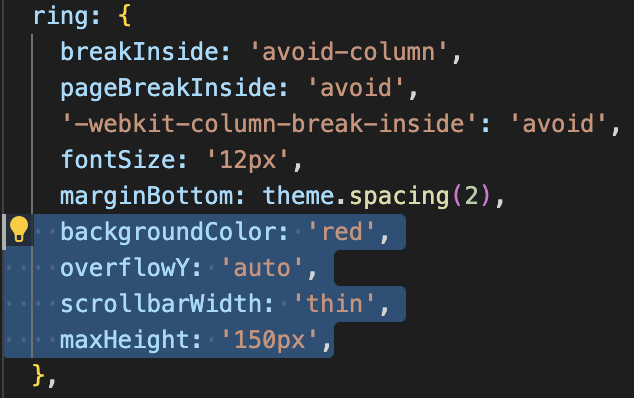
and it also works in all the aforementioned browsers, it looks something like this:
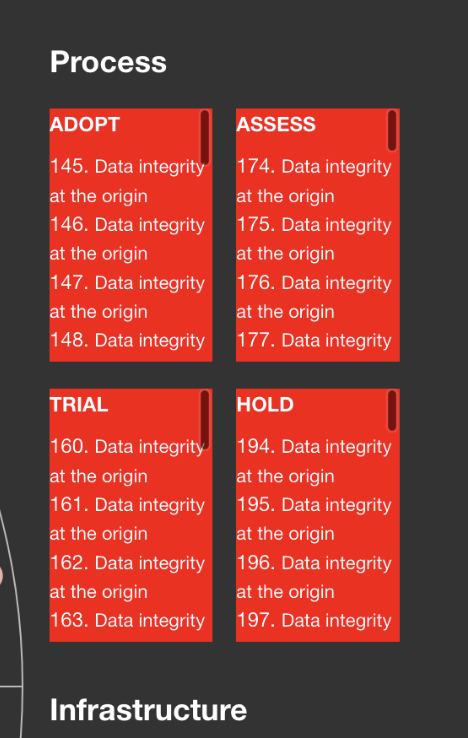
However, as we all might know, whenever we hover over one of the entries, the scrollbar will "reset" to the top. This is due to the fact that the "Radar"/"RadarPlot" component is using useState and onEntryMouseEnter to track/plot each entry (which is causing the re-renders while hovering over the entires). As we can see here:
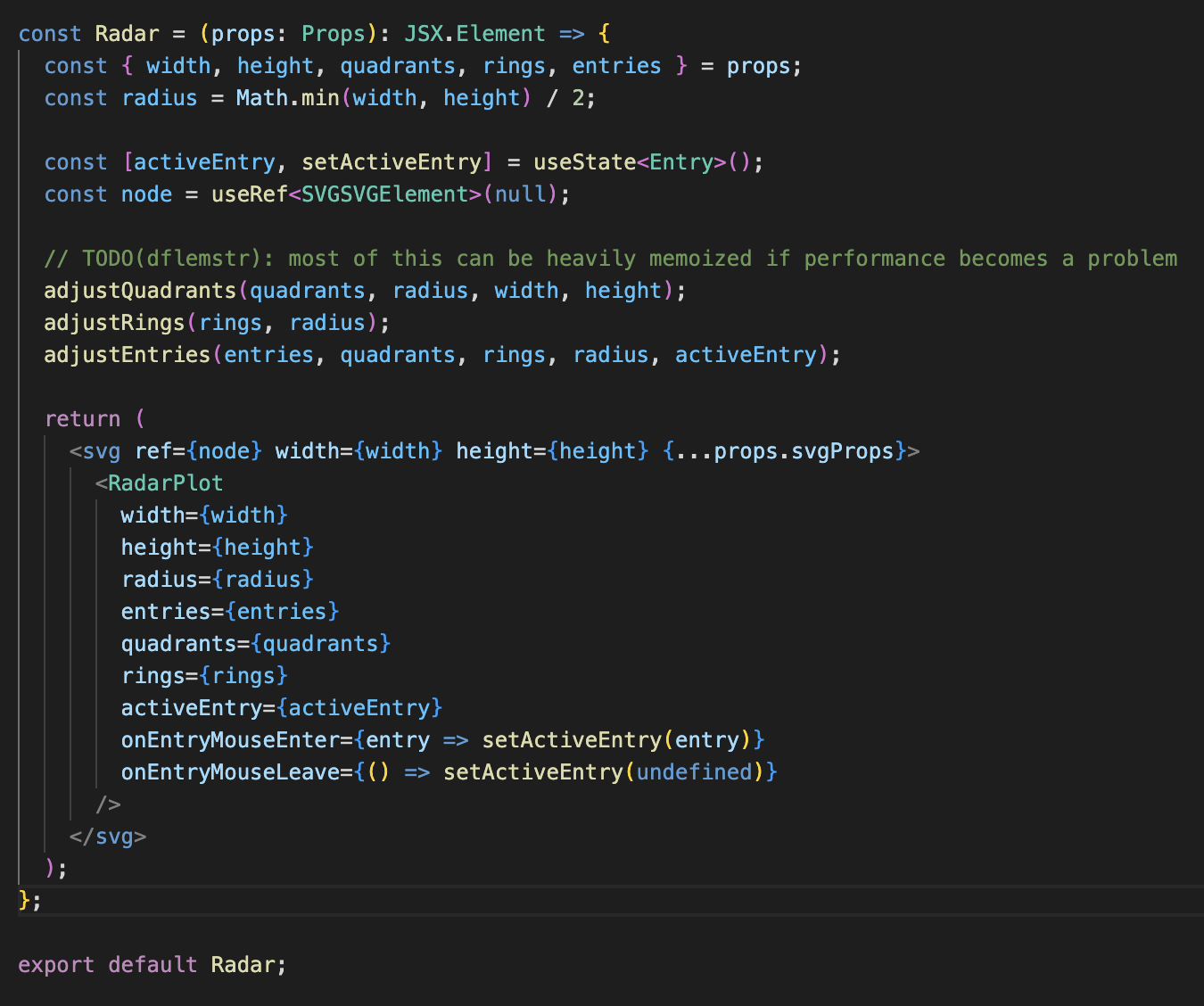
So if I put the overflow property on the ring or rings, I will be able to scroll for a bit but the scrollbar will more or less reset immediately (as I am scrolling and hovering over the entries at the same time). As it is right know, it is still possible to scroll in between the entry lists (i.e. Adopt, Assess, Hold, and Trial) before selecting one of the entry.
Nevertheless, it's a good suggestion and I agree it would be nice to see the headings while scrolling. Maybe we can move the overflow property to the ring/rings, after it is possible to hover and scroll through the entries in the tech radar quadrants.