
Kyle Parrish




Kyle Parrish
I had a similar error when working with ACME-DNS directly. Do you get the same error when you try testing the process: https://github.com/joohoi/acme-dns#testing-it-out I fixed mine by updating to the...
Receiving the same error on Win10. No modifications to config. ```powershell ❯ publish-module -Name PS-CoolModuleIMade -Repository TestBaGET -NuGetApiKey $apikey Publish-PSArtifactUtility : Failed to publish module 'PS-CoolModuleIMade': 'Failed to process request....
Not sure if this is related. Verified correct AppID/Pass: ```(node:16) UnhandledPromiseRejectionWarning: Error: BotFrameworkAdapter.processActivity(): 401 ERROR Error: Unauthorized. Invalid AppId passed on token: ******-***-****-***-******* at /data/node_modules/botframework-connector/lib/auth/channelValidation.js:90:23 at Generator.next () at fulfilled...
Experiencing this ongoing issue as well. 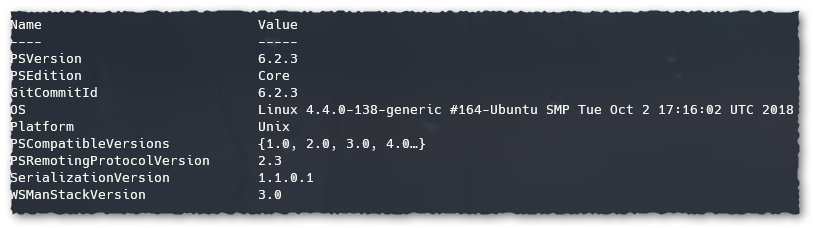 # Linux > Windows 2012 R2 ``` Enter-PSSession -Credential $creds -ConfigurationName microsoft.exchange -ConnectionUri http://x.x.x.x/powershell -Authentication Negotiate -Verbose ``` ``` Enter-PSSession : Connecting to...
> When remoting from Linux, you will likely need to explicitly use Basic auth. Negotiate requires additional libraries and configuration. Are the extra libraries required on the Windows or Linux...
> Windows already has the necessary libs built into the OS. Here's an example where the docker image was updated with a lib to support NTLM on Linux: [PowerShell/PowerShell-Docker#124](https://github.com/PowerShell/PowerShell-Docker/issues/124). This...
> Hey @arnydo, > All officially supported Docker images have `gss-ntlmssp` installed on them, except for `Alpine` and `openSUSE`. So as long as you are using one of the others,...
> @arnydo Did you check whether `/etc/services` was the issue? See [#7342 (comment)](https://github.com/PowerShell/PowerShell/issues/7342#issuecomment-477711182). Hey, what does /etc/services have to do with this particular issue? That isn't sarcastic...
@danports I built a new image based on the latest Ubuntu 18.04 Powershell Dockerfile but with the addition of the ```RUN echo 'http 80/tcp www www-http' > /etc/services```. Same result...