
Aakansha Doshi





Aakansha Doshi
> No, unfortunately in Brave Browser it never looks right. I've tried incognito, wiping storage, etc. I tested in chrome and it works fine. Thanks I just hate chrome. @savager...
One more thing to note - Only opening the link for first time the issue is reproducible in all browsers and on refresh it gets fixed and this I have...
@savager can you try opening https://excalidraw-git-aakansha-refresh-dims-on-json-load-excalidraw.vercel.app/#json=-DV4Cph-GwtrlhYpHZ-d5,Mq55Gk1Z99mCPwtNPEPrLQ and confirm if it works in brave for you as well? Works for me in all browsers on Mac
@savager by any chance do you have turned on "Aggressive Block Filtering" on Brave ? 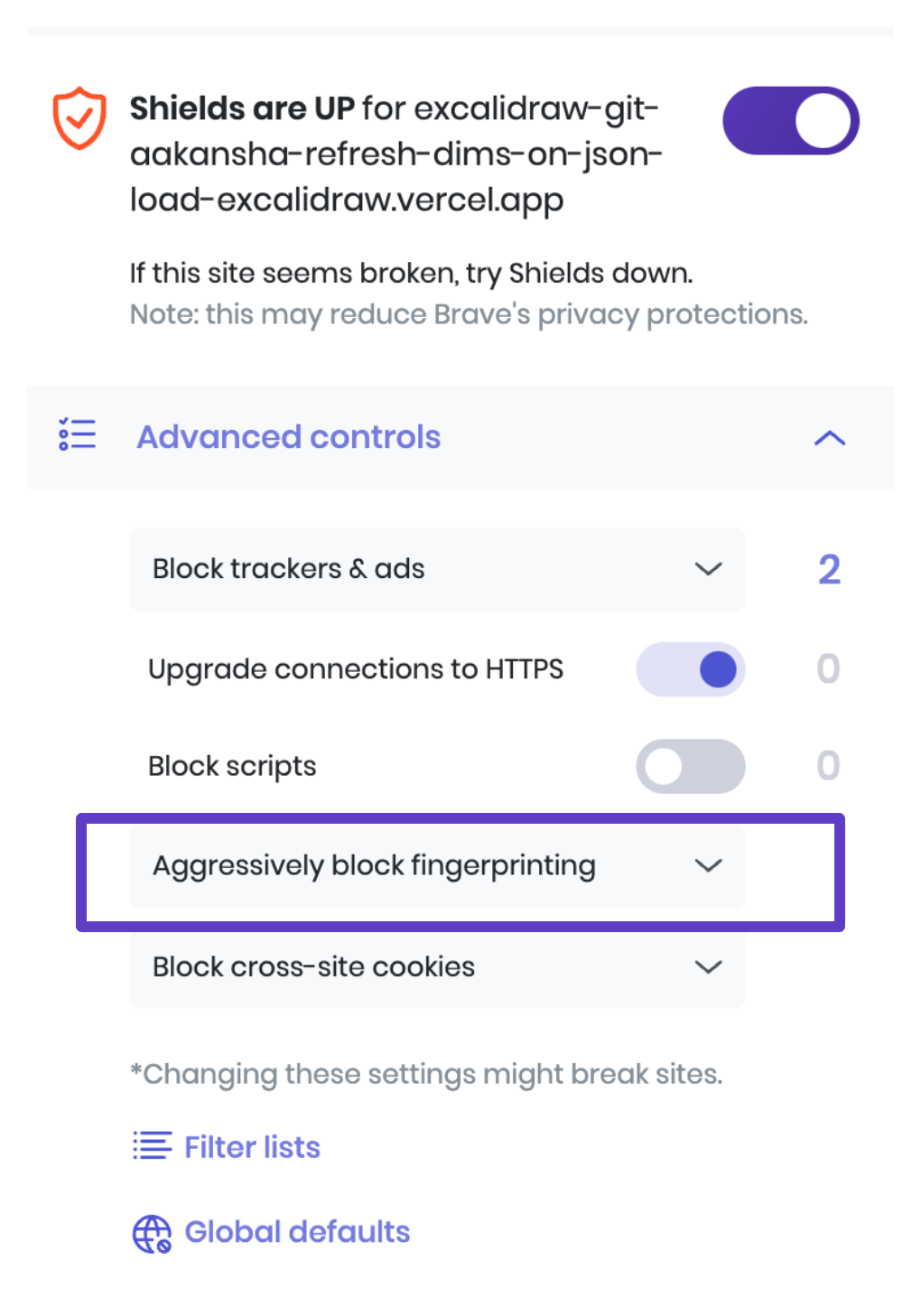 When this is turned on the canvas `measureText` doesn't work well and returns `0`...
@savager closing this as now we show a warning as well in case someone uses Excalidraw on Brave with Aggressive Block Fingerprinting to inform the users about the same
@ignacio-cuadra I have fixed this in my [PR](https://github.com/excalidraw/excalidraw/pull/6301) along with tests so you shouldn't need to update them once the PR is merged.
@ignacio-cuadra Sorry about the delay, I have been busy making some changes to the way the text containers works to make it more stable, also adding more tests, and monitoring...
> Yes, I can do it but that feature removes all trailing spaces (I mention it because it would be necessary to remove them in the tests). Yep that's what...
> Oops, i'm wrong. I meant that this feature doesn't remove any trailing space (They are removed when the text is drawing). That would be when you fix the bug...
@ignacio-cuadra been long time so wondering if you are working on the trailing space fix or should I pick it up ?