
ReinforceZwei


ReinforceZwei
> I think this is terminal side problem as displaying characters is the job of the terminal. What I mean "terminal" here is the terminal program used to run MCC,...
Character shows correctly on my side. Using mono on macOS. 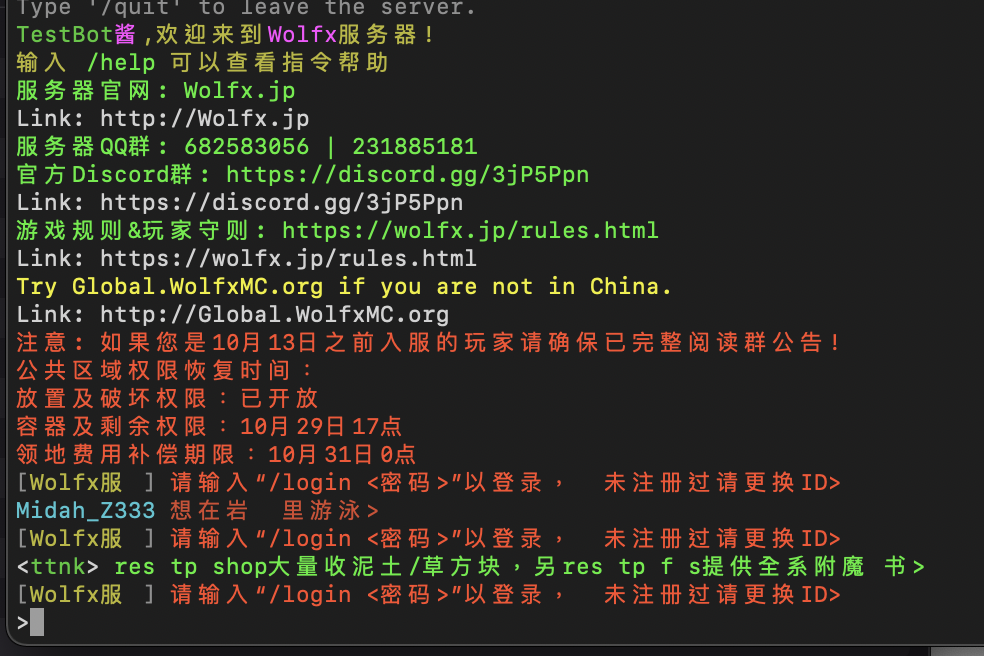
Assuming you use Visual Studio. In your DLL project, you can add MCC as project reference in project explorer. Then you can start using MCC namespace in your DLL.
See https://github.com/MCCTeam/Minecraft-Console-Client/issues/1476#issuecomment-783405551. Since you have single stack of stone only, AutoCraft is not able to craft stone bricks for you.
> Make sure to change branch to previous, as the ChatBot.cs got removed in the latest commit. @Daenges They are moved to `Scripting` folder.
Thanks for the detailed report. By viewing your logs, I think you were being rate-limited by Microsoft, as login request to Xbox return HTTP code 429 `Too Many Request`. Unfortunately...
The word `Microsoft` is mistyped in the config. Fix the typo and try again.
You can see MCC was connecting to Mojang (Minecraft.net) for signing-in in the screenshot. Either you didn't type it correctly or you forgot to save the file. The correct setting...
Try to delete the config file and let MCC generate a new one.
That means you are not editing the correct config file. MCC will print out the location of the config file while starting. Find out the correct file and edit that...