
Minecraft-Console-Client
 Minecraft-Console-Client copied to clipboard
 MCCTeam
[BUG] There is a problem displaying characters on Linux
Prerequisites
- [X] I made sure I am running the latest development build
- [X] I tried to look for similar issues before opening a new one
- [X] I have set
debugmessages=truein config to diagnose my issue - [X] I have redacted session tokens and passwords before attaching screenshots
Minecraft Version
1.17.1
Console Client Version
Latest(AppVeyor build 527, built on Tue 10/05/2021 from commit bb4c131)
Expected Behavior
Show Chinese rightly.
Actual Behavior
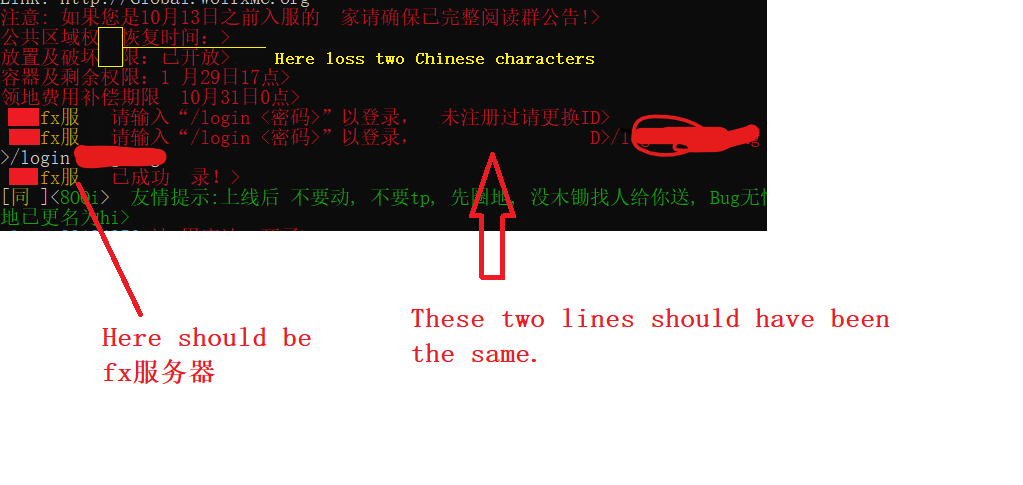
Some words cannot be displayed normally include Chinese words and English.
Steps to Reproduce the bug
- Connect to a server which send Chinese.
Attach screenshot here (If applicable)
Anythings that could help diagnosing the bug
This is not a serious problem, and it runs normally on windows and displays normally on Android using pickaxechat app.
I am running on Centos 7 and use tmux to keep mcc running.
Device
VPS
Operating System
Linux
Server Address (If applicable)
No response

I think this is terminal side problem as displaying characters is the job of the terminal.

I think this is terminal side problem as displaying characters is the job of the terminal.
Yes. If I use the BasicIO-NoColor parameter, it works well. I guess The problem should be in the function ConsoleIO.Write() or mono itself.
I think this is terminal side problem as displaying characters is the job of the terminal.
What I mean "terminal" here is the terminal program used to run MCC, such as bulit-in cmd, ConEmu or Putty. Which terminal program you were using?
I think this is terminal side problem as displaying characters is the job of the terminal.
What I mean "terminal" here is the terminal program used to run MCC, such as bulit-in cmd, ConEmu or Putty. Which terminal program you were using?
I run SSH in Windows CMD to connect to the server. The shell of the server is bash 4.2.46(2)-release. Then I opened a terminal with TMUX to run MCC.
It reproduce when I run mcc without tmux.
I tried use windows terminal and JuiceSSH on Android, neither of them can work properly.
If you need the server ip, it is wolfxmc.org
I find this issue(#941), I forgot to say that some characters will overlap, that is, the second half of the previous word will overlap with the first half of the next word. Some unfinished inputs will appear after the new output. Like in the picture above, when I input /login password, a new line came and /login p was printed following the previous line. (I add red mosaic to it).
After that, I'll study it carefully if I have spare time.
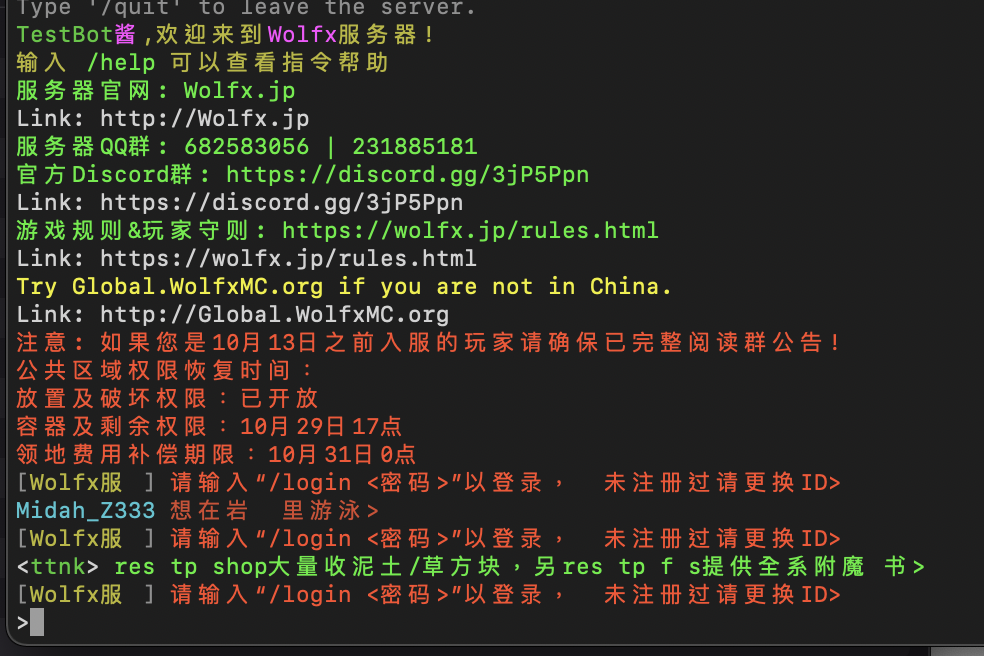
Character shows correctly on my side. Using mono on macOS.
It is not correct. It is correct img on windows:
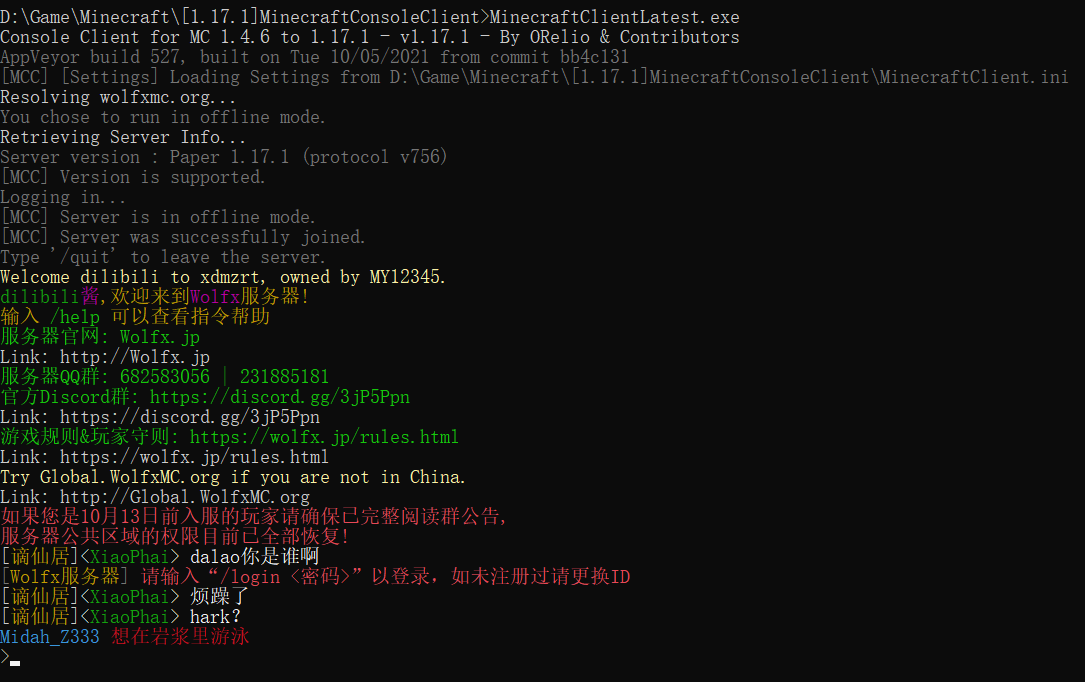 Please note that the front of the red words should be [wolfx服务器], and in your picture is [wolfx服 ], and it is
 如未注册过请更换ID, but in your image it loss 如 and there is one more character > at the end of this line.
Can you test this out with the latest release, since the MCC now uses ConsoleInteractive?

Closing due to being stale. Download the latest release, now it uses .NET Core 6, mono is no longer used. If you still have this issue, re-open the issue.