

 NymexData
Console.log error ...

trying to run a unit test on Bundle.js, but I can't really see the error. How did the error came up for you?

it's not exactly the bundle... it's not webpack.... there's something I can't see ... that when you put the server to run, in the console you can see it as an error ... that error.... I can't see it ....
hey it's not in the server.... it's when you run it.... and debbug it...in the browser ...
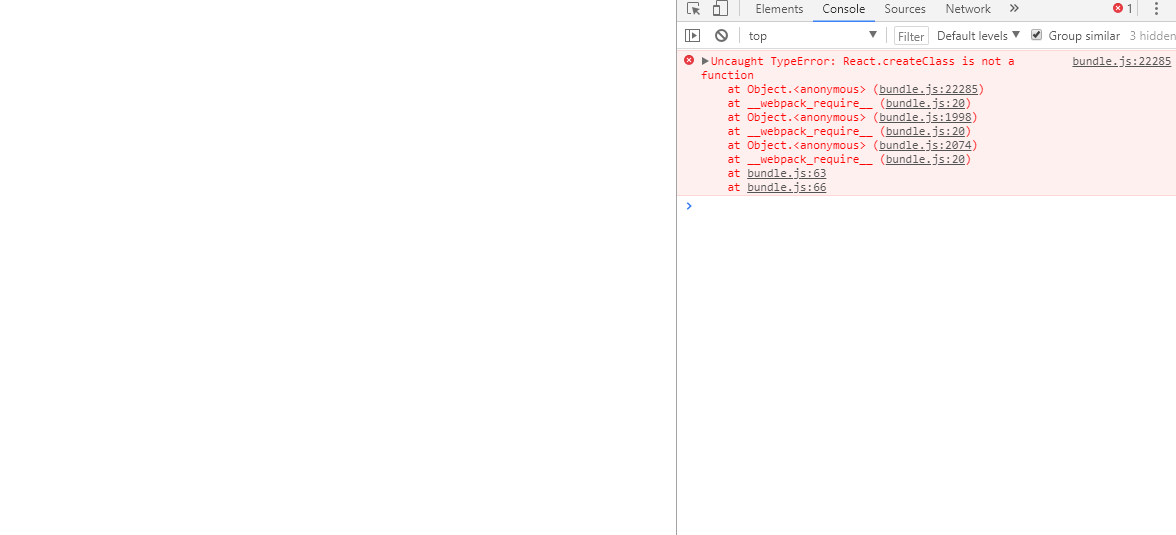
for technical purposes... I was using react-router .... routers in react ....

var React = require('react'); var Nav = require('Nav'); var createClass = require('create-react-class'); var Main = createClass({ render: function () { return (
Main Component
var React = require('react'); var Nav = require('Nav');
var Main = React.createClass({ render: function () { return (
Main Component
I did that. It didn't work. Try to test before to post @rajvicky but sweet as that you suggested something. :)
I fixed it, I had to code cleanly all the files... specially the webpack config and the json file for the installing modules... uff all fucked up.... now it's runnin perfectly to continue the stage of coding the UI with react. Thanks anyways guys. Just let's be careful always with the critical files. :)