LJS80

Results 8 issues of LJS80

在04_day/IPL10.nas中,81行处 ; IPLがどこまで読んだのかをメモ 建议翻译为 ; 记录IPL读到的位置

在04_day/ipl10.nas中 ![image](https://user-images.githubusercontent.com/67176612/209432438-d98155a4-0a61-4508-a995-cf5667ee2385.png) 译文中46行处不应该有换行 ![image](https://user-images.githubusercontent.com/67176612/209432455-fe8fd775-0a78-4718-a125-dc9e37fadebb.png) ![image](https://user-images.githubusercontent.com/67176612/209432472-712937c7-775e-4202-b1b0-e026c33949c7.png) 译文中49行处不应该有换行 ![image](https://user-images.githubusercontent.com/67176612/209432486-e1b24717-c293-40c3-8914-c03e0c25ffc9.png) ![image](https://user-images.githubusercontent.com/67176612/209432544-4da46129-b08d-4263-bbf1-556f4a420f24.png) 译文中81行处应该有换行 ![image](https://user-images.githubusercontent.com/67176612/209432591-9aea3264-999f-453f-b2e0-0ad02ef79a62.png) ![image](https://user-images.githubusercontent.com/67176612/209432629-e86b97d1-e831-4023-8f76-be2e283d0f58.png) 译文中86行处不应该有换行 ![image](https://user-images.githubusercontent.com/67176612/209432648-611ec4f7-6d11-4784-8a85-13b246a320b3.png) ![image](https://user-images.githubusercontent.com/67176612/209432713-74c03233-6a0a-41fd-9a3f-669d2fe17e73.png) 译文中96行处不应该有换行 ![image](https://user-images.githubusercontent.com/67176612/209432732-6e8ae3f7-9a93-46c9-92f8-97058e3e6744.png) ![image](https://user-images.githubusercontent.com/67176612/209432764-3ea87ba8-c2b3-4709-92fa-55a12e48364a.png) 译文中100行处不应该有换行 ![image](https://user-images.githubusercontent.com/67176612/209432783-9ba0be94-f5ea-43e5-8a0d-802bc198f7ed.png)

04_day/asmhead.nas的翻译不完全 第18行; 画面モードを設定 应译为; 设置画面模式

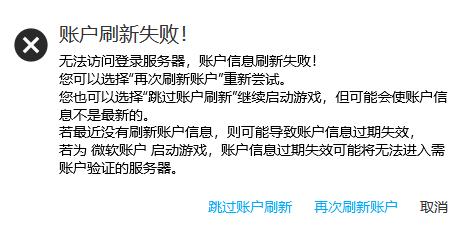
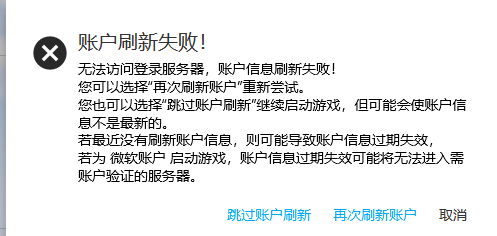
### 启动器版本 Launcher Version 3.5.3.229 ### 平台 Platform Windwos10 ### 问题描述 Problem Description HMCL在处理`/api/yggdrasil/authserver/validate`接口返回中似乎有问题,如将210等请求处理为204(验证成功的情况) 无法进行让令牌失效 当服务端返回500时HMCL会提示 ![用户信息页刷新令牌](https://user-images.githubusercontent.com/67176612/218256633-13927e87-c138-459c-b7d0-c06cce2a5ec9.png) 或者在启动时提示 ![image](https://user-images.githubusercontent.com/67176612/218256661-75139deb-a715-49e9-b731-ef9f9c4dd6c7.png) 但是服务器显示返回成功 ![image](https://user-images.githubusercontent.com/67176612/218256674-9e6ab6a2-fe4b-477d-9300-734e26b945cb.png) 如果服务端返回的是101,则HMCL启动器会明显卡顿一段时间。然后显示 ![image](https://user-images.githubusercontent.com/67176612/218256760-019c8334-460b-4f3b-9029-7d28bc0bde99.png) 服务端日志如下 ![image](https://user-images.githubusercontent.com/67176612/218256871-c5b8163d-23ed-4d5d-a351-31f60d1b8b74.png) 当然,返回2xx则直接被判定为204(甚至不是204的时候也显示登录成功) 而在文档中是这样的 ![image](https://user-images.githubusercontent.com/67176612/218256817-2f03a361-8745-44d3-b413-7fd8b97b57b4.png) 是我理解的问题吗 ###...


bug

添加了对于 README 的中文翻译,并纠正了一个链接

添加了对于 README 的中文翻译,并纠正了一个链接