
QualityScaler
 QualityScaler copied to clipboard
 Djdefrag
QualityScaler - image/video AI upscaler app

Image/video DeepLearning Upscaler App for Windows


Credits.
BSRGAN - https://github.com/cszn/BSRGAN | https://arxiv.org/abs/2103.14006
RealSR_JPEG - https://github.com/jixiaozhong/RealSR | https://arxiv.org/pdf/2005.01996.pdf
How is made.
QualityScaler is completely written in Python, from backend to frontend. External packages are:
- [ ] AI -> Pytorch-directml
- [ ] GUI -> Tkinter / Tkdnd / Sv_ttk
- [ ] Image/video -> OpenCV / Moviepy
- [ ] Packaging -> Pyinstaller
- [ ] Miscellaneous -> Pywin32 / Win32mica / Image_slicer
Installation.
- download the QualityScaler release .zip
- unzip using 7zip or similar
- execute QualityScaler.exe in the directory
Requirements
- [ ] Windows 11 / Windows 10
- [ ] RAM >= 8Gb
- [ ] Directx12 compatible GPU:
- [ ] any AMD >= Radeon HD 7000 series
- [ ] any Intel HD Integrated >= 4th-gen core
- [ ] any NVIDIA >= GTX 600 series
- [ ] CPU [works without GPU, but is very slow]
Features.
- [x] Easy to use GUI
- [x] Image/list of images upscale
- [x] Video upscale
- [x] Drag&drop files [image/multiple images/video]
- [x] Automatic image tiling and merging to avoid gpu VRAM limitation
- [x] Different upscale factors:
- [x] x2 - 500x500px -> 1000x1000px
- [x] x3 - 500x500px -> 1500x1500px
- [x] x4 - 500x500px -> 2000x2000px
- [x] Cpu and Gpu backend
- [x] Compatible images - png, jpeg, bmp, webp, tif
- [x] Compatible video - mp4, wemb, gif, mkv, flv, avi, mov, qt
Next steps.
- [x] Support for Nvidia RTX 3k and 2k with cuda 11
- [x] New Fused model (that combines the best of both models)
- [x] New GUI with Windows 11 style
- [ ] Include audio for upscaled video
- [x] Switch to Pytorch-directml to support all Directx12 compatible gpu (AMD, Intel, Nvidia)
- [ ] Update libraries
- [ ] Python 3.10 (expecting ~10% more performance)
- [ ] Python 3.11 (expecting ~30% more performance, now in beta)
Known bugs.
- [ ] Windows10 - the app starts with white colored navbar instead of dark
- [ ] Upscaling multiple images doesn't free GPU Vram, so the it is very likely that the process will fail when the gpu memory fills up
- [ ] Filenames with non-latin symbols (for example kangy, cyrillic etc.) not supported - [Temp solution] rename files like "image" or "video"
Some Example.
- BSRGAN examples
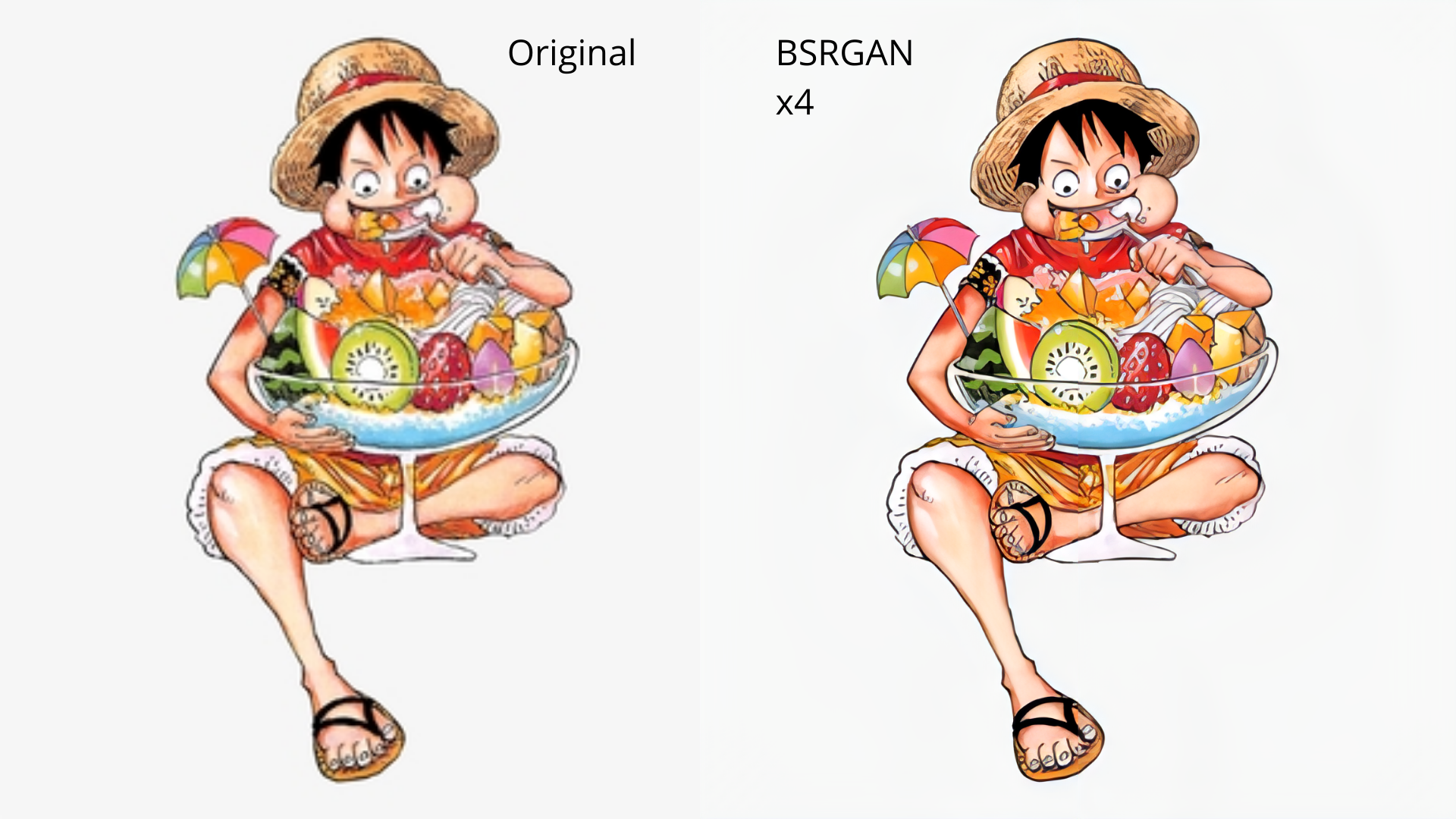
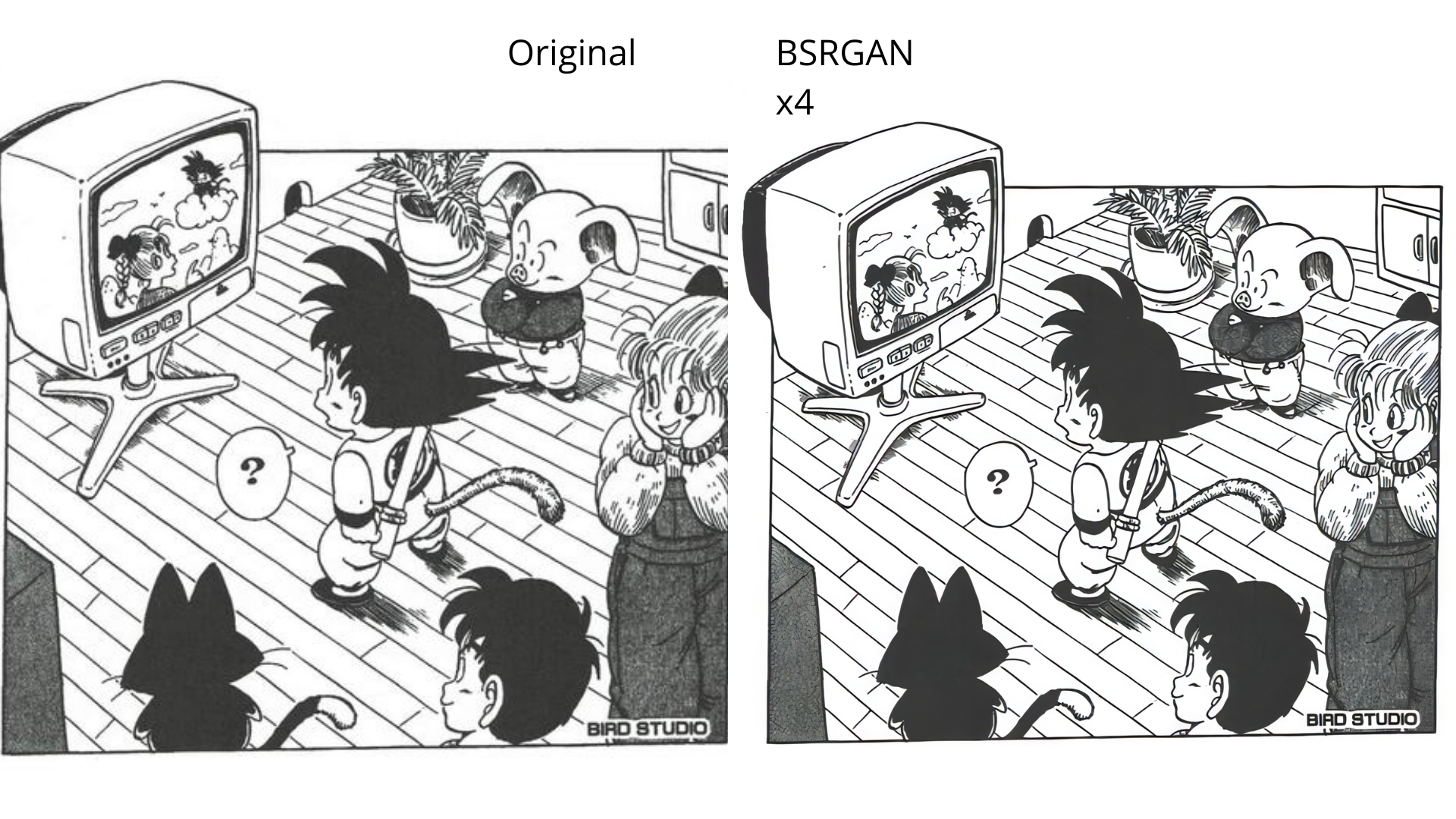

- Fused model examples

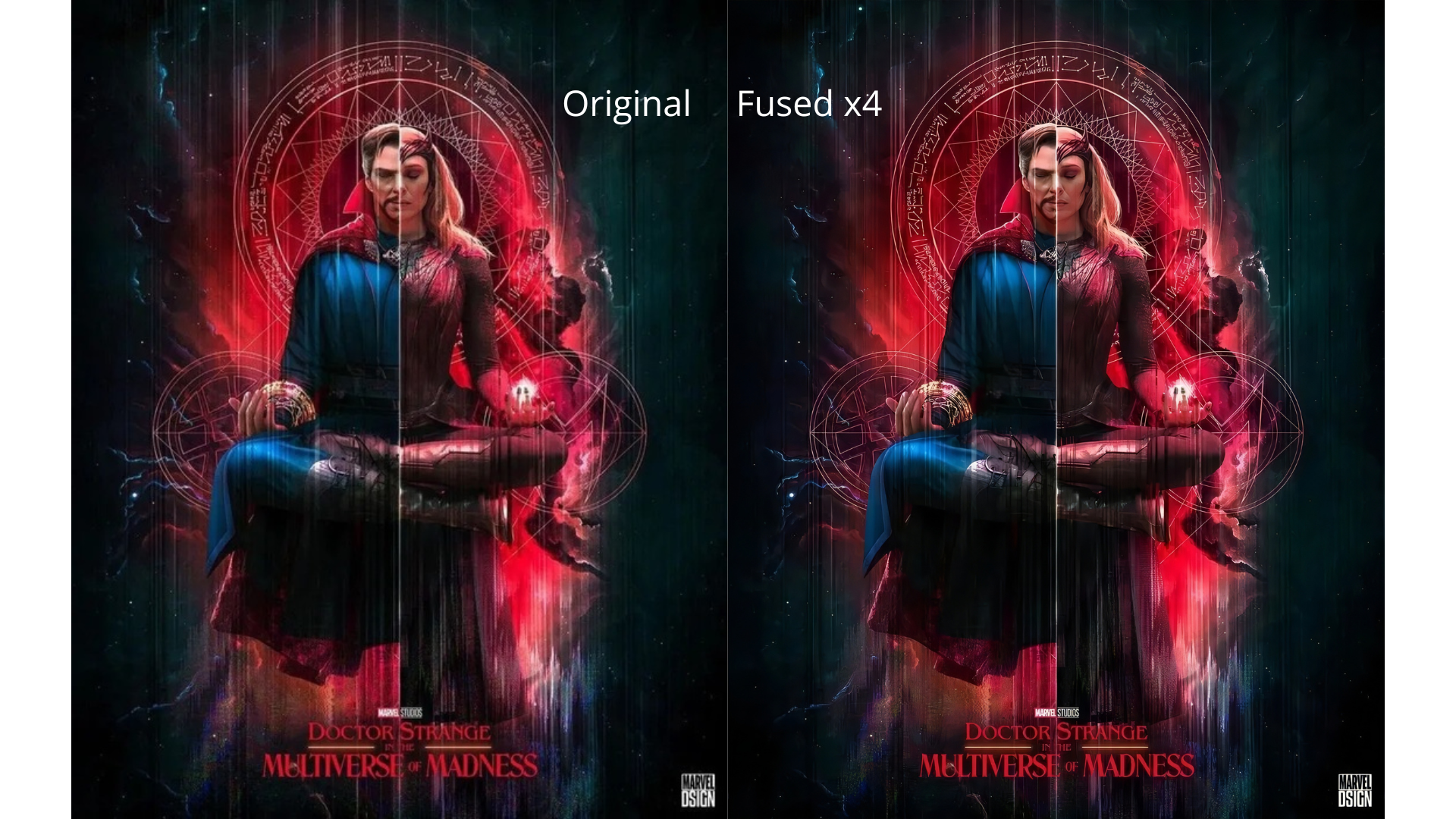
 Djdefrag