
BiTime123
BiTime123
turned it on and same thing 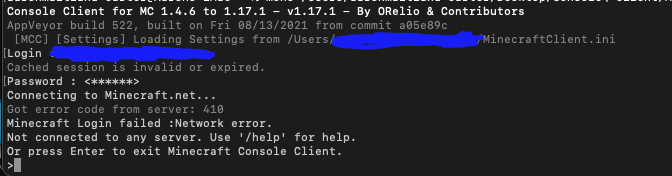
I got this error message
same thing? since i changed `Microsoft` in the `MinecraftClient.ini` 
tried this (login info was removed then added back) 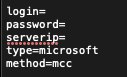 and still got 
When I delete the config file (have a backup in case), and run MCC, it doesn't seem to generate a new one.
Where do I find that, I'd suppose somewhere [here](https://github.com/ORelio/Minecraft-Console-Client/issues/1737#issuecomment-905094952) also here is the console client folder too. 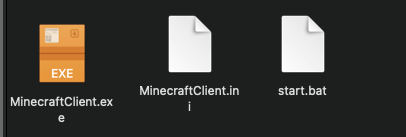
I think I just found it. 
That's the same one from [here](https://github.com/ORelio/Minecraft-Console-Client/issues/1737#issuecomment-905110649) and [here](https://github.com/ORelio/Minecraft-Console-Client/issues/1737#issuecomment-905207122)
> change login with mcc to browser and log in that way. it takes longer but should work don't think it worked due to the same thing happening as method...