

 ArduPilot
Mission Editor: scroll down no longer works
The Mission Editor has a very long list of mission commands (far more than any of the vehicles support but this is a separate issue) and I seem to be unable to use the mouse scroll wheel to scroll down the list meaning that only the top of the list is usable.
Below is an example of what I can see on my screen, there's no way as far as I can tell to select items below DO_MOUNT_CONFIGURE. I'm using MAVProxy on WSL2 on my windows 11 box.
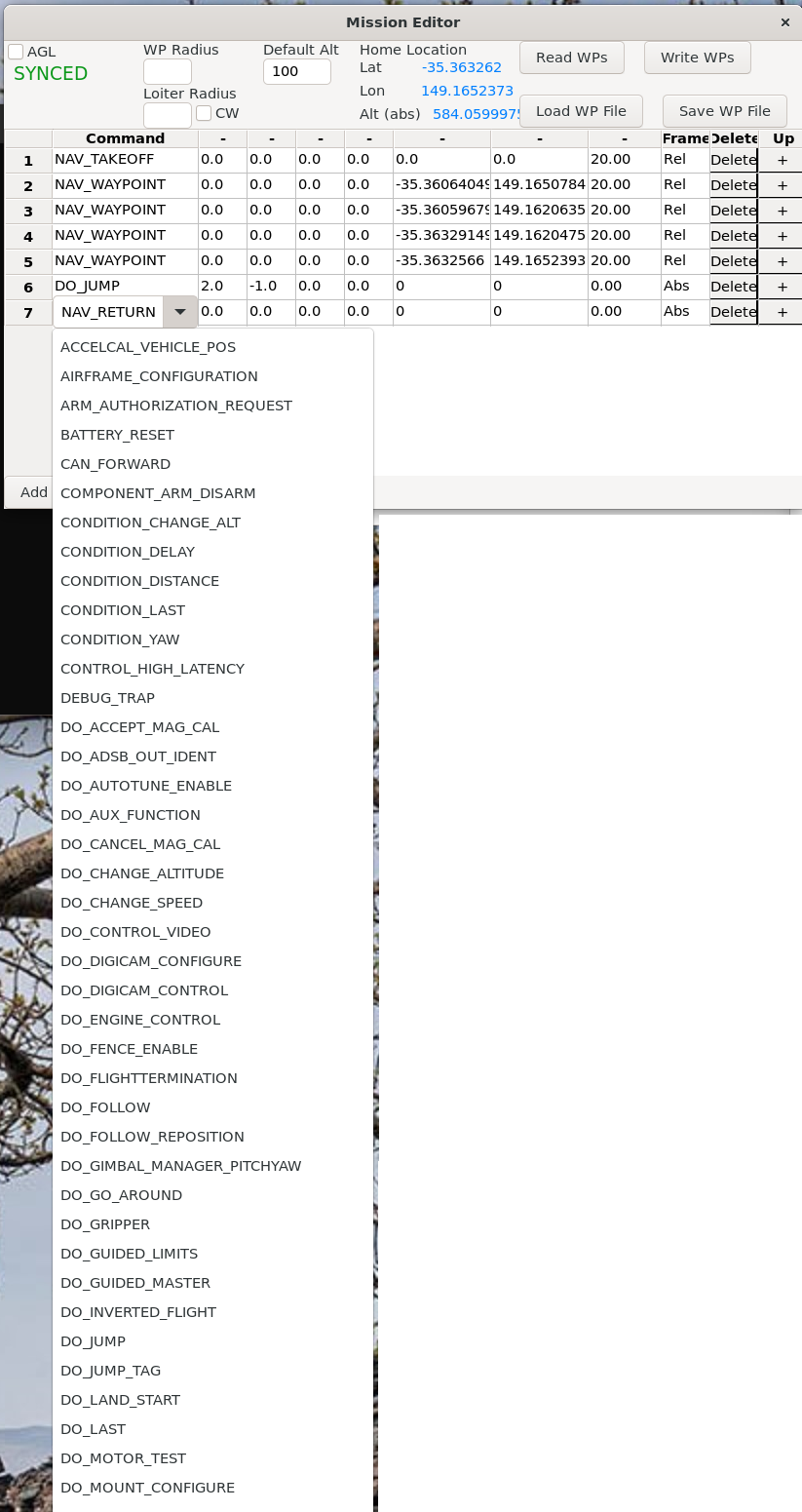

Hi, I really struggled with this today because I was trying to build a mission on my WSL2 box. This bug wastes a lot of time for me actually.
What version of wxpython are you using? Use pip3 list to get the version.
I'm using 4.0.7
On my Ubuntu box, I'm getting scroll buttons:

I've confirmed the issue on WSL.
Interestingly, if I run MAVProxy from Windows directly (not via WSL) I do get the scrollbars. Maybe be some issue with the display or layout manager in WSL?