

 ApolloAuto
Apollo 6.0 SanFrancisco MAP ERROR
Describe the bug I am trying to test Apollo 6.0 with LGSVL. But I find that the SanFrancisco Map is loaded in a wrong direction. And I do not know how to correct it.
To Reproduce Steps to reproduce the behavior:
- Download SanFrancisco base_map.bin from LGSVL or Use the bin file of Apollo 5.0. Save at modules/map/data/san_francisco
- execute following instructions:
dir_name=modules/map/data/san_francisco
bazel-bin/modules/map/tools/sim_map_generator --map_dir=${dir_name} --output_dir=${dir_name}
bash scripts/generate_routing_topo_graph.sh --map_dir ${dir_name}
- restart apollo and test it with a random case by LGSVL
Additional context
Add any other context about the problem here.
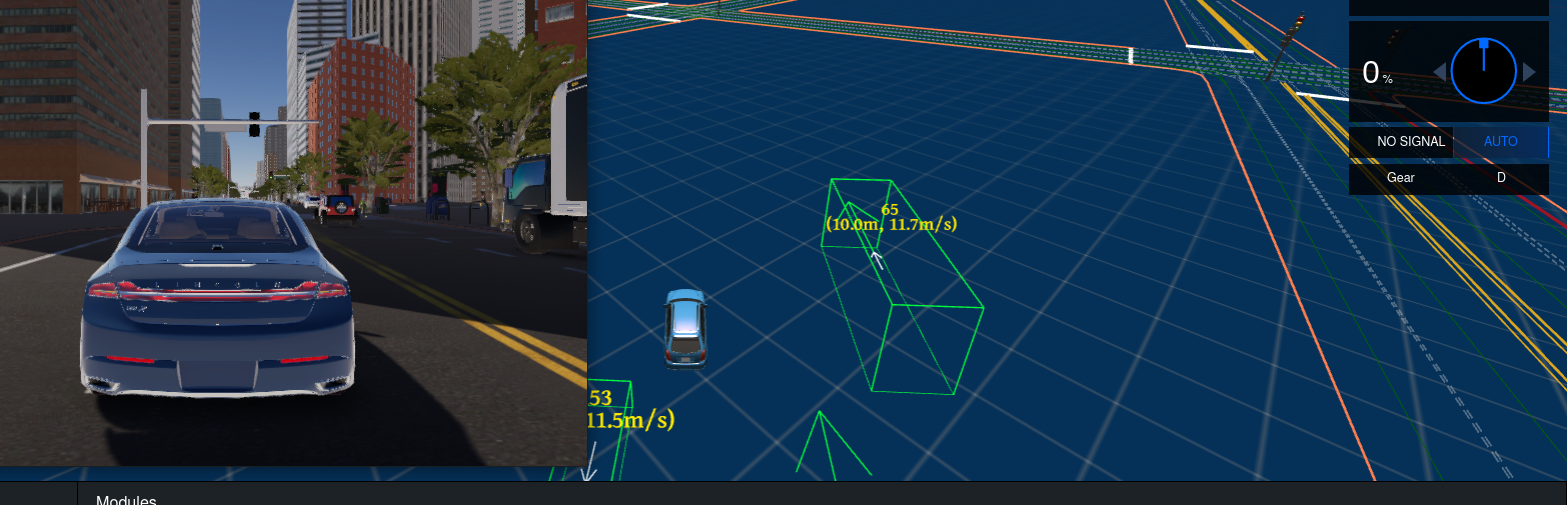
Could you please tell me how to correct it? Thank you!

Have you made any other changes, if the map is correct, then the car's localization is wrong

Have you made any other changes, if the map is correct, then the car's localization is wrong
I did not change anything. I use the .bin file provided by the LGSVL and use Apollo's scripts to convert it.
@daohu527 Hi, I had the same problem. I found similar issues on the SVL repo: https://github.com/lgsvl/simulator/issues/1909 https://github.com/lgsvl/simulator/issues/1754 There seems to be a mismatch between the map in the simulator and the HD map for Apollo 6.0. In the release 2021.3, they said they "Fixed SF, Shalun, Highway101 map origin rotation issues", but the issue on SanFrancisco map still exists. Could you tell me configs you use, like OS, simulator version, map ID/website or even more details, if you run in SanFrancisco successfully?

Sorry, LGSVL is out of maintenance, Since they don't have a hint about the error, I might be able to fix this in two weeks.
Sorry, LGSVL is out of maintenance, Since they don't have a hint about the error, I might be able to fix this in two weeks.
Thanks!
By the way, I have tried on different versions of LGSVL simulator (2021.1-2021.3) using official SanFrancisco map. I found that positions with the same GPS are invariable in the dreamview, but not in the simulators. Besides, the GPSs of the pre-defined spawn points are different in different versions of simulator.
Sorry, LGSVL is out of maintenance, Since they don't have a hint about the error, I might be able to fix this in two weeks.
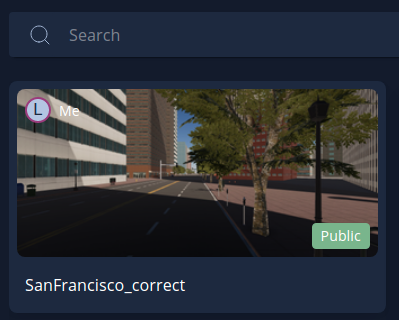
Hi, maybe I have fixed this problem, I have uploaded this map into the LGSVL map library named "SanFrancisco_correct". I hope it could save your precious time.

Sorry, LGSVL is out of maintenance, Since they don't have a hint about the error, I might be able to fix this in two weeks.
Hi, maybe I have fixed this problem, I have uploaded this map into the LGSVL map library named "SanFrancisco_correct". I hope it could save your precious time.
Thanks! The maps match!

Sorry, LGSVL is out of maintenance, Since they don't have a hint about the error, I might be able to fix this in two weeks.
Hi, maybe I have fixed this problem, I have uploaded this map into the LGSVL map library named "SanFrancisco_correct". I hope it could save your precious time.
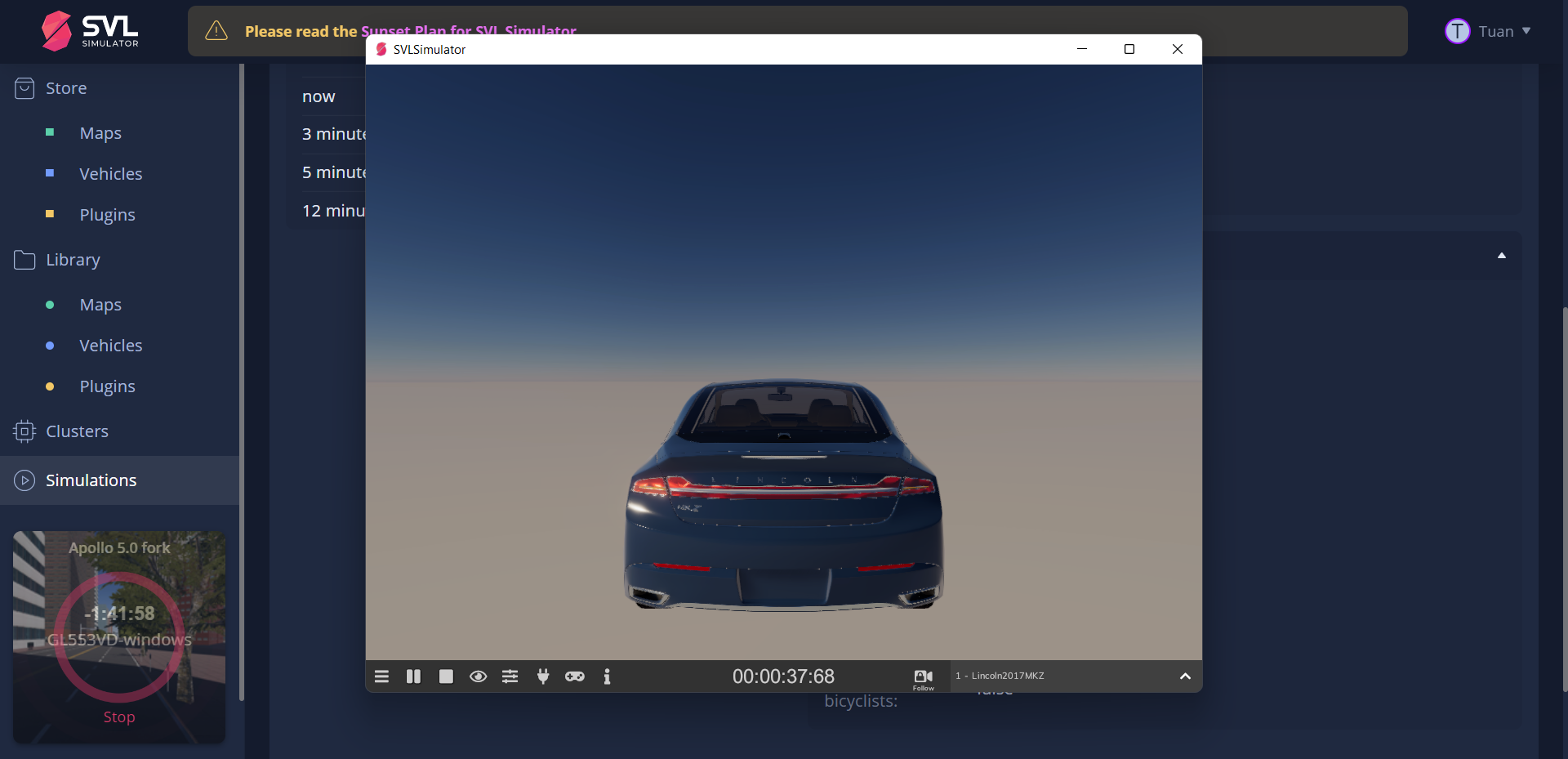
Nice job @JasonBourne1998 ! I have tested your SanFrancisco map and see that it works on Ubuntu version of LGSVL 2021.3, but issue happened when simulate it on Windows 10 version. Particularly, from the beginning of simulation (or even after clicking Start), LGSVL on Windows only showed EV with gradient background, and without any objects such as building, road. I have tried to adjust other settings on the scenario (e.g. day time, weather), but nothing has changed. It is so weird because with original SanFracisco map released by SVL team, it works (but having wrong direction problem as mentioned on the main post).
If you have time, please take a look on this issue. Thank you very much.

@tuanngokien Have you solved the problem? I have the same problem as you. Could you tell me how to solve the problem?

Sorry, LGSVL is out of maintenance, Since they don't have a hint about the error, I might be able to fix this in two weeks.
Hi, maybe I have fixed this problem, I have uploaded this map into the LGSVL map library named "SanFrancisco_correct". I hope it could save your precious time.
Nice job @JasonBourne1998 ! I have tested your SanFrancisco map and see that it works on Ubuntu version of LGSVL 2021.3, but issue happened when simulate it on Windows 10 version. Particularly, from the beginning of simulation (or even after clicking Start), LGSVL on Windows only showed EV with gradient background, and without any objects such as building, road. I have tried to adjust other settings on the scenario (e.g. day time, weather), but nothing has changed. It is so weird because with original SanFracisco map released by SVL team, it works (but having wrong direction problem as mentioned on the main post).
If you have time, please take a look on this issue. Thank you very much.
@tuanngokien Have you solved the problem? I have the same problem as you. Could you tell me how to solve the problem?